maintain _41
04 MAINTAIN
MAINTAIN TOOLS AND FILTERS
Cleaning the Power Brush
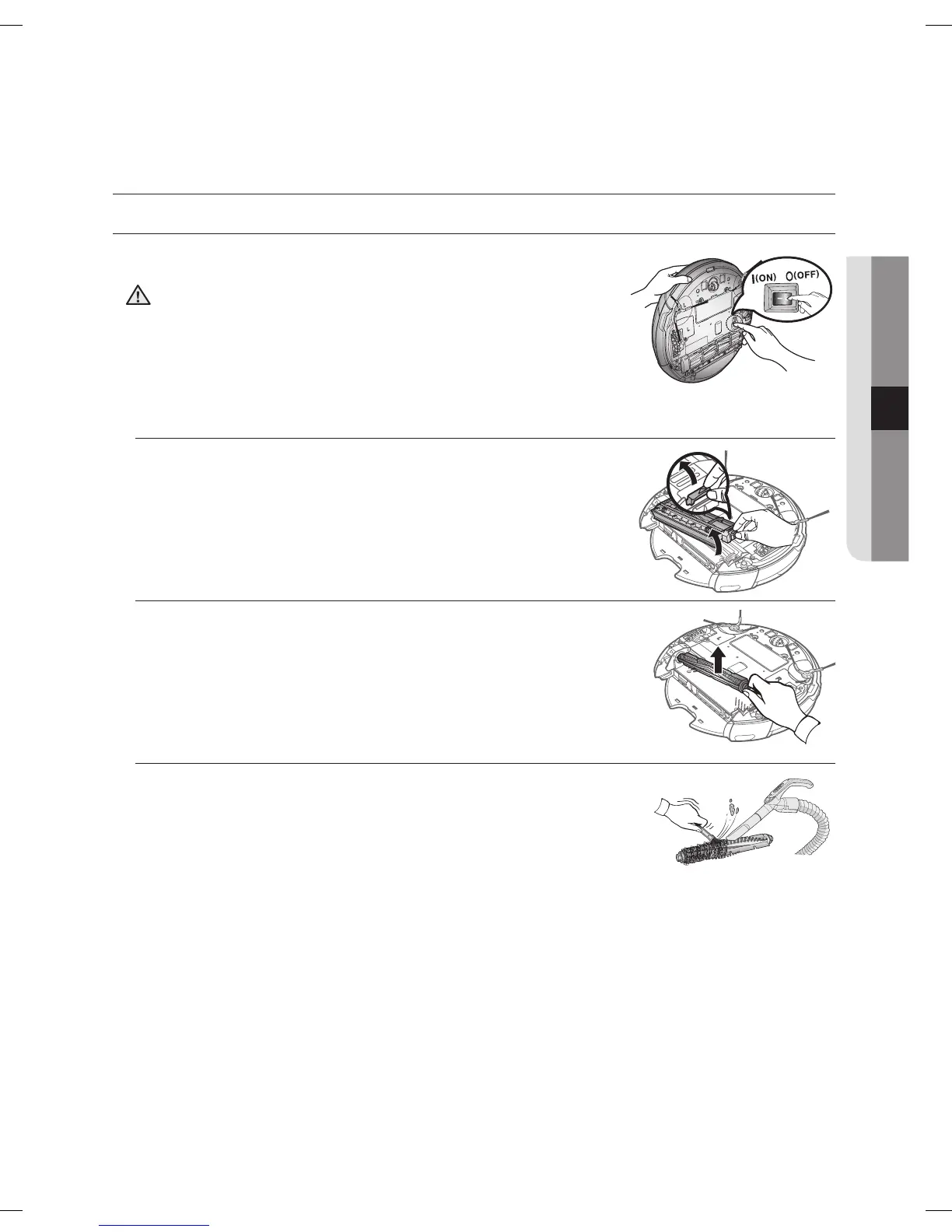
You must turn off the Power Switch at the bottom of the
main unit before cleaning the Robot vacuum.
• Because the dust in the dust bin may come out, separate the
dust bin first before cleaning the power brush.
1. After checking whether there are any foreign substances, press
the hook that is fixing the brush cover to separate it.
2. Lift the power brush up from the main unit.
3. Remove any foreign substances such as long hairs or strings
wrapped around the power brush using a cleaning brush or a
vacuum cleaner.
CAUTION
DJ68-00630D (EN)-00.indd 41 2014. 7. 23. �� 6:14



 To Next Page