54_ troubleshooting
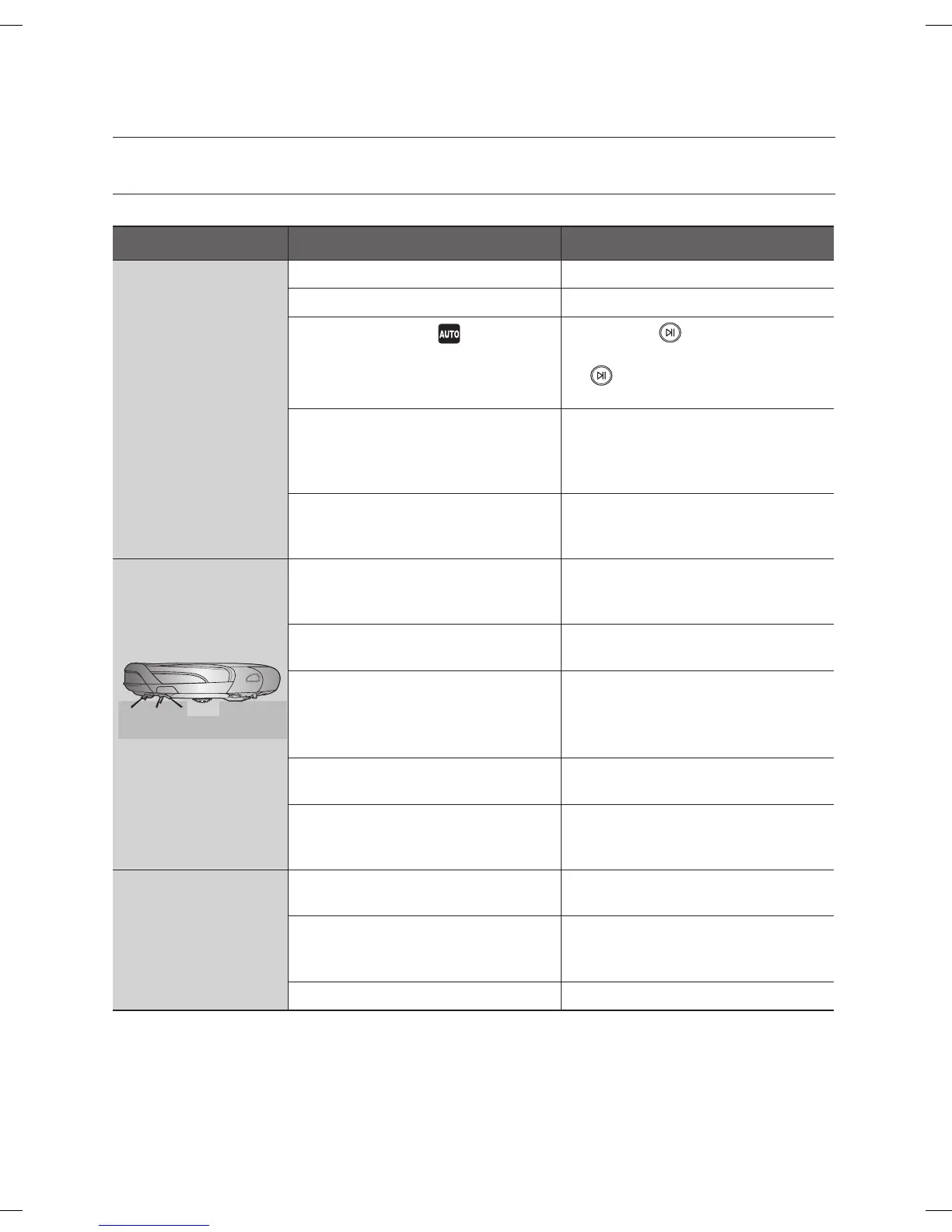
CHECKLIST BEFORE SVC CALLS
Symptom Checklist Measure to Take
Robot vacuum does
not operate at all
before cleaning.
• Is the dust bin assembled? • Install the dust bin.
• Is the Power Switch turned on? • Turn on the Power Switch.
• Is cleaning mode in the display
panel turned on?
• Press the button.
(To turn it off, press and hold the
button down for 3 seconds or
longer.)
• Is the battery level flashing only
one level and is ‘Lo’ displayed in
the display panel?
• Lift up the Robot vacuum, and
manually dock the Robot vacuum
onto the Charger (Station) to
charge it.
• Robot vacuum will not operate
when the battery in the remote
control is depleted.
• Replace the batteries in the remote
control. (AAA type)
Robot vacuum
stopped operating
while cleaning.
• Is the battery level flashing only
one level and is ‘Lo’ displayed in
the display panel?
• Lift up the Robot vacuum,
manually dock the robot onto the
Charger (Station) to charge it.
• Has the Robot vacuum become
hooked on wires on the floor?
• Turn off the Power Switch and
remove the wires.
• Is the Robot vacuum stuck to
the floor where there is a height
difference?
- The driving wheel is lifted.
• Turn off the Power Switch and
move the Robot Vacuum vacuum
to another place to clean.
• Is there a thin towel (cloth)
wrapped around the driving wheel?
• Turn off the Power Switch and
remove the thin towel.
• Is the Robot vacuum stuck on the
doorsill?
• Turn off the Power Switch and
move the Robot vacuum to
another place to clean.
The suction power is
weak while cleaning.
• Check whether the dust bin is full
of dust.
• Stop the Robot vacuum and
empty the dust bin.
• Check whether the suction inlet is
clogged by foreign substances.
• Turn off the Power Switch and
remove the foreign substances on
the suction inlet.
• Check whether the filter is clogged. • Clean the filter well.
Troubleshooting
DJ68-00630D (EN)-00.indd 54 2014. 7. 23. �� 6:15



 To Next Page