36_ operating
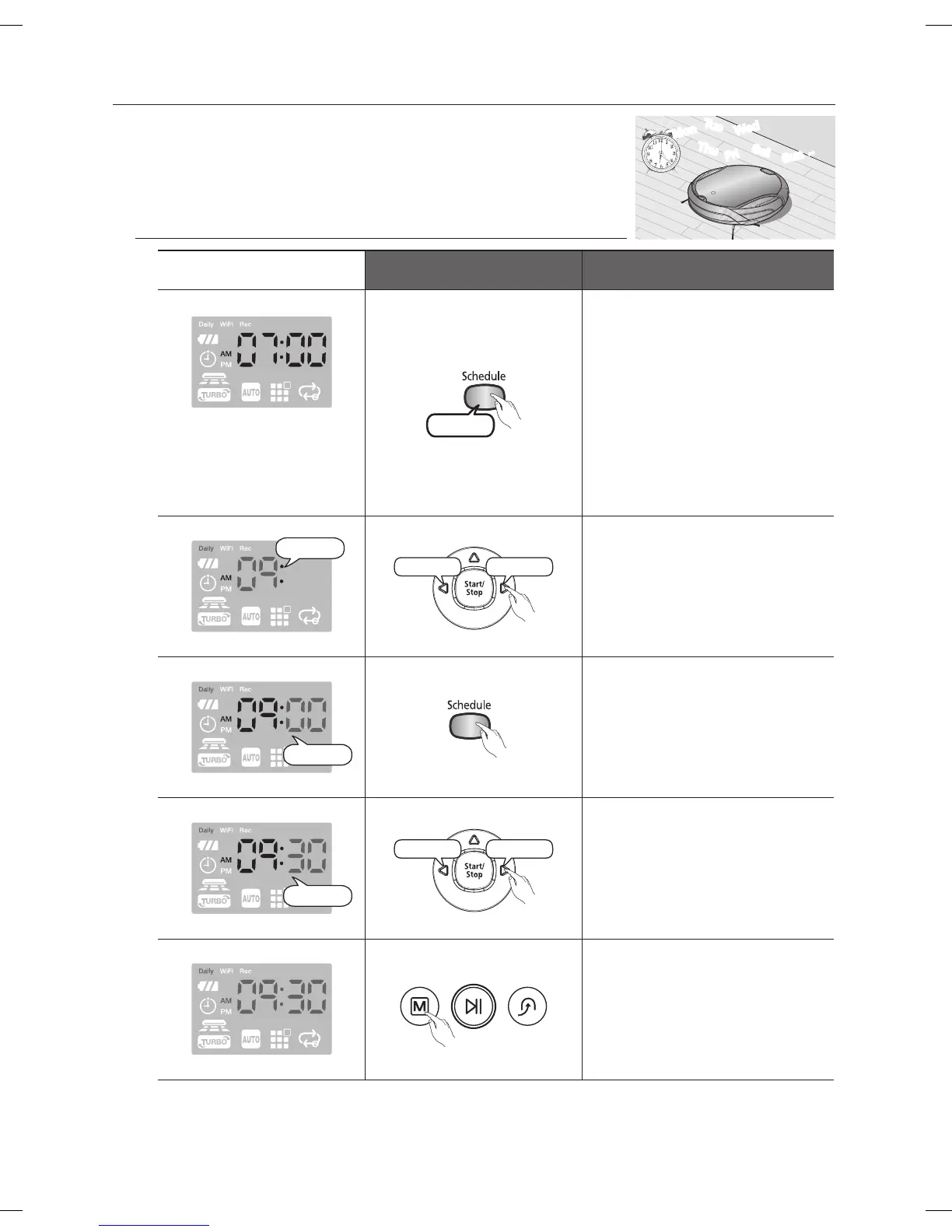
Setting Daily Cleaning
You can schedule the Robot vacuum to start cleaning
everyday from a particular time.
■
Daily cleaning is only performed when the Robot vacuum is
docked with the Charger (Station).
Remote Control Configuration Sequence
Example)
The current time: 07:00a.m.
The desired cleaning start time:
09:30a.m.
3 second
1. Enter Daily Cleaning mode
and confirm that the
configured time is correct.
(Check the daily reservation
time.)
Blinks
Decrease Increase
2. Set the “hour”.
Blinks
3. Confirm the “hour”.
Blinks
Decrease Increase
4. Set the “minutes”.
5. Set the cleaning mode.
Mon
Tue
Wed
Thu
Fri
Sat
Sun
~
DJ68-00630D (EN)-00.indd 36 2014. 7. 23. �� 6:14



 To Next Page