User Manual CA-5
4
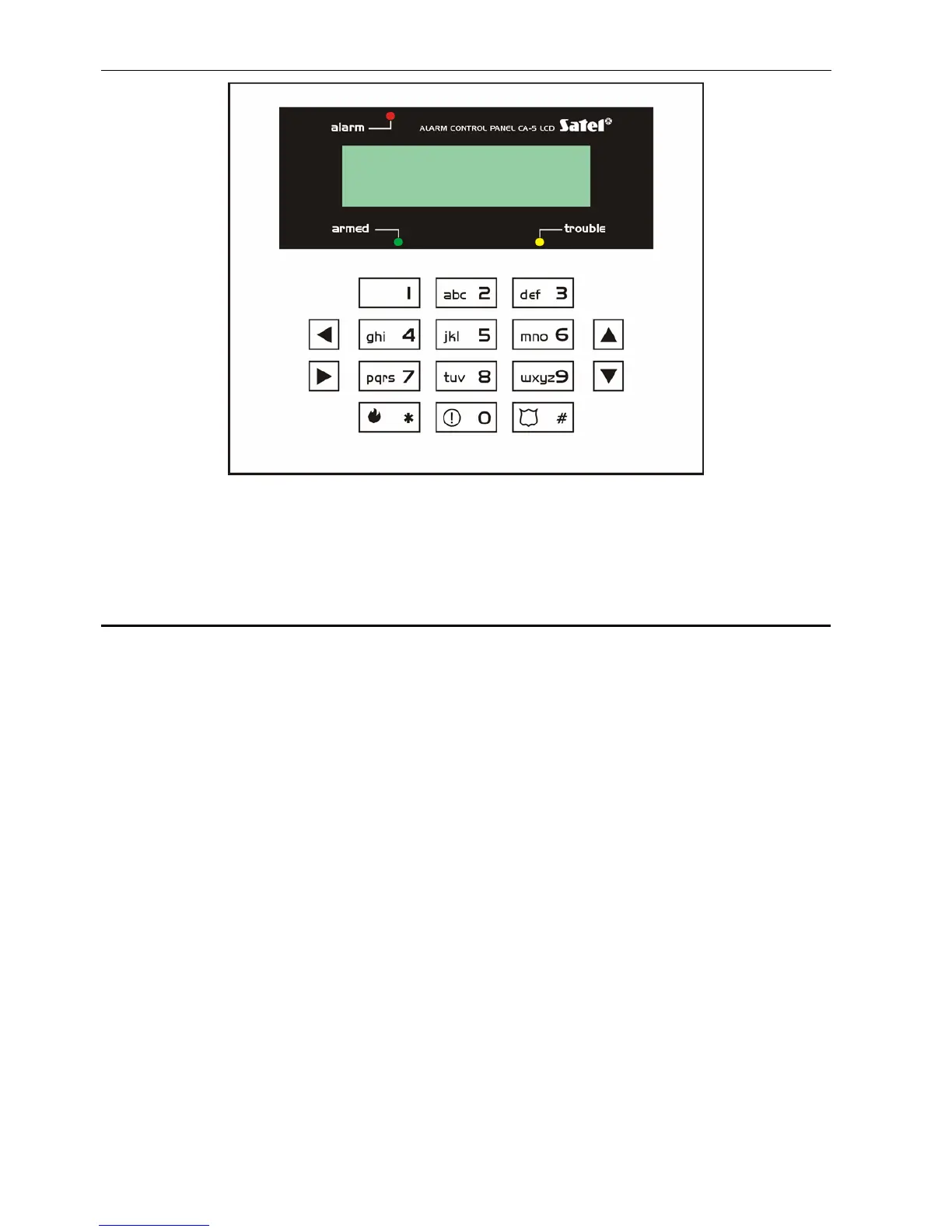
Fig. 2. CA-5 LCD keypad
Note: Access to all functions of the control panel in version 1.09 is made possible by: LCD
keypads in program version 1.07and later, CA-5 KLED-M keypads in version 1.2 and
later , and CA-5 KLED-S keypads in version1.1 and later.
4.1 LED
F
UNCTIONS
Some of the LEDs are only mounted in the LED keypads, their tasks in the LCD keypads
being taken over by LCD display.
• ALARM (red) – signals an alarm condition.
• ARMED (green) – indicates the system status:
− blinking (with the ALARM diode off) - countdown of the exit delay time,
− on - the zone is armed (optionally, the LED can be extinguished by the control panel
after elapse of 3 minutes from arming).
• 1÷5 – the status of control panel supervision zones (red):
− off - the zone is free (not violated)
− on - the zone is violated
− on with short extinguishing every 2 seconds - the zone tamper circuit is violated
(memory of 2EOL zone tamper alarm)
− blinking 0.5s/0.5s - the zone caused alarm (alarm memory)
− blinking 0.25s/0.25s - the zone has been violated or caused alarm as the first one
(counting from the moment of ending the exit delay countdown after arming)
− blinking every 2 seconds - the zone tamper circuit has caused an alarm (for the 2EOL
zone)
− slow blinking (1s/1s) - the zone is bypassed
Notes:
• Depending on the options set, the memory of alarm from zone is active until disarming and
alarm clearing, or until reviewing alarm log after previously disarming the system, or until
rearming the system.
8 Jul, 13:26:41



 To Next Page