www.satlabgps.com
24
3. Operaon
3.1. Introducon
In this chapter, geng Satlab SL600 ready for the eld operaons is being explained in two secons.
First secon is about soware tools to make changes in operaonal parameters as well as performing
diagnoscs. Second secon explains the eld work consideraons and also operaonal steps.
3.2. Soware Tools
Satlab SL600 can be accessed and set up by three dierent soware tools in addion to eld soware
called Satlab SurvCE. For Satlab SurvCE operaons, please refer to chapter 4.
In order to communicate with Satlab SL600 by using soware tools, there must be a RS232 serial
connecon, COM XX. This connecon can be established by using either RS232 serial (9 pin Female)
port in the Y cable or Bluetooth connecon. Aer Bluetooth bonding, SPP (serial port prole) service
will be available. Consequently, serial port needs to be assigned to Bluetooth connecon. Please refer
to Secon 2.4 for more informaon in communicaon.
3.2.1. Satlab GNSS Management Soware
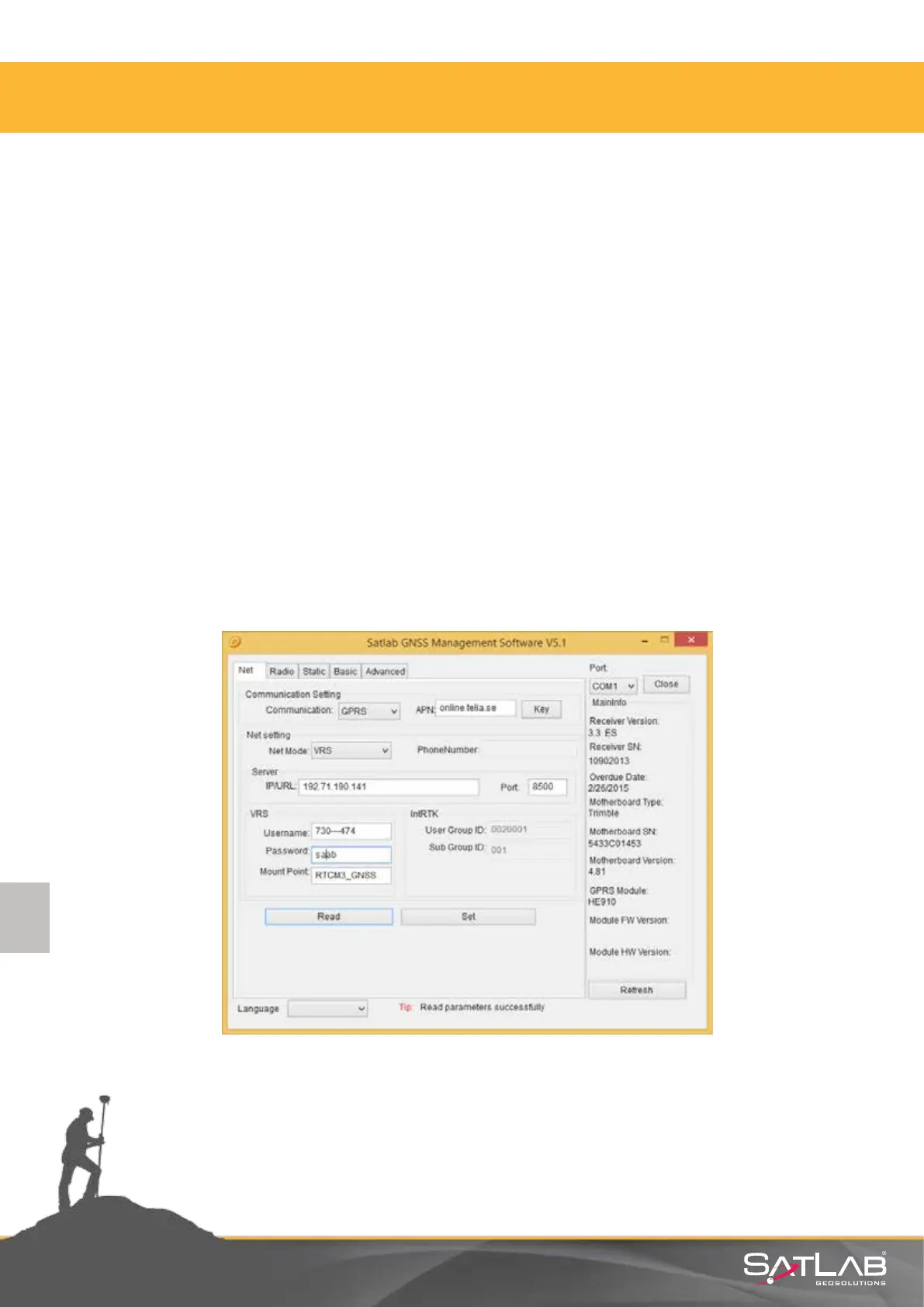
Satlab GNSS Management Soware is the most comprehensive PC tool to manage all of the
operaonal parameters of Satlab SL600.
Figure 3.1 Satlab GNSS Management Soware interface.



 To Next Page