www.satlabgps.com
16
2.3.1.3. Memory Card
In addion to its 1GB internal storage SL600 is equipped with a microSD card slot. SatLab SL600
supports all microSD cards with up to 64 GB capacity which provides months of data storage for stac
observaons.
To insert MicroSD card:
1. Turn o the device.
2. Remove baery cover by pushing the slide buon towards the “open lock” symbol. The cover
will parally eject.
3. Remove the baery by pushing it towards the “open” direcon if there is any.
4. Push the lid in the “OPEN” direcon and then gently pull it up.
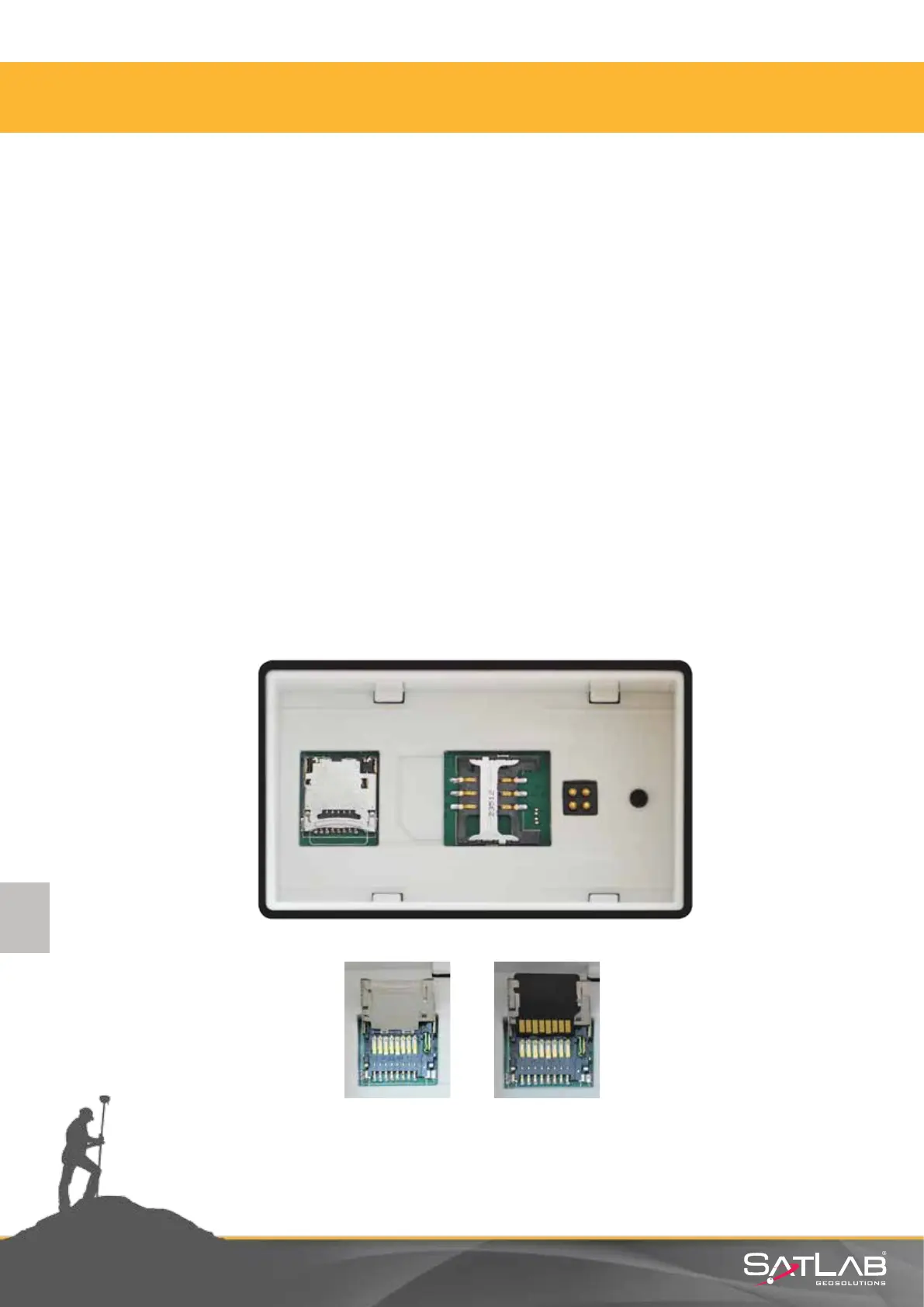
5. Insert microSD card with contacts down as shown in following gure
6. Fold the lid down and push it in the “CLOSE” direcon
To remove MicroSD card:
1. Follow steps 1 to 4 above.
2. Gently slide the card out of the slot.
3. Fold the lid down and push it in the “CLOSE” direcon
Figure 2.10 Steps to place/remove memory card.
2. Receiver Physical Appearance



 To Next Page