www.satlabgps.com
56
4.10. DXF-DWG Export/Import
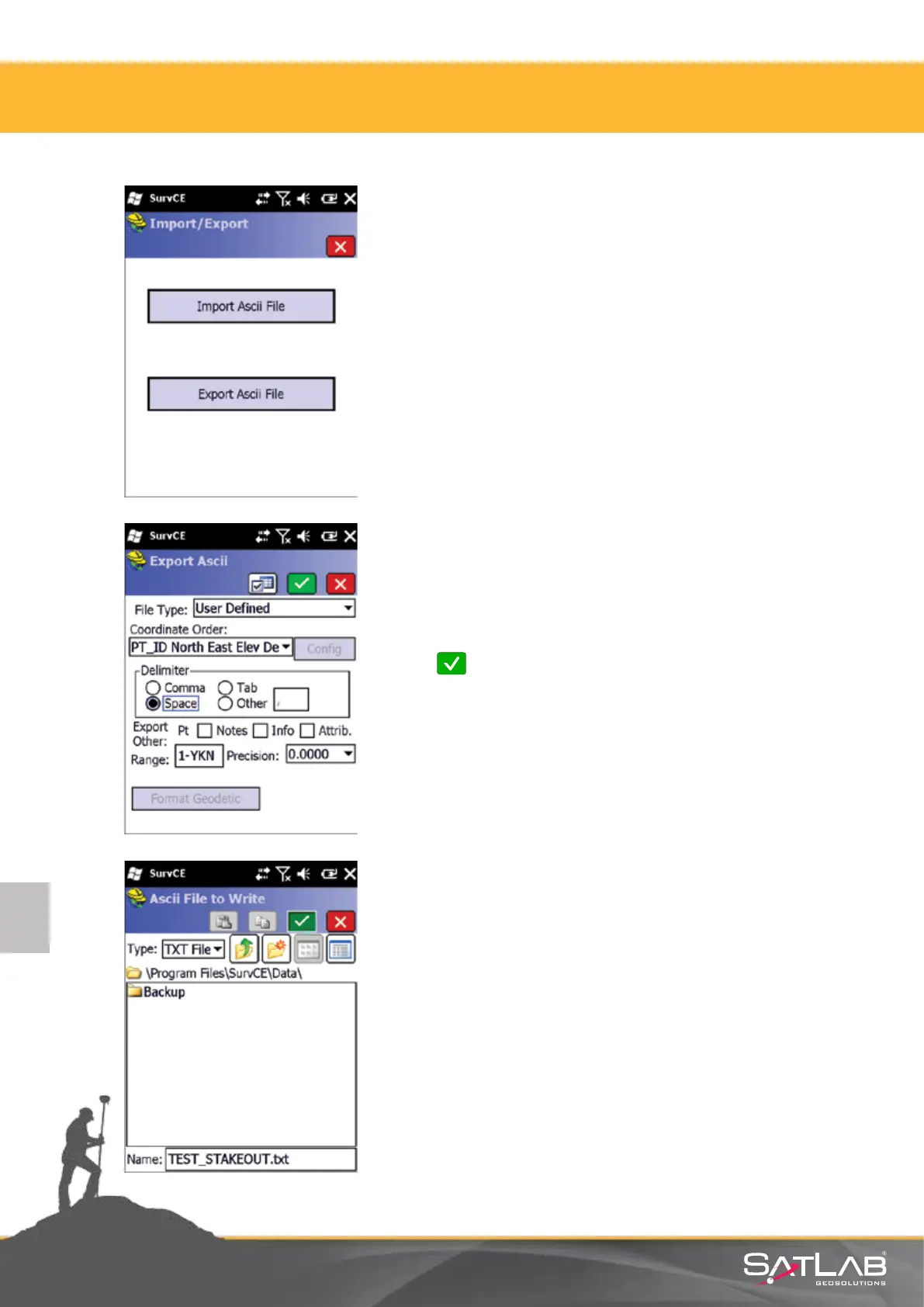
Select File Type: User Dened and make your choice about the
coordinate order, delimiters, range of points etc.
Click Okay.
Click on the Import/Export buon in the File menu. In the pop-
up window, select Export Ascii File.
Provide a name and path of the le to be exported Click on
Okay and save the points with .txt extension.
Aenon: Do not forget the directory where you saved
the point le. In the example on the le, the le is saved
under the Program Files/SurvCE/Data directory.
The saved le is copied to your computer.
4. Satlab SurvCE Guide



 To Next Page