www.satlabgps.com
34
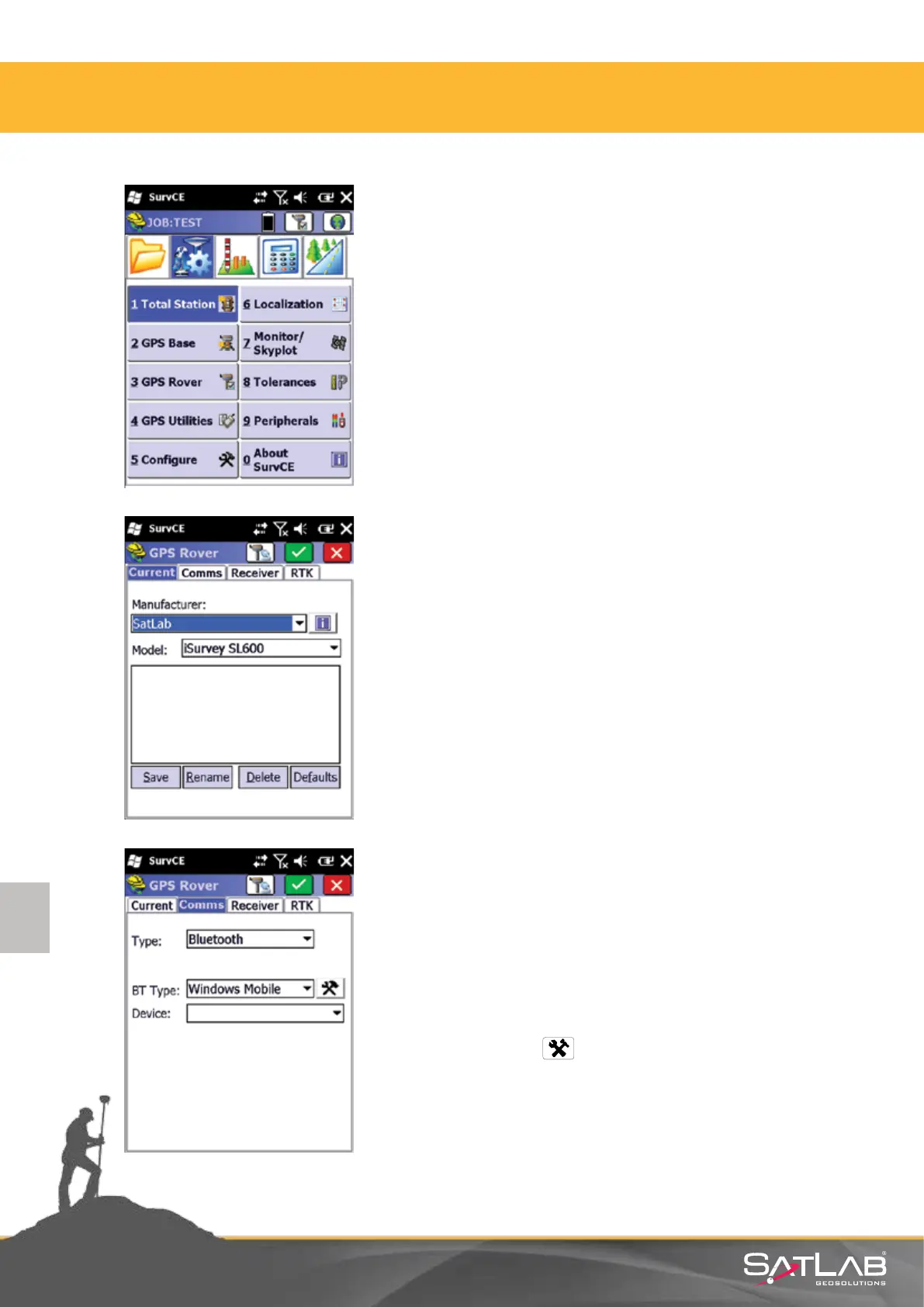
GPS Rover is selected in the Equip menu.
Under the GPS Rover menu you will nd these tabs:
Current, Comms, Receiver and RTK.
In the Current tab select:
Manufacturer: SATLAB
Model: SL600
Through the Comms tab you will dene the communicaon
between the GNSS receiver and control unit, typically via
Bluetooth. For this purpose;
Bluetooth is selected. In order to match GNSS receiver with the
control unit, click the box and this will open the Bluetooth
Manager.
4.2. Network Rover Sengs
4. Satlab SurvCE Guide



 To Next Page