www.satlabgps.com
45
In the RTK tab;
Device: Select Internal UHF and click the buon.
In the window that appears select
Power: High, Medium or Low
Channel: 1, 2, 3…. (whichever you will use).
Click Okay and choose Message Type: CMR+, RTCM3.0 etc.
Click Okay again.
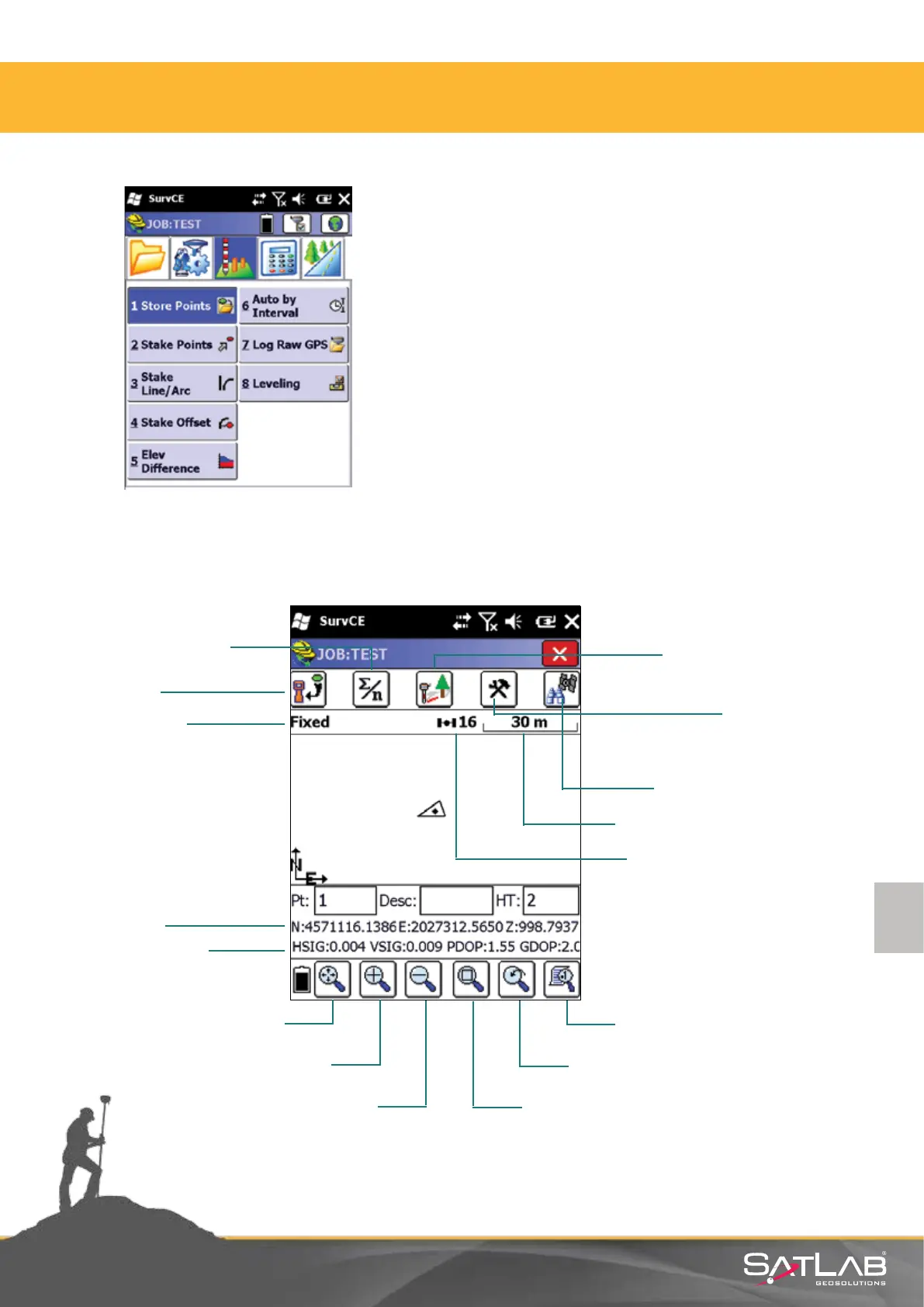
In the Survey menu, Store Points is selected.
4.5. Recording Points
Survey with Avarage
Oset
Store Points
Settings-Reading
Conguration
Satellite Observation
Scale Bar
Number of Satellites
Screen Settings
Previous Screen
Solution Status
Coordinates
Horizontal-Vertical
Accuracy
Find
Zoom In
Zoom Out
Zoom Specic Area
4. Satlab SurvCE Guide



 To Next Page