www.satlabgps.com
44
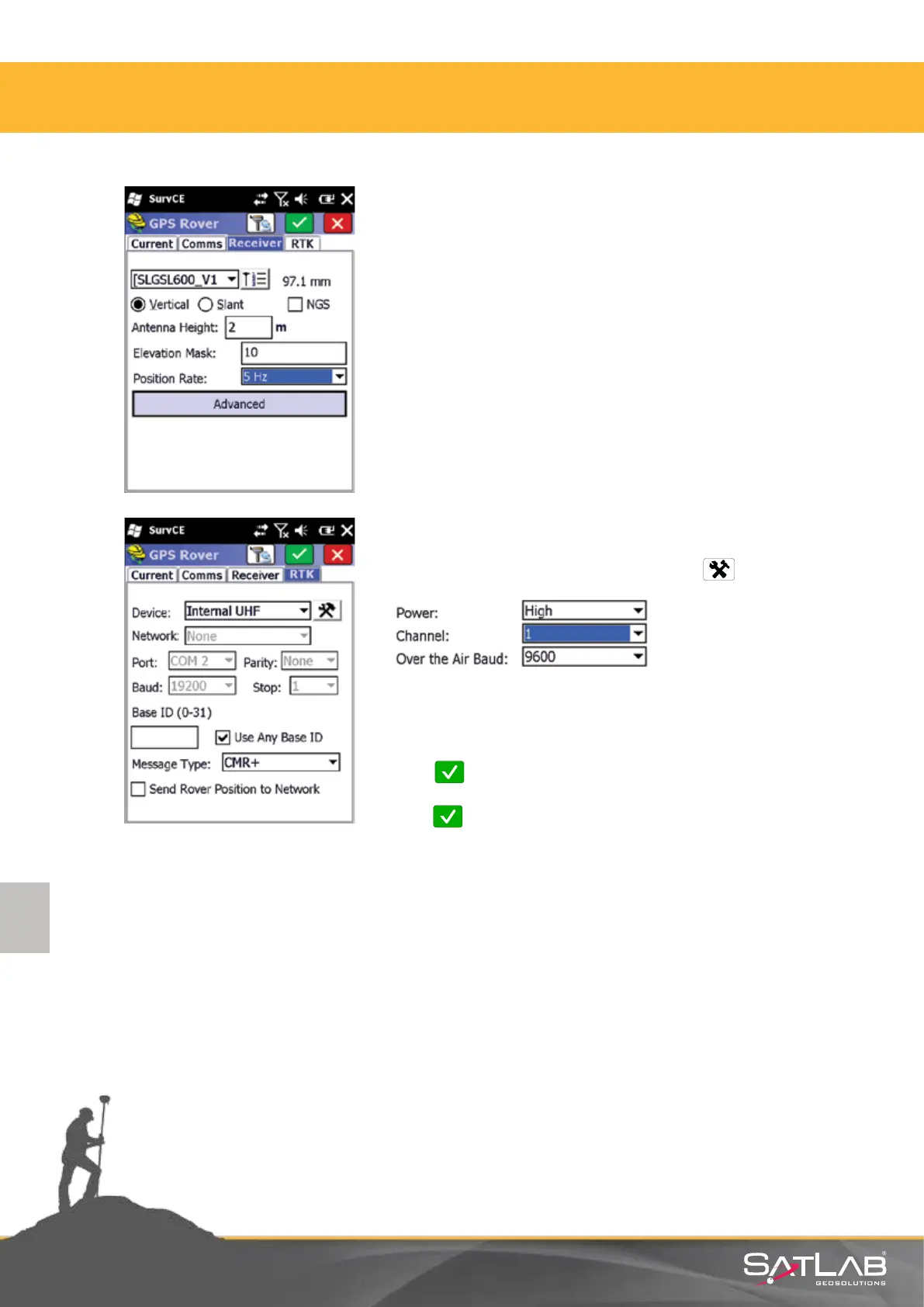
Aer seng up the Bluetooth connecon, go to the Receiver
tab. The sengs that are under this tab Select SLGSL600_
V1antenna (with pre-dened oset for SATLAB)
Antenna Height: measure your antenna height and enter
Elevaon mask: 10
Posion Rate: 5 Hz
In addion, select the type of antenna height: Vercal
In the RTK tab;
Device: Select Internal UHF and click the buon.
In the window that appears select
Power: High, Medium or Low
Channel: 1, 2, 3…. (whichever you will use).
Click Okay and choose Message Type: CMR+, RTCM3.0 etc.
Click Okay again.
4. Satlab SurvCE Guide



 To Next Page