www.satlabgps.com
31
4. Satlab SurvCE Guide
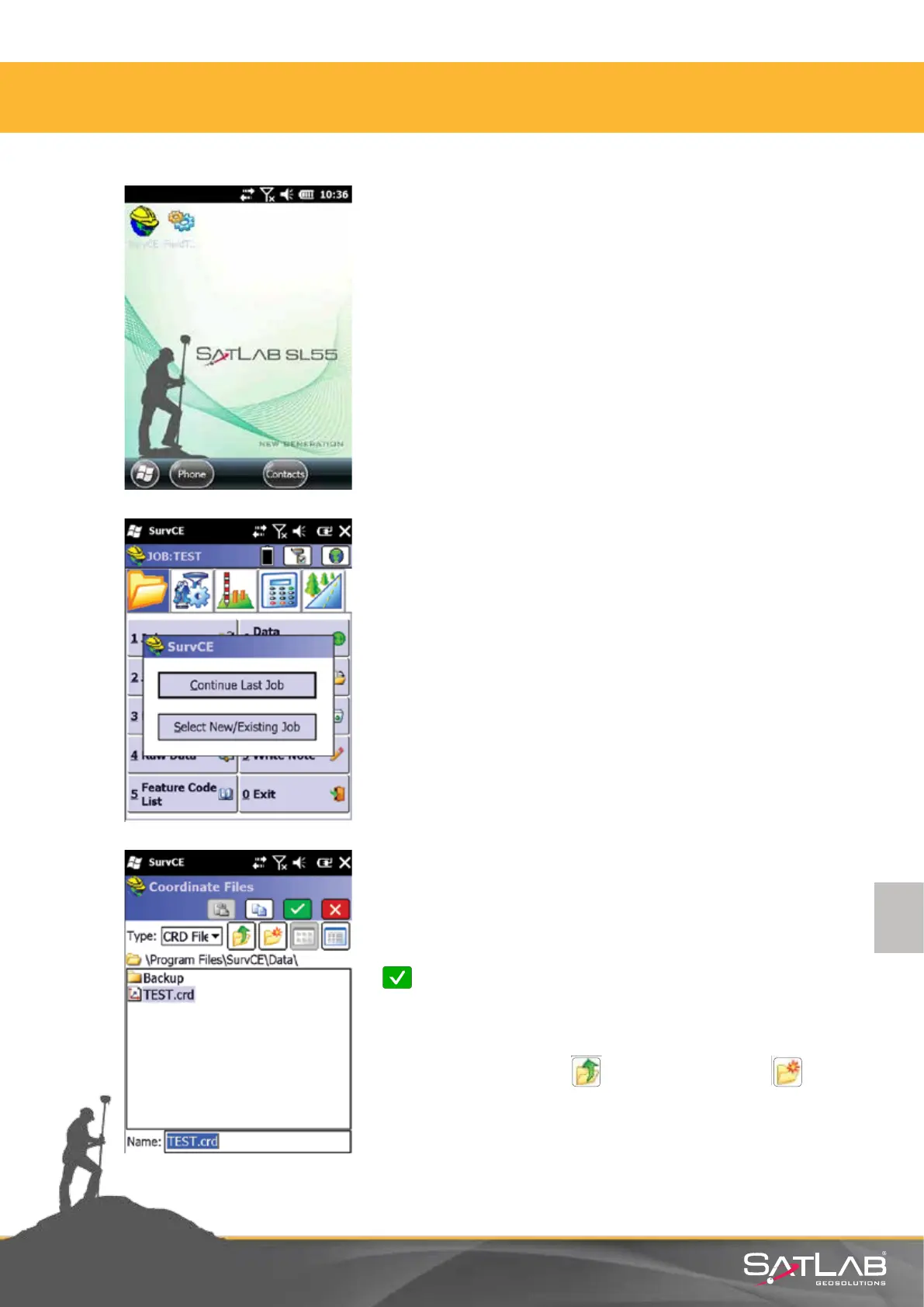
Double click on the SATLAB SurvCE icon on the
controller unit and execute the program.
The program helps you by opening the business manager.
There are two opons:
• Connue Last Job
• Select New / Exisng Job
Write the name of the Job in the Name line in the page that
is opened. Virtual keyboard pops up automacally when
you click on the line to write the name.
Write Job name without any punctuaon marks and click on
Okay.
Aenon: Job les are created under NandFlash/SurvCE/
Data folder. You can use Parent Directory and
New Folder funcons for a dierent directory.
4.1. Creang A Job



 To Next Page