www.satlabgps.com
35
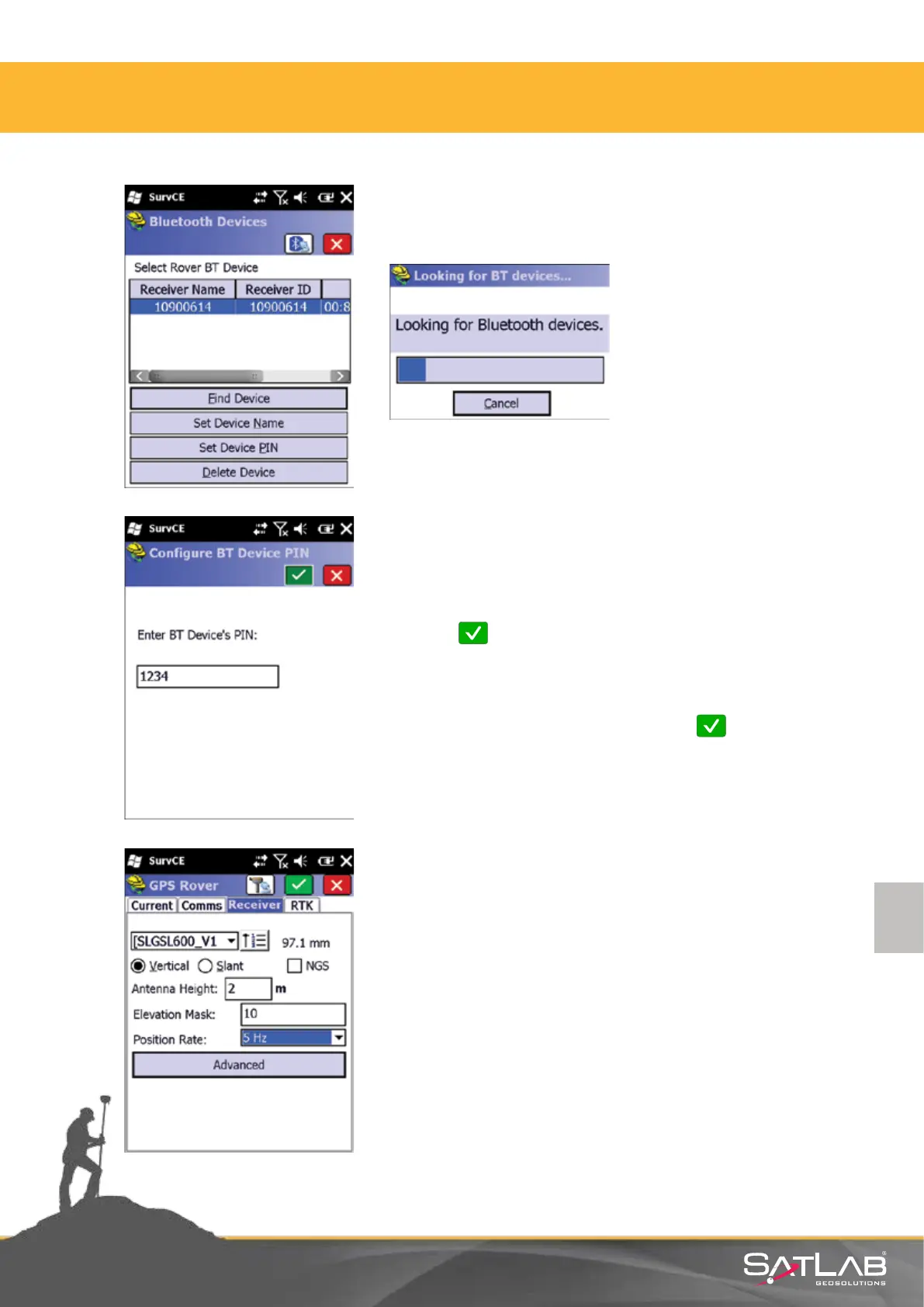
In the Bluetooth Devices menu;
Select the Find Receiver and the devices will be listed.
Devices are displayed in a list like this. Select the
rover serial number that will be communicated
and click Ok.
Add the selected recipient to the list. For the
safety of the connecon, click on Set Receiver
PIN, enter 1234 as PIN code and click on Ok.
Aer seng up the Bluetooth connecon, go to the Receiver
tab. The sengs that are under this tab; Select SLGSL600_
V1antenna (with pre-dened oset for Satlab)
Antenna Height: measure your antenna height and enter
Elevaon Mask: 10
Posion Rate: 5 Hz
In addion, select the type of antenna height: Vercal or
Slant.
4. Satlab SurvCE Guide



 To Next Page