www.satlabgps.com
41
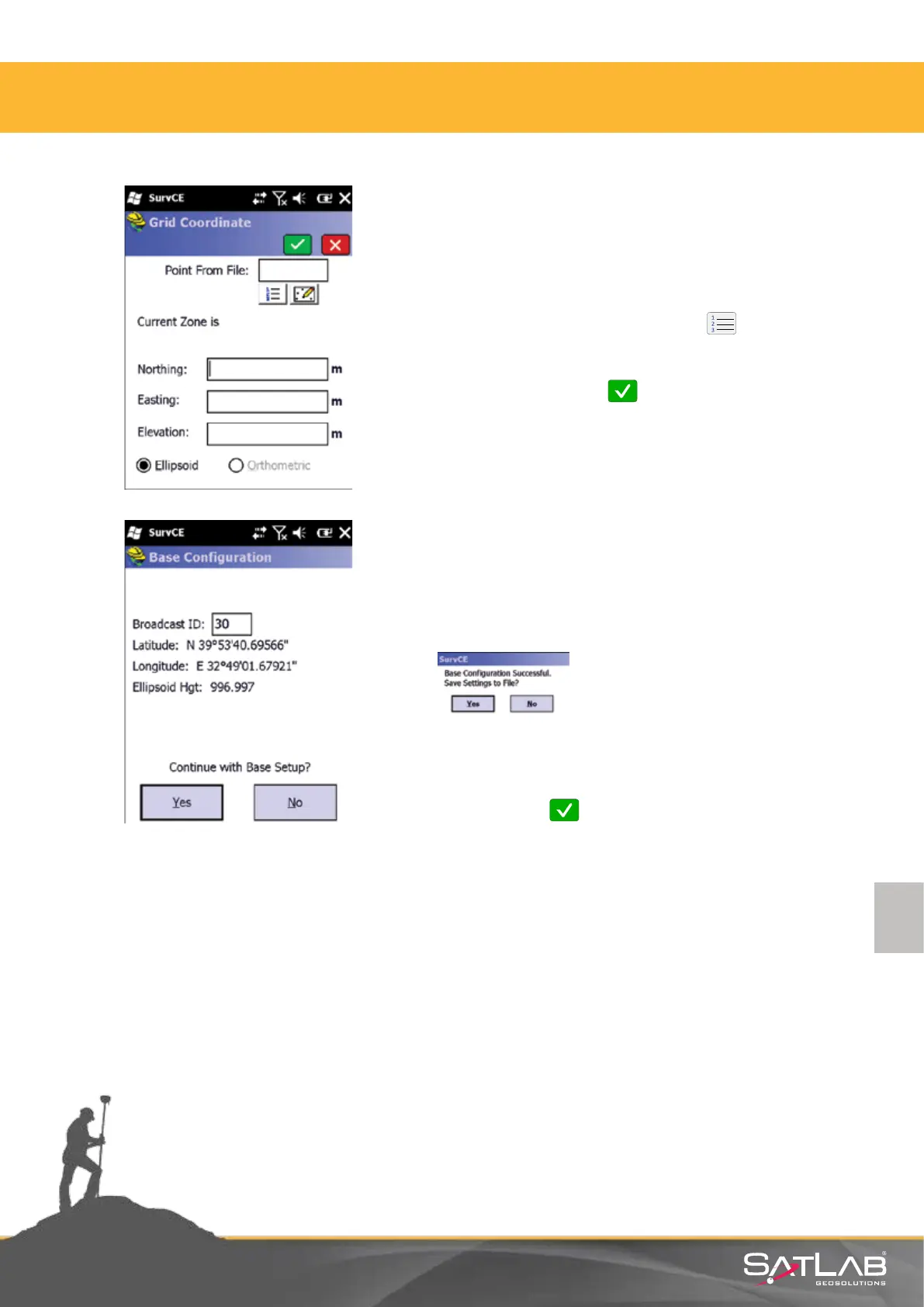
Coordinate may be inserted manually directly or read from
a le. Also if the point is registered in the control unit, it can
be selected from the list via the Point List buon or
selected from map screen.
Once selecon is made, click Okay.
The coordinates you entered are displayed as converted into
geographic coordinates. In the Broadcast ID: secon, you
must enter a value between 1-32 that supports the CMR +
type of message. Aer the ID is entered, click Yes and all the
parameters you entered will be sent to the modem.
At the end of operaon: “GPS Base setup is successful. Save
the eengs to le?” warning appears and Yes is selected. For
saving a le record that has the same name as job name and
extension .ref, select Okay .
4. Satlab SurvCE Guide



 To Next Page