www.satlabgps.com
50
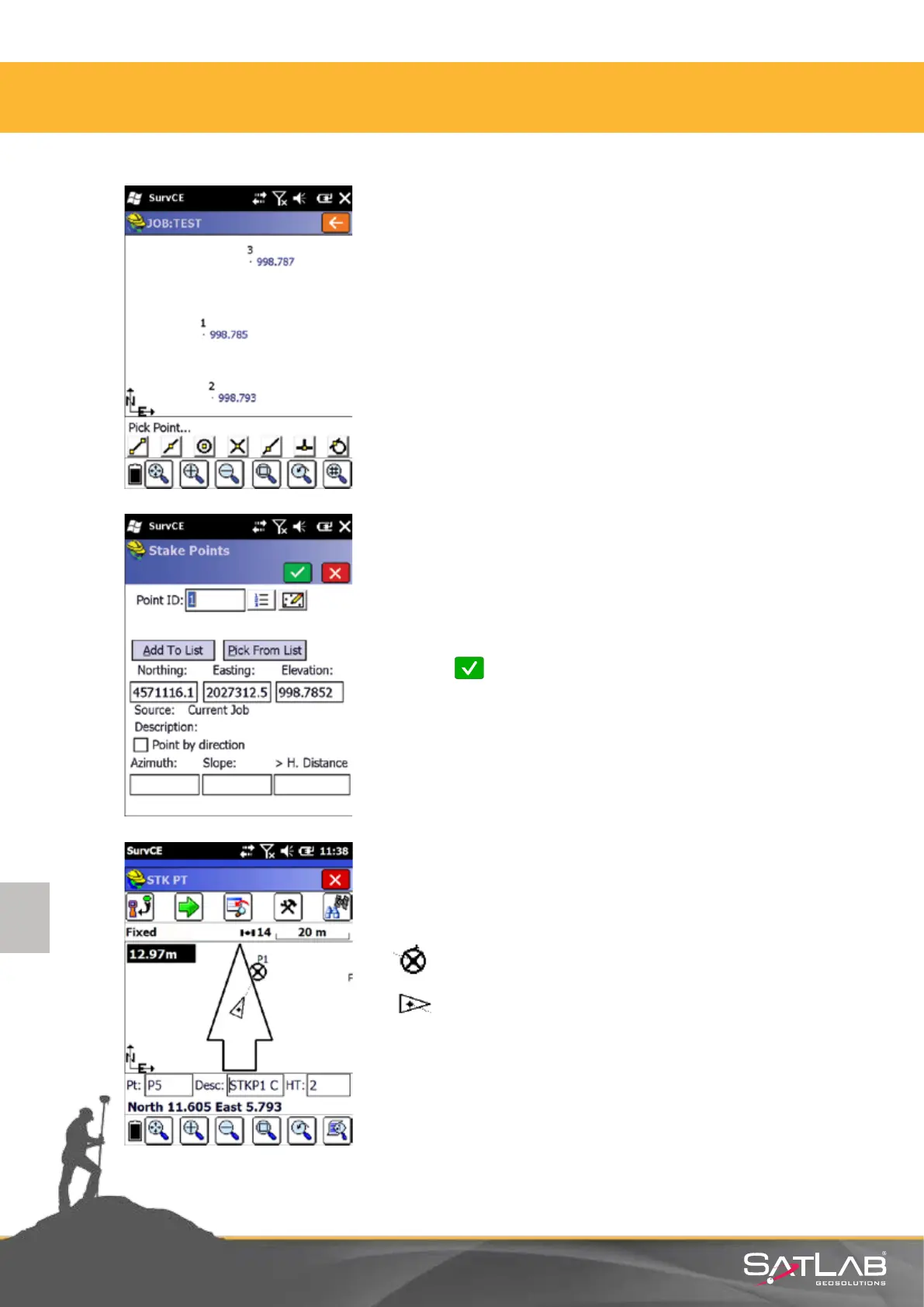
Using graphic screen you can select points for staking out
directly from the map.
In either way, aer selecng a point, the soware shows the
selected point number and coordinates on the screen for
checking.
Click on Okay to start the stake out procedure.
By default, stake out starts with the graphic display. The
meaning of objects and informaon shown on the graphic
screen is as
follows.
The point to be staked out
Current GPS Posion
South 1.998 East 4.997 Navigaon Informaon
In order to stake out a point in this screen, the shape
expressed by triangle shall approach to the point. As you
approach, a sensive “bull´s eye” is generated.
4. Satlab SurvCE Guide



 To Next Page