www.satlabgps.com
52
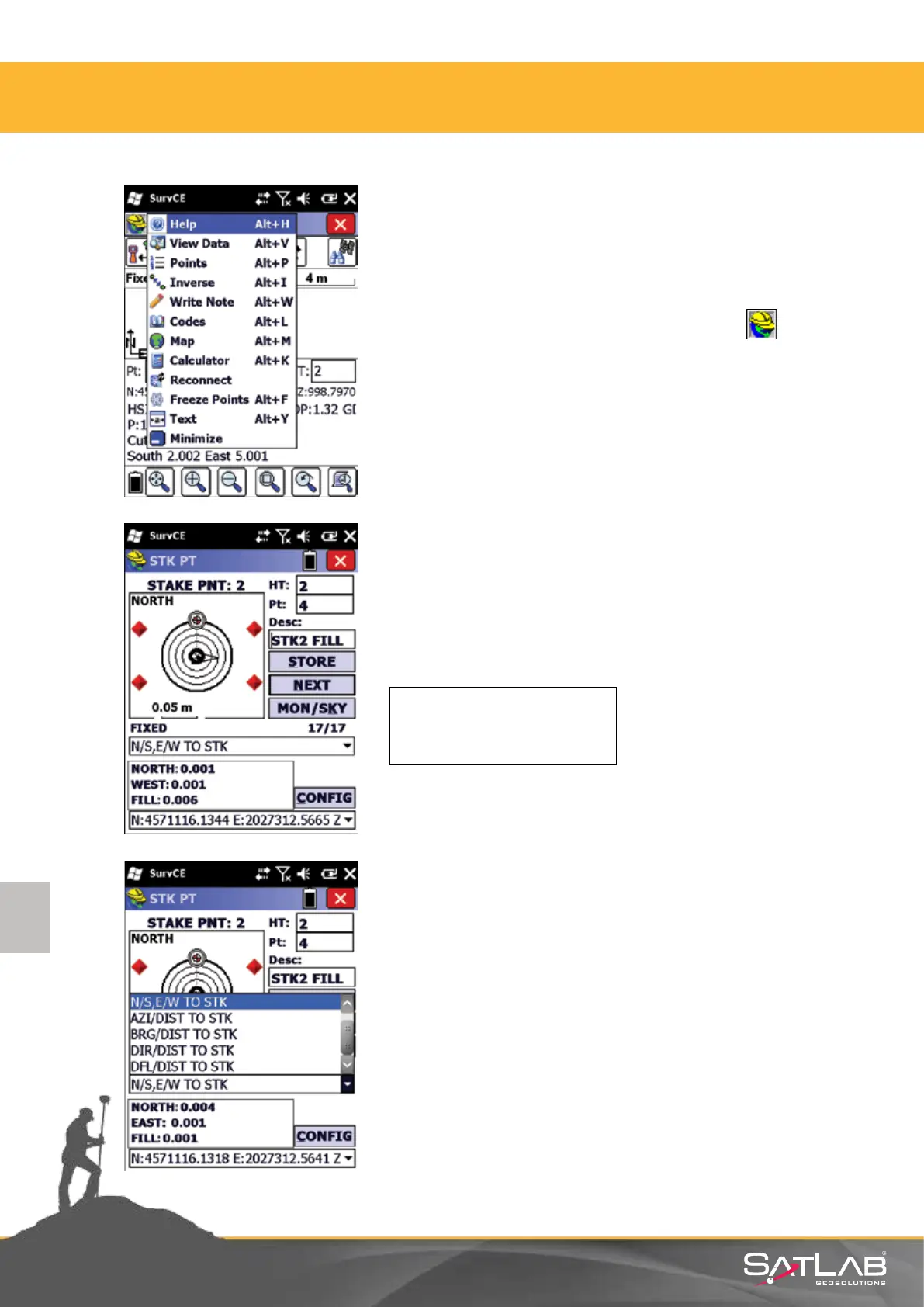
There is also an alternave screen view for stake out. In this view,
base map does not appear. Only the point to be staked out and
the current receiver posion is shown.
In order to move to text view screen, click the icon at the
upper le secon of the screen and a menu containing shortcuts
will appear.
Select Text in this menu.
In the stake out informaon as appears at text view screen,
follow the p of the triangle icon to the point. The direcon to
the desired point is shown in these values:
If a point is approached within the given tolerances, red signs
appear at the four corners of the graphic screen.
User can specify the mode of stake out informaon. There are
four dierent methods; you can select the one which is the
most convenient for you. For this, click on the down arrow
under the graphic screen.
NORTH: 0.001
WEST: 0.001
FILL: 0.006
4. Satlab SurvCE Guide



 To Next Page