www.satlabgps.com
54
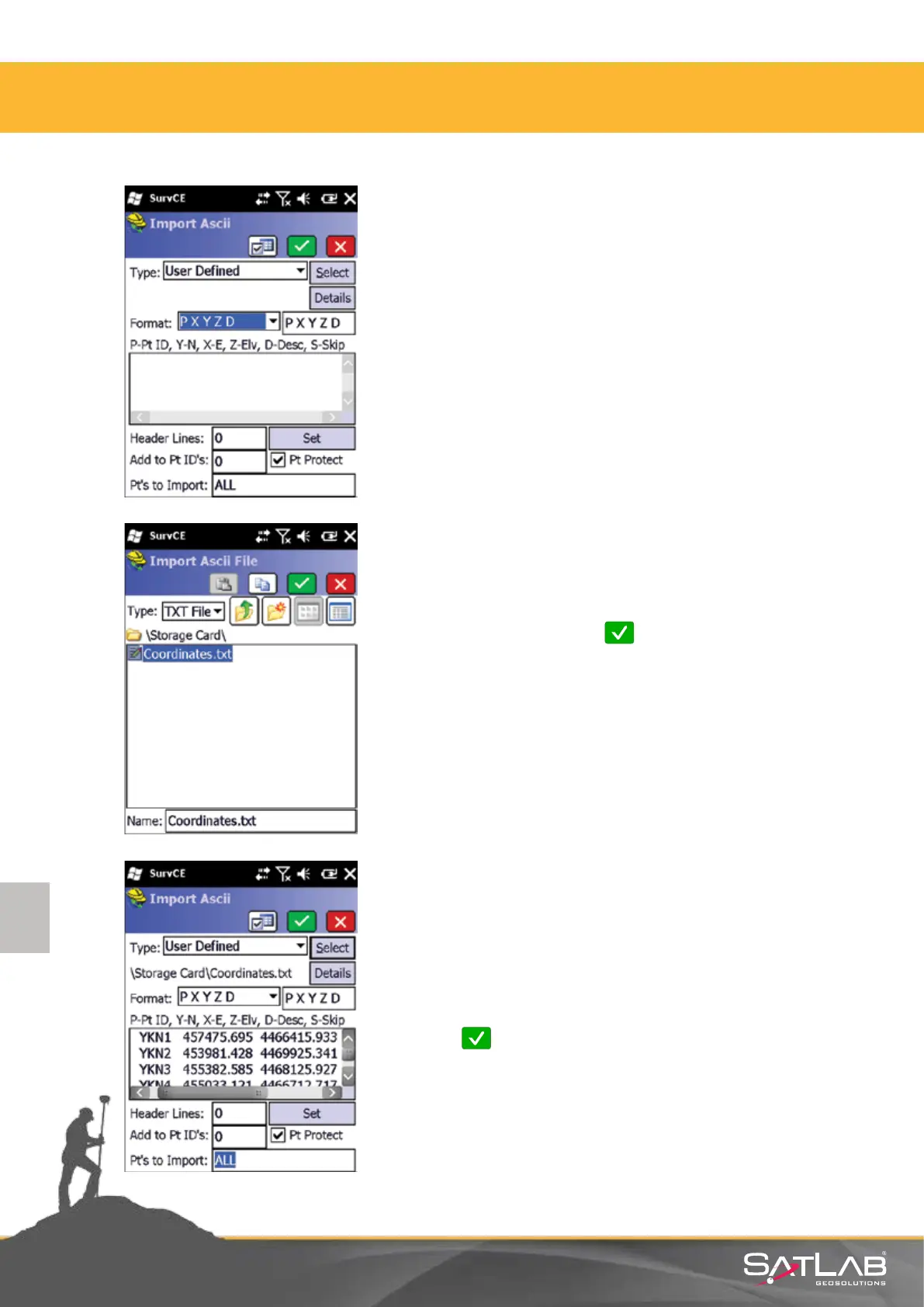
Select the desired type and format of points to be imported.
Select a le which is shown in a directory under the
NandFlash folder and click Okay.
In the example on the le, Coordinates.txt le from Storage
Card directory has been selected.
Make sure that the format of your .txt le matches with the
selected format. In this screen you can dene the sequence of
co-ordinates and codes, skip header lines of the ie, etc.
Click on Okay if the sequence that is viewed is correct.
4. Satlab SurvCE Guide



 To Next Page