13
SA408 - User’s Manual
Loading Media
Preparing Media
The inside wound or outside wound media rolls can be loaded into
the printer in the same way. In case media roll may become dirty or
dusty during shipment, handling, or storage, firstly remove the outside
length of media, which helps to avoid dragging adhesive or dirty
media between the print head and platen roller. When loading media,
it must be placed onto the media hangers.
Placing Media Roll
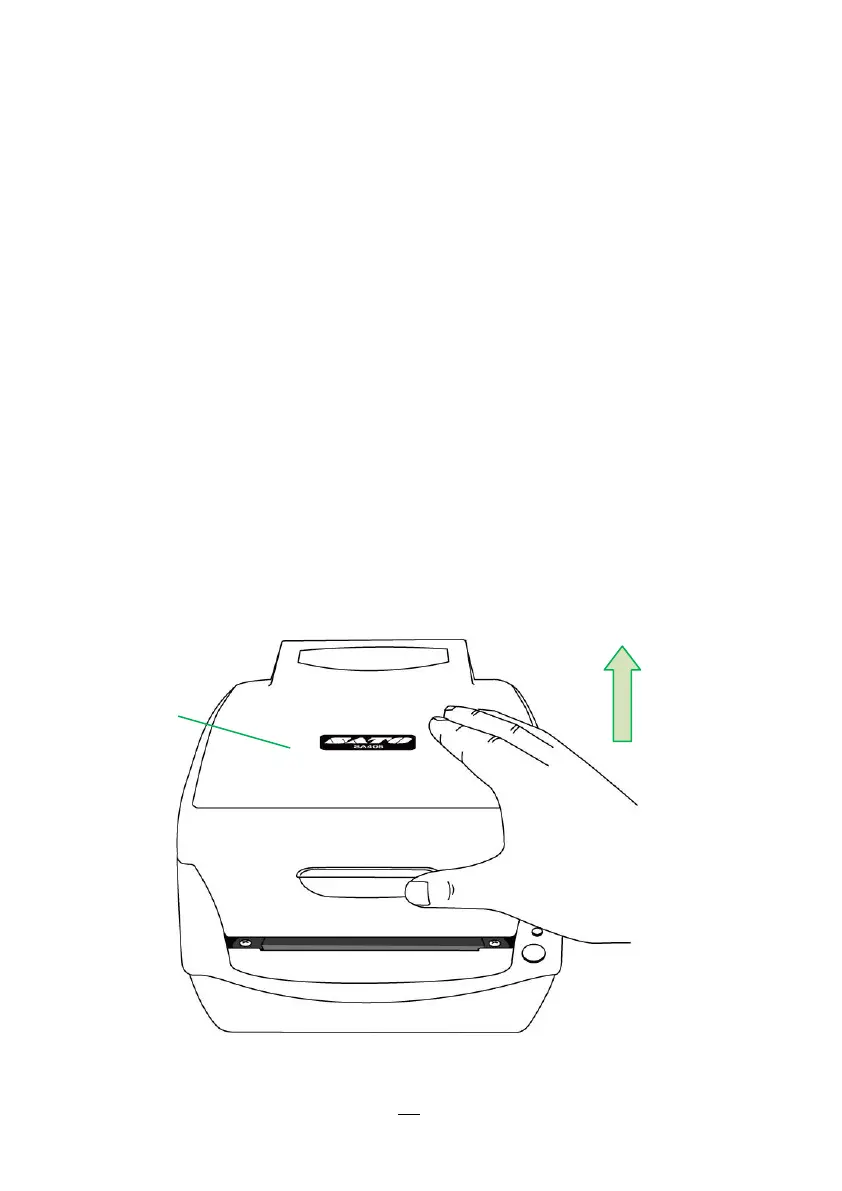
1. Open Top Cover of the printer.


 To Next Page