Page 50/70 | May 2015 | 2.0
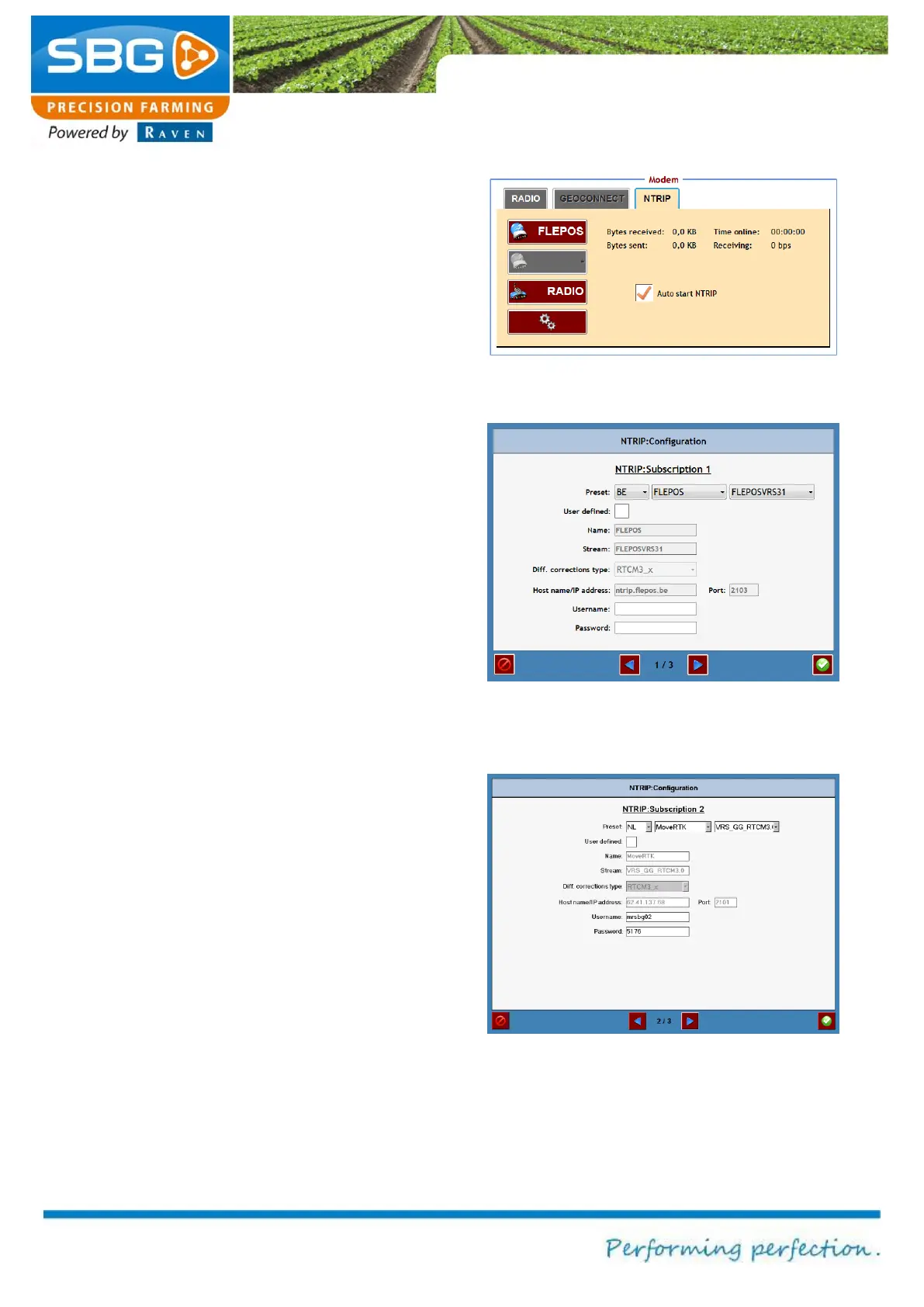
The required NTRIP provider can be selected from
the NTRIP tab (Figure 71). The selected provider
will be highlighted in green.
The connected status is then displayed:
Number of messages received (Bytes received)
Number of message sent (Bytes sent)
Connection speed (Receiving)
Connection time (Time online)
To establish a connection automatically, select
Auto start NTRIP when starting the GPS system.
The NTRIP networks are established by tapping
on the settings key (gearwheel symbol) at the
bottom of the screen (Figure 72).
Configure the settings for the first NTRIP network
in the first window. Networks for specific countries
are also given here under Preselect. If the
preselected connection data are selected, the
parameters for other correction type,
hostname/IP address and port are also entered
automatically. If the desired network connection is
not available in the preselect options, the
parameters can be entered manually after
selecting own entry. Finally, enter the username
and trackword in order to gain access. (All these
data must be obtained from the NTRIP network
provider).
[This step is optional]
Go to page 3/3 in order to configure a second
NTRIP network (Figure 74). Select Use 2nd
NTRIP subscription and return to page 2/3. Now
configure the second NTRIP network (Figure 73).
Figure 72 NTRIP configuration 1
Figure 73 NTRIP configuration 2



 To Next Page