Page 63/70 May 2015 I 2.0
Tip:
Before confirming, check that the serial
number of the terminal is included in the
name of the required licence file (e.g. T010-
1228). The serial number of the terminal
can be found on the sticker behind or to the
left of the terminal and has the following
format: T0XX-XXXX.
Enter product key for test version
A test product key is a code which will
temporarily activate the steering systems or the
software modules. Please apply to your SBG
dealer to order a test product key.
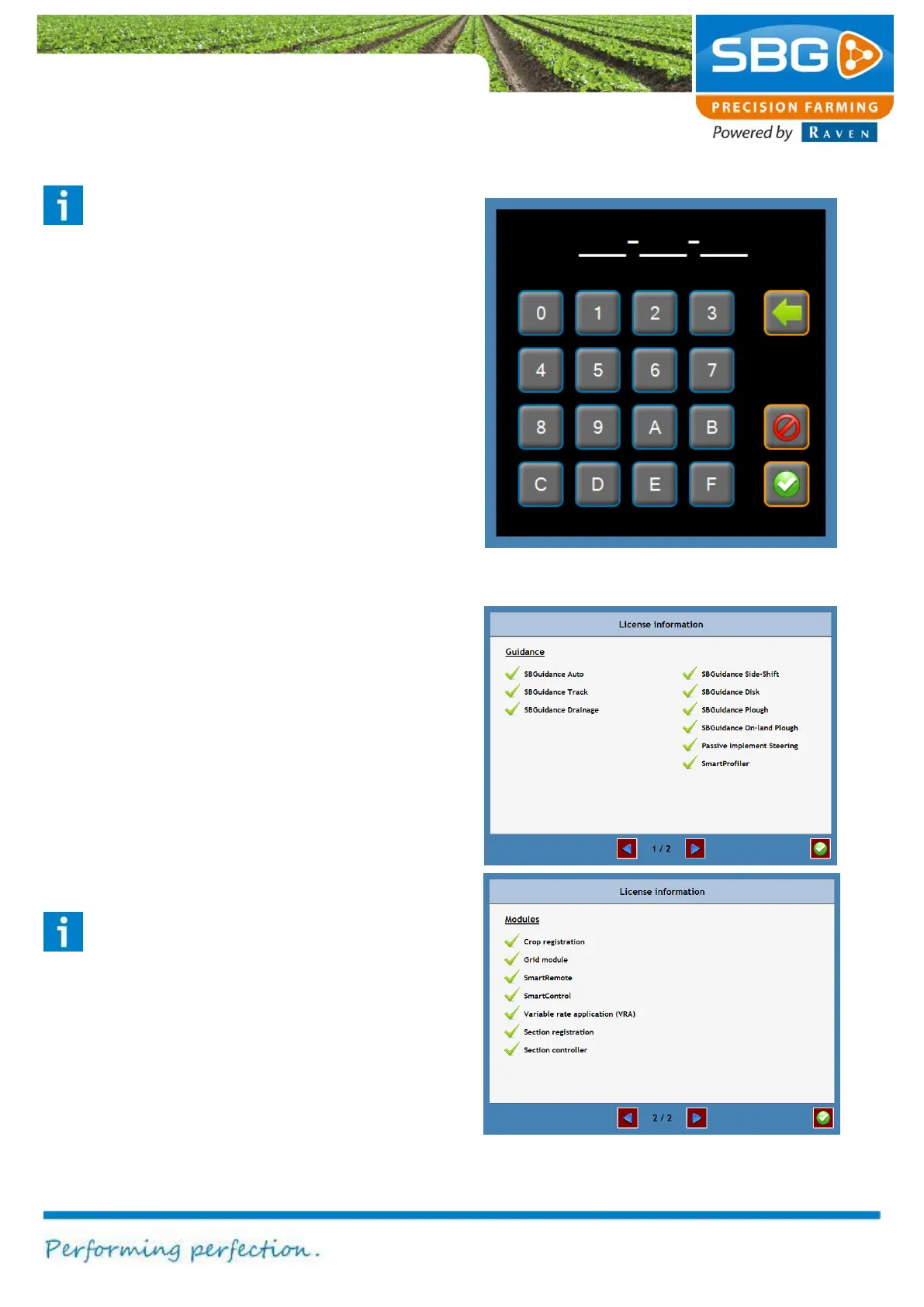
To enter the test product key by going to the
Licence information menu (Figure 100) and
tapping on the key symbol. This will open a new
window (Figure 102). Enter the licence code. Tap
on the confirm symbol after entering the serial
code. The Licence information menu will then
indicate whether the code is valid or invalid.
Displaying current licences
In the Licence information menu (Figure 100)
tap on I at the bottom right in order to check which
steering systems and software modules are
activated (Figure 103).
Please note!
Each licence applies to one terminal only.
Each individual terminal requires its own
licence file.
Figure 102 Entering product key for test version
Figure 103 Licence information for steering
systems and software modules



 To Next Page