Miscellaneous
OPM 250 en-GB 77
© Scania CV AB 2022, Sweden
Checking and adjusting the unit in-
jectors
1. Read Workflow tableto see which injector to
adjust.
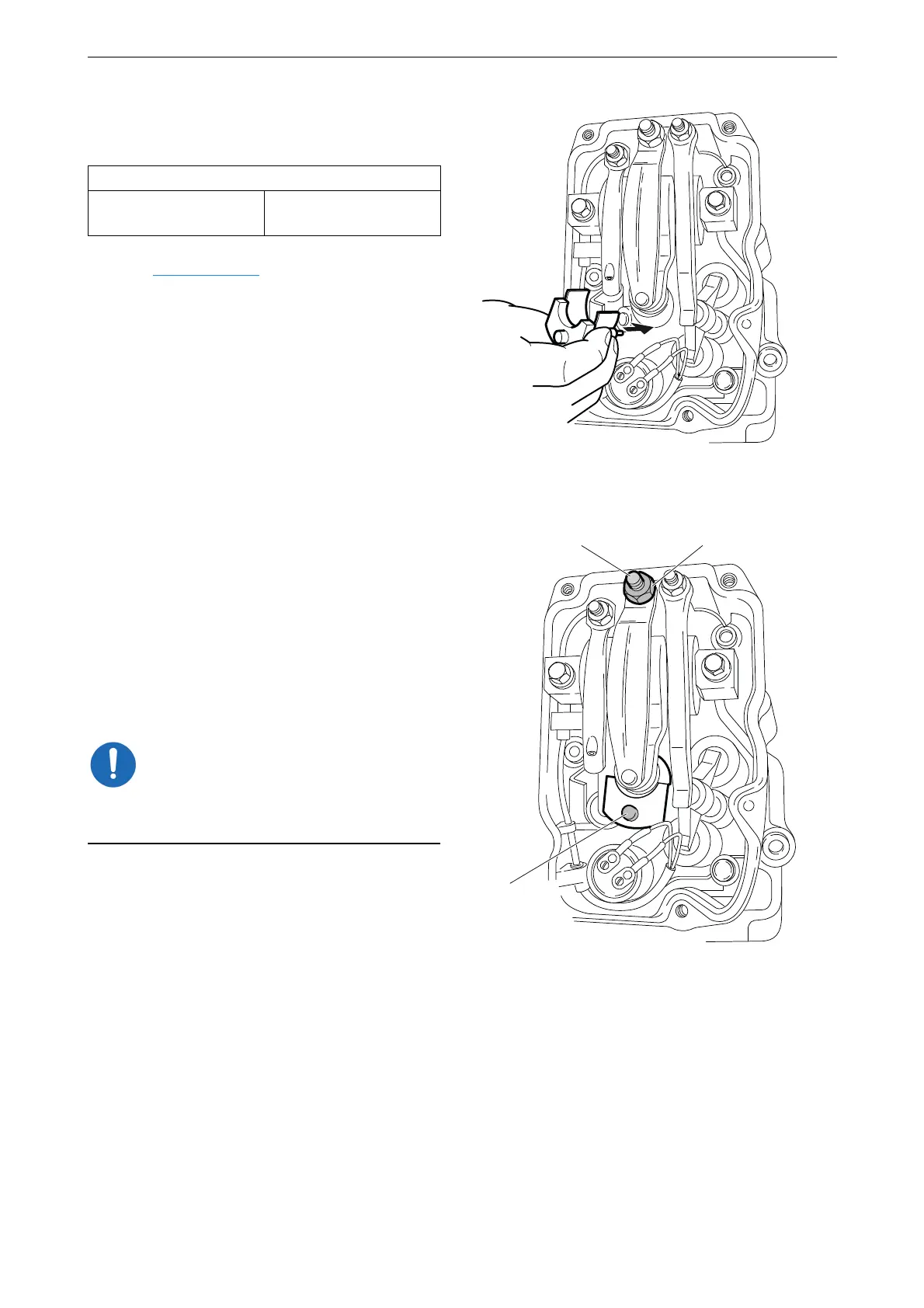
2. Fit the setting tool with the metal plate
around the unit injector.
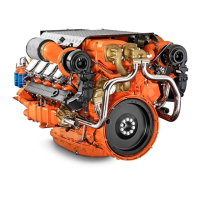
The unit injector is correctly set when the
small piston (1) is level with the flat upper
surface of the tool. Use a finger to check.
You can feel very small differences. See also
the illustrations on the next page.
3. If necessary, adjust the unit injector by
a) loosening the lock nut (2)
b) adjusting the unit injector using the adjust-
ing screw (3)
c) tightening the lock nut.
Remove the setting tool when the adjustment is
done.
4. Mark the injector with the felt-tip pen and
continue adjustment according to the table.
Tightening torque
Lock nut for unit injec-
tors
39 Nm (29 lb/ft)
382 761
1
23
382 762



 To Next Page