50
BA 68
Schaeffler Technologies
Schaeffler OPTIME
Acknowledge alarm notification
The [
Acknowledge notifications
] button takes the user to
the relevant screen.
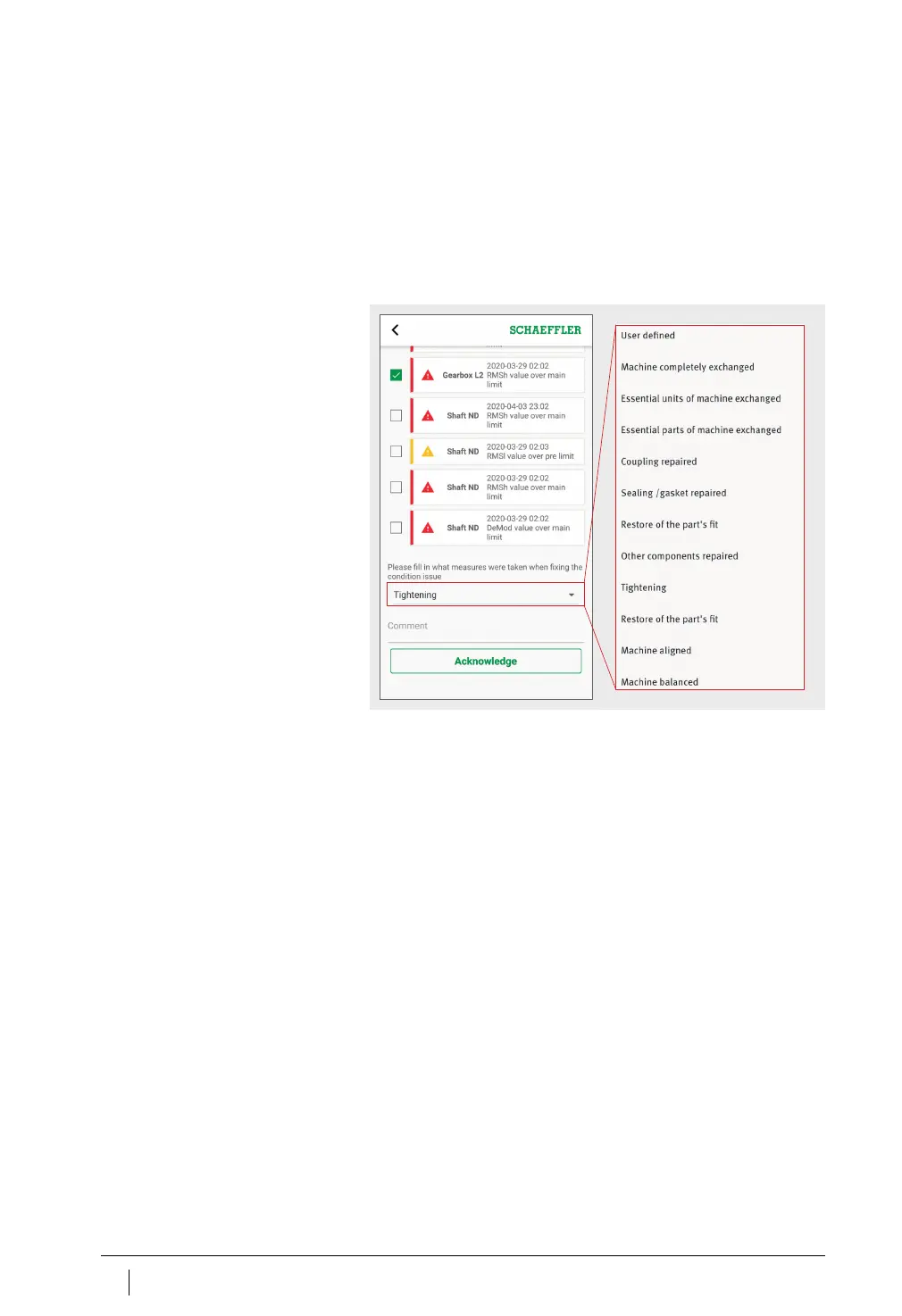
To acknowledge an alarm notification, it is necessary to select
the action taken,
Figure 32
. In addition, a comment describing which
actions were taken or why the notification is no longer valid must be
selected from the drop-down menu. The alarm notification is stored
in the [
Asset Log
] with a time stamp and details on the user.
Figure 32
Acknowledge alarm notification,
drop-down menu with
entries specific to machine type



 To Next Page