Operating Manual Linear ACTUSAFE CMFS(L)
OM-ENGLISH-Failsafe-Linear-16xx-V2.00-2022.03.03 5 Commisioning
5.4 User Level and Permissions
In order to edit and/or show certain parameters, a user level with the necessary permissions has to be set as current user
level. The current user level may be set temporarily in the "U User Level" menu item. It is also possible to set the default
user level, which will be set as the current user level until set otherwise ("U User Level" or default user level). Please refer
to section 7.6 for more information about the user levels.
5.5 End limit setting
A detailed description of the operation of the ACTUSMART CM controller can be found in section 6.3, page 36.
NOTE: Please make sure, that the current user level has the permission to edit the end limits.
5.5.1 End limit OPEN
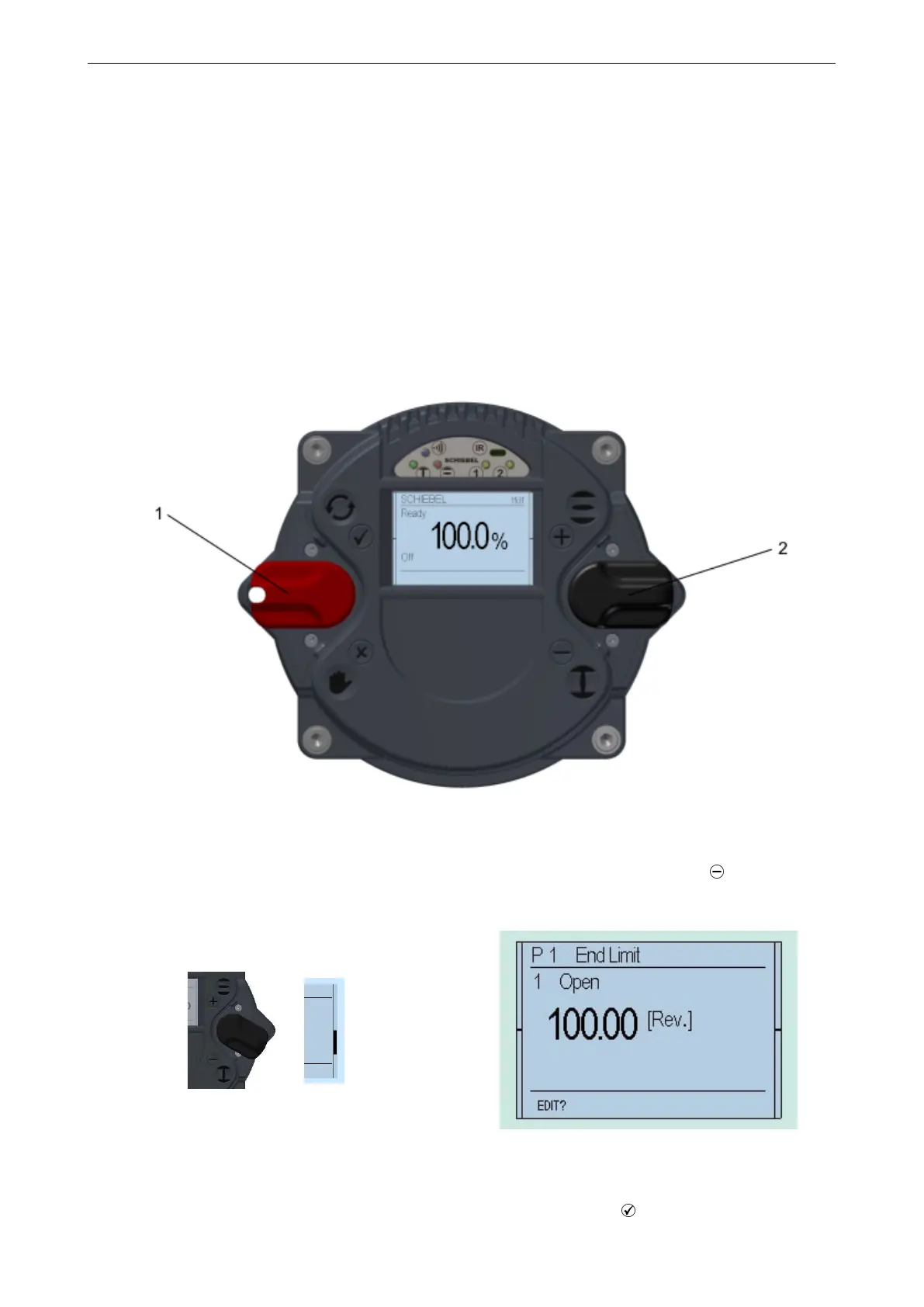
Set the selector switch and control switch to the center position.
Figure 22: 1. . . Selector switch (red), 2. . . Control switch (black)
Scroll through the menu with the control switch. Move the control switch towards the first menu item "P 1.1 End limit –
Open".
Figure 23
Figure 24
Afterwards, flip up the selector switch slightly and let it snap back to its neutral position .
33



 To Next Page