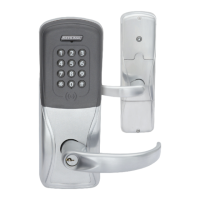
8 • Schlage • AD-400 user guide
Link to a PIM400
L Only one AD-400/AD-402 can be linked at one time.
Ensure that no other PIM400 units are in link mode
during this process.
1. Make sure the batteries are installed in the AD-400/
AD-402. See Batteries on page 12 for more
information.
2. Make sure the PIM400 is in link mode. For
PIM400-TD2: Hold down one of the LINK buttons.
(LINK button 1 or 2 will assign the lock door number).
For PIM400-485: Use SUS to put the PIM400-485 into
LINK mode with the door number tab and assign the
lock door number. See the SUS User Guide for more
information.
3. Open the AD-400/AD-402 door.
4. Create a request-to-exit condition by holding down the
inside lever or crash bar.
L If using a crash bar, Request to Exit (RTX) must be
installed. If RTX is not installed, temporarily short the RTX input on the lock main
PCB during this procedure.
5. While holding down the lever or crash bar, present a card to the prox or mag card
reader. For a keypad reader, press the “#” key.
6. Continue to hold down the lever or crash bar until the AD-400/AD-402 Schlage button
starts to blink green, indicating that the link process has begun (approximately 8 seconds).
7. Release the inside lever or crash bar.
8. The Schlage button will blink green, and the beeper will beep.
L The number of green blinks and beeps indicates the frequency channel number on
which the lock is linked to the PIM400 (example: 3 blinks and beeps = channel 3).
9. If the link fails, the Schlage button will blink red three (3) times and ve (5) short beeps
will sound. The PIM400 will remain in link mode. Carefully repeat steps 1-8 above. If
repeated LINK attempts fail, change the frequency channel of the PIM400 and/or move
the PIM400, then repeat steps 3-7.
10. Test the lock for normal operation. See Test lock operation on page 9 for more
information.
Re-linking is required anytime the AD-400/AD-402 lock or the PIM400 is moved or replaced,
Dynamic Channel Switching is activated, deactivated, or the frequency channel is manually
changed.To re-link, repeat the procedure above. The lock’s link to the PIM400 is retained in
the event of power loss.
Link LED and beep reference
Lights Beeps Action
1 Red,
1 Green
0 One link request was sent to nd a PIM400 in link mode. This will
repeat once and then the lock will stop trying to nd a PIM400.
1 Green 0 Successful RF packet transmission
1 Red 0 Unsuccessful RF packet transmission
Z Green
1
Z
1
Linking was successful
1
3 Red 5 Linking was unsuccessful
Z = Frequency channel number on which the lock is linked (1-10). The frequency channel
number of each PIM400 in the area should be known and recorded. Use this information to
make sure the AD-400/AD-402 lock is linked to the intended PIM400.
TIP
During linking, the Schlage
button will blink red and
green. Green blinks indicate
successful packets and red
blinks indicate unsuccessful
packets. If you get several
red blinks, the lock and
PIM400 may still link, but you
may experience intermittent
communication in the future.
You should move the PIM400
closer to the lock, select
another RF channel or add
another PIM400.


 To Next Page