4 Operation
SCHMIDT
®
PressControl 3000 – V1.3
15
operating level
In this display mode, you have access to the commands for the system
settings of the control. They include settings for time, date, alarms, machine
parameters, interface definitions, etc.
In this display mode, you have access to the commands for displaying the
recorded curve. They include commands for zooming, tolerance data input,
and for displaying the curve.
In this display mode, you have access to the machine parameters for
operating the press system. They include parameters for the return stroke,
for process data acquisition, or for quantities.
In this display mode, the operator can view information on the state of the
press system. This information includes data on the system condition,
quantities, incorrect pressings, etc.
You can find detailed information concerning the most important menu
commands in the following chapters.
Softkeys and operating levels
The SCHMIDT
®
PressControl 3000 press system is provided with a PLC
program having a large number of basic functions. They can be activated by
means of softkeys on the touch screen.
The following table describes the softkeys included in the standard PLC
program.
Operating level Softkey Description
1 CtrON Switch on control unit
CtrOFF Switch off control unit
Servic
“Setup” operating mode (switch press to airless mode).
2 PCTon Switch pre-selection counter on
PCToff Switch pre-selection counter off
PCT-0- Set pre-selection counter to zero
CNT-0- Set piece counter to zero
ACK Acknowledge fault
3 Ref. Carry out a reference run
The control starts automatically with operating level “1”.
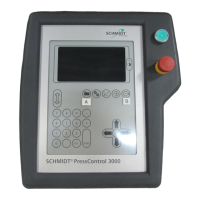
Press the "Change operating level" key (see Figure 4-1). This is how
you switch to the next higher/lower operating level.
All softkeys labelled with asterisk have not been assigned. The assignment
of the softkeys and their allocation to an operating level is done by the PLC
program. For further information concerning the programming of additional
softkeys, please see the "User Manual - SCHMIDT
®
ControlTool - Part 2".
Curve Output
Data Input
Data Output
Softkeys


 To Next Page