10 Quality monitoring
SCHMIDT
®
PressControl 3000 – V1.3
45
Zoom All
Zoom Fit
Zoom -
Record reference data
The recorded curves, together with their respective tolerance limits, are
displayed in the curve output over the entire force and stroke range.
The recorded curves, together with their respective tolerance limits, are
displayed in the curve output in the adapted form.
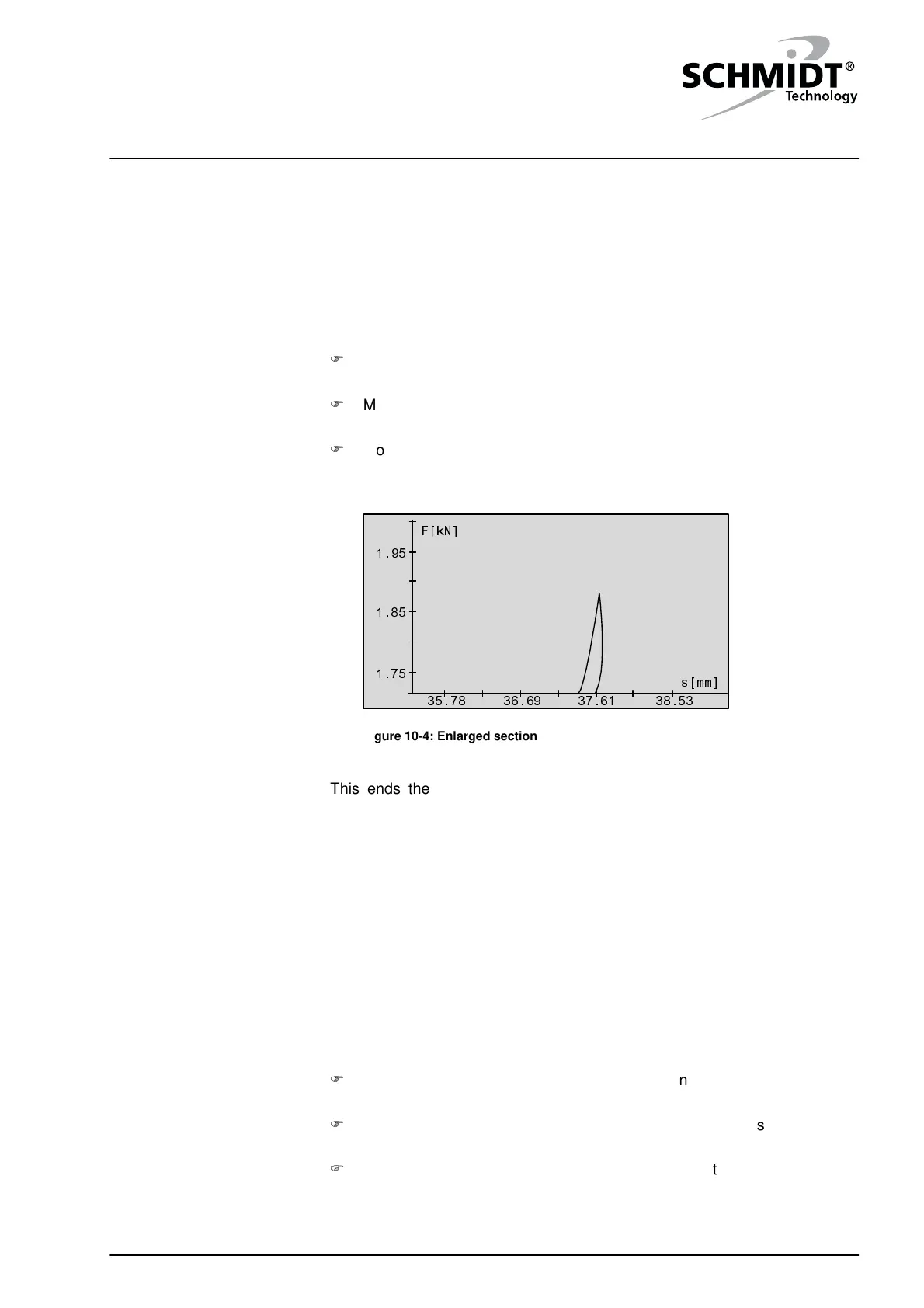
To enlarge a certain area:
Select the "Zoom +" command. The display switches to curve output
and a cursor appears additionally.
Move the cursor using the cursor keys to the left, upper corner of the
desired detail and confirm the position with the "Enter" key.
Move the cursor using the cursor keys to the right, lower corner of the
desired detail and confirm the position with the "Enter" key. The
selected detail shown enlarged.
1.95
1.85
1.75
F[kN]
s[mm]
35.78 36.69 37.61 38.53
Figure 10-4: Enlarged section
This ends the enlarged display. The display goes back to the last curve
display.
10.2 Tolerances
Reference data
With the help of the reference data, the quality features can be defined for
individual workpieces.
To be able to define the quality requirements for the individual workpieces,
you first have to record the reference data.
Set the "Output Diagram" parameter to "Continuous" to display all force
curves as a group of curves.
Produce a workpiece and check whether it meets the quality
requirements.
Repeat the production process and the check until a Not O.K. part is
produced. When compared to the recorded curves, this Not O.K. part
exhibits an outlier in at least one place.
Zoom +


 To Next Page