6 Text and system outputs
SCHMIDT
®
PressControl 3000 – V1.3
24
6 Text and system outputs
6.1 System outputs
Select the “Data Output” system function key.
Servic......CtrOFFCtrON1
40.432 mm
2138 N
Reached stroke :
Reached force :
21 pcs
4 pcs
17 pcs
Quantity :
Quantity nok :
Quantity ok :
30.000 mmReturnstroke at stroke:
2-Hand-Release
Machine ok.
PC-DEAC
Dataset 1
( )
1
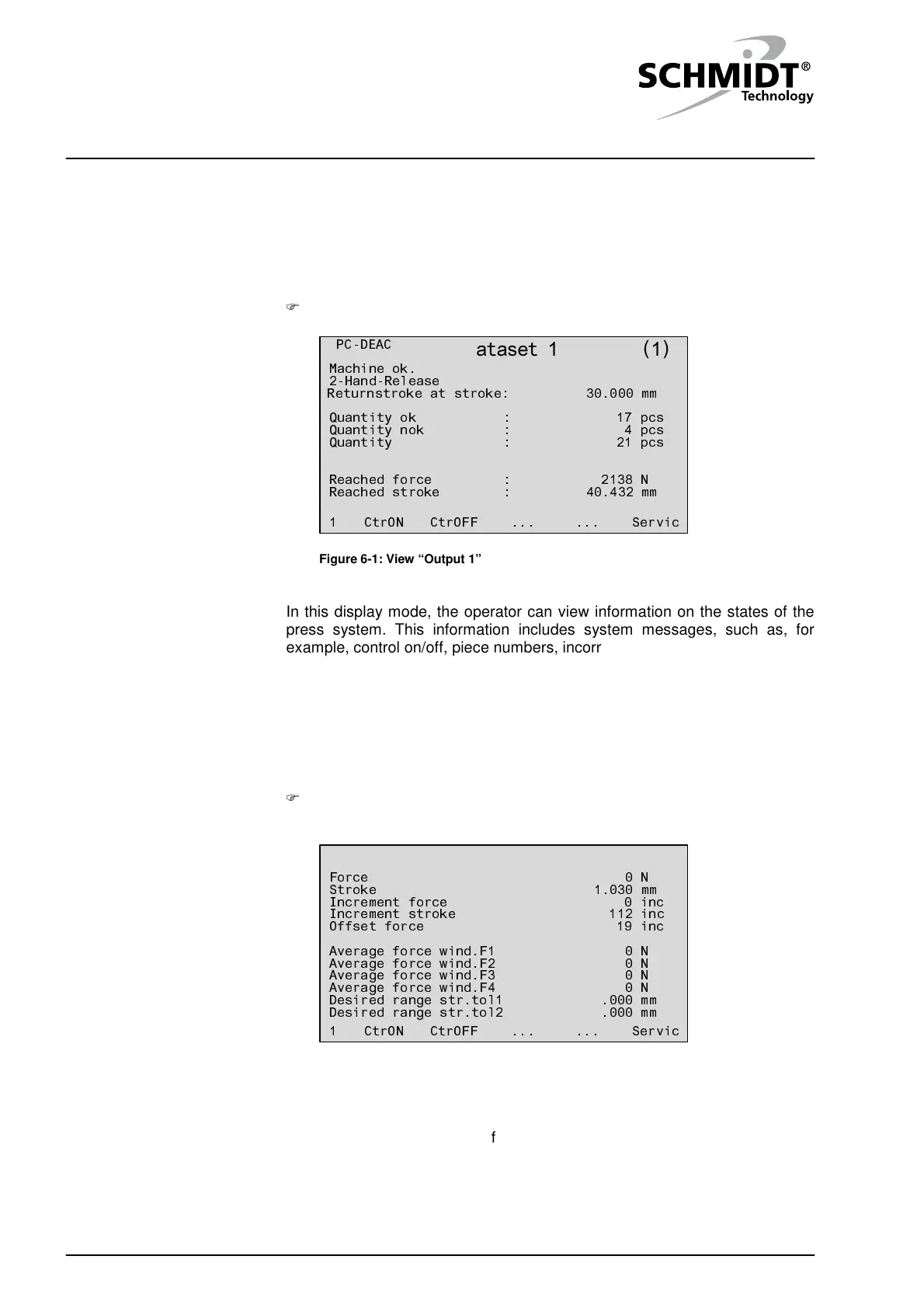
Figure 6-1: View “Output 1”
In this display mode, the operator can view information on the states of the
press system. This information includes system messages, such as, for
example, control on/off, piece numbers, incorrect pressings, etc.
6.2 Process data
In another view, you can see the current process data of the sensors and the
evaluation of the monitoring windows.
By pressing the “Data Output” system function key, you can toggle
between the two views.
Servic......CtrOFFCtrON1
.000 mmDesired range str.tol2
.000 mmDesired range str.tol1
0 N
Average force wind.F4
0 NAverage force wind.F3
0 NAverage force wind.F2
0 NAverage force wind.F1
19 incOffset force
112 incIncrement stroke
0 incIncrement force
1.030 mmStroke
0 NForce
Dataset 1
( )
2
Figure 6-2: View “Output 2”
The average values of the force tolerances or the passages of the stroke
tolerances are displayed only for the defined tolerances.
Activating data output
Changing view


 To Next Page