8 Further integrated functions
SCHMIDT
®
PressControl 3000 – V1.3
36
8 Further integrated functions
8.1 Setup mode for tool change
For a simple setup of the press (e.g. change of heavy upper tools), the setup
mode is available.
In the setup mode, the press moves to the BDC position. After the time set in
the “Setup time” parameter has expired, the control unit is switched of and
the press is depressurised.
Select the “Data Input” system function key.
Select the “Servicetime” parameter:
Enter the time after which the control unit is to be switched off and the
press to be depressurised.
Change to operating level 1.
Press the “Servic” softkey.
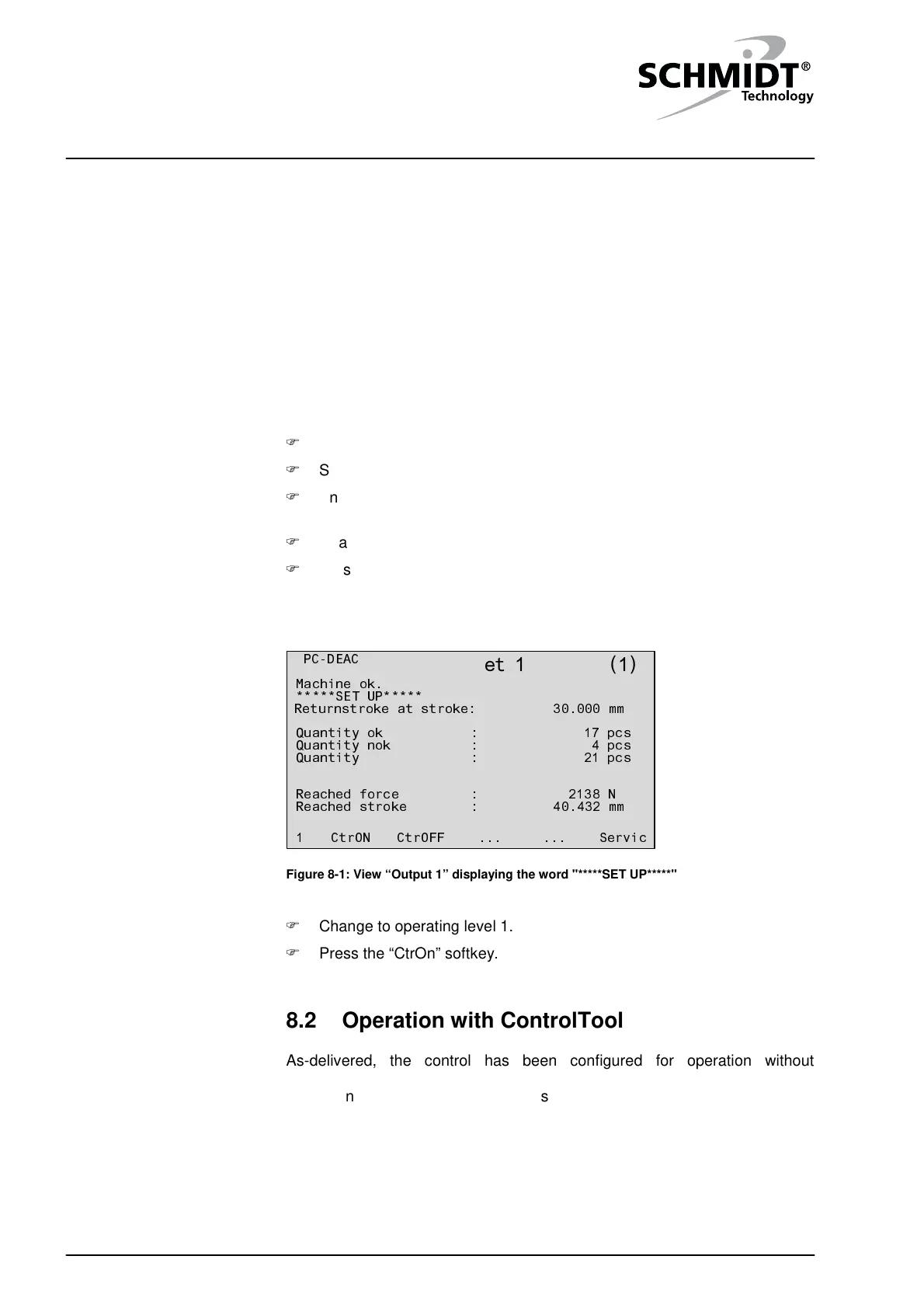
This operating mode is indicated by the word "*****SET UP*****" in output 1.
Servic......CtrOFFCtrON1
40.432 mm
2138 N
Reached stroke :
Reached force :
21 pcs
4 pcs
17 pcs
Quantity :
Quantity nok :
Quantity ok :
30.000 mmReturnstroke at stroke:
*****SET UP*****
Machine ok.
PC-DEAC
Dataset 1
( )
1
Figure 8-1: View “Output 1” displaying the word "*****SET UP*****"
Change to operating level 1.
Press the “CtrOn” softkey.
8.2 Operation with ControlTool
As-delivered, the control has been configured for operation without
connection to an external PC. The note "PC-DEAC" in the left upper corner
of the control display tells you that this operating mode is active.
mode
mode


 To Next Page