46
4. Obtain a drop of blood sample using the lancet and lancing device.
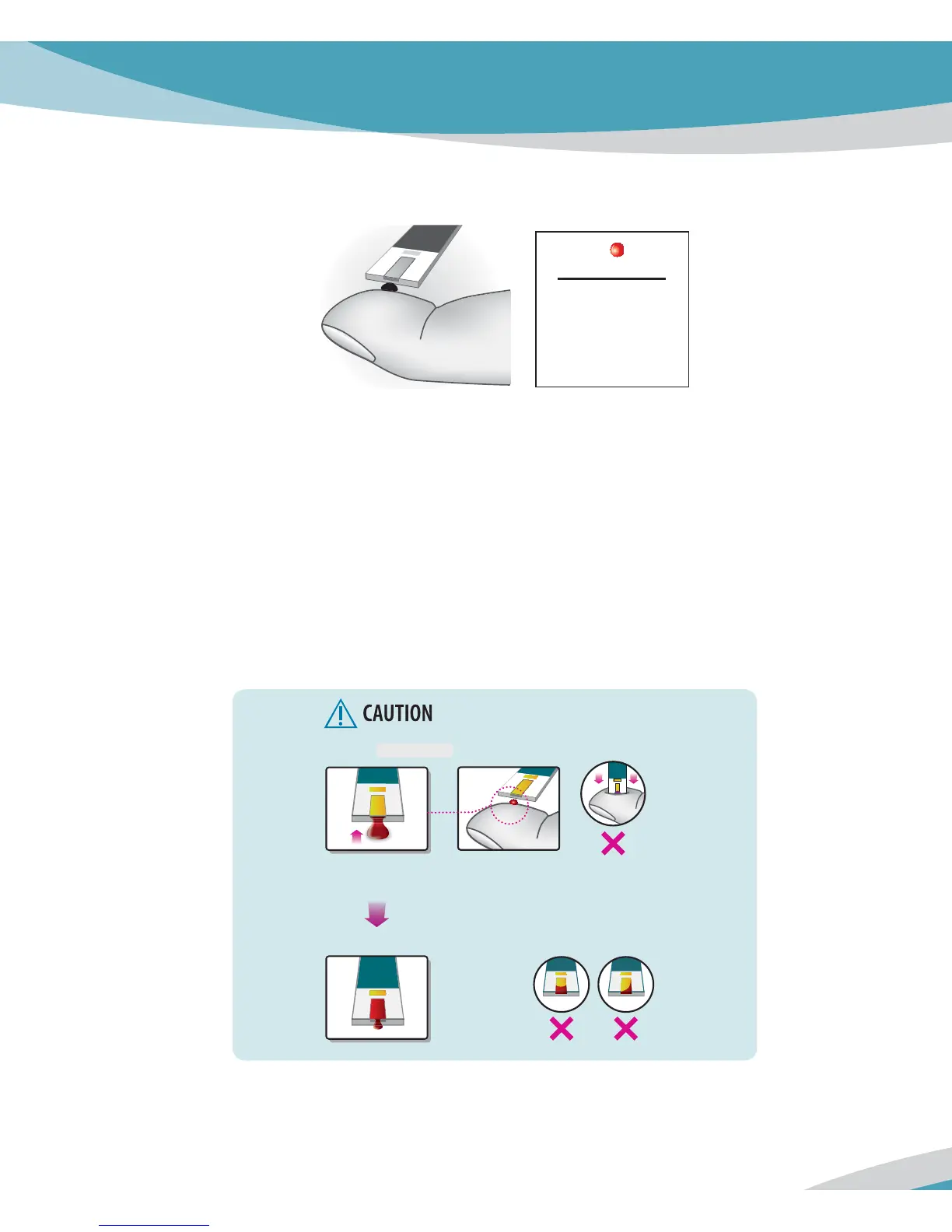
5. Hold your finger to the tip of the glucose strip until the yellow window is completely filled
with blood. Do not place the blood drop on top of the glucose strip.
6. The blood will be drawn into the glucose strip automatically. If beeper is turned on, Analyzer
will beep to let you know the glucose test is beginning.
7. When blood is applied to the glucose strip, the display counts down from 5 to 1(seconds)
and your result appears on the display in just 5 seconds.
8. When the test is done, pull out the used glucose test strip. The Analyzer shuts off
automatically in 3 seconds after you remove the test strip.
0.9
μ
L
actual size
Narrow Channel
STEP 1
STEP 2
Gently touch glucose test strip to the blood drop.
Do not press and shake glucose test strip too firmly against the finger.
Proper glucose test
strip appearance.



 To Next Page