22QB2000 9.2022 vers 1.0
Seng Up and Loading the Payment Systems
Coin Changer
The Coin Changer receives and returns change to customers. The Coin Changer will accept Dollar Coins,
Quarters, Dimes, and Nickels. Once the coin tubes reach the required inventory level, all other coins will be
routed into the coin overow tray.
Loading Changer
As change is given to the customer in coins only, it is recommended that you inially load the coin tubes
completely full when seng up your machine. In order for your VMC to keep an accurate coin inventory, enter
MENUS Mode, then press 3 on the keypad to Qty/Tube, and load coins in through the front coin slot, as if
you were inserng money to purchase items. Once the coins start dropping into the coin overow tray, that
means that the coin tubes are full and the VMC has an inventory of coins stored and will calculate transacons
accordingly. This is also known as priming the changer.
Coin Retrieval
The Coin Overow Tray holds all accepted coins except for coins needed to maintain inventory in the Tubes.
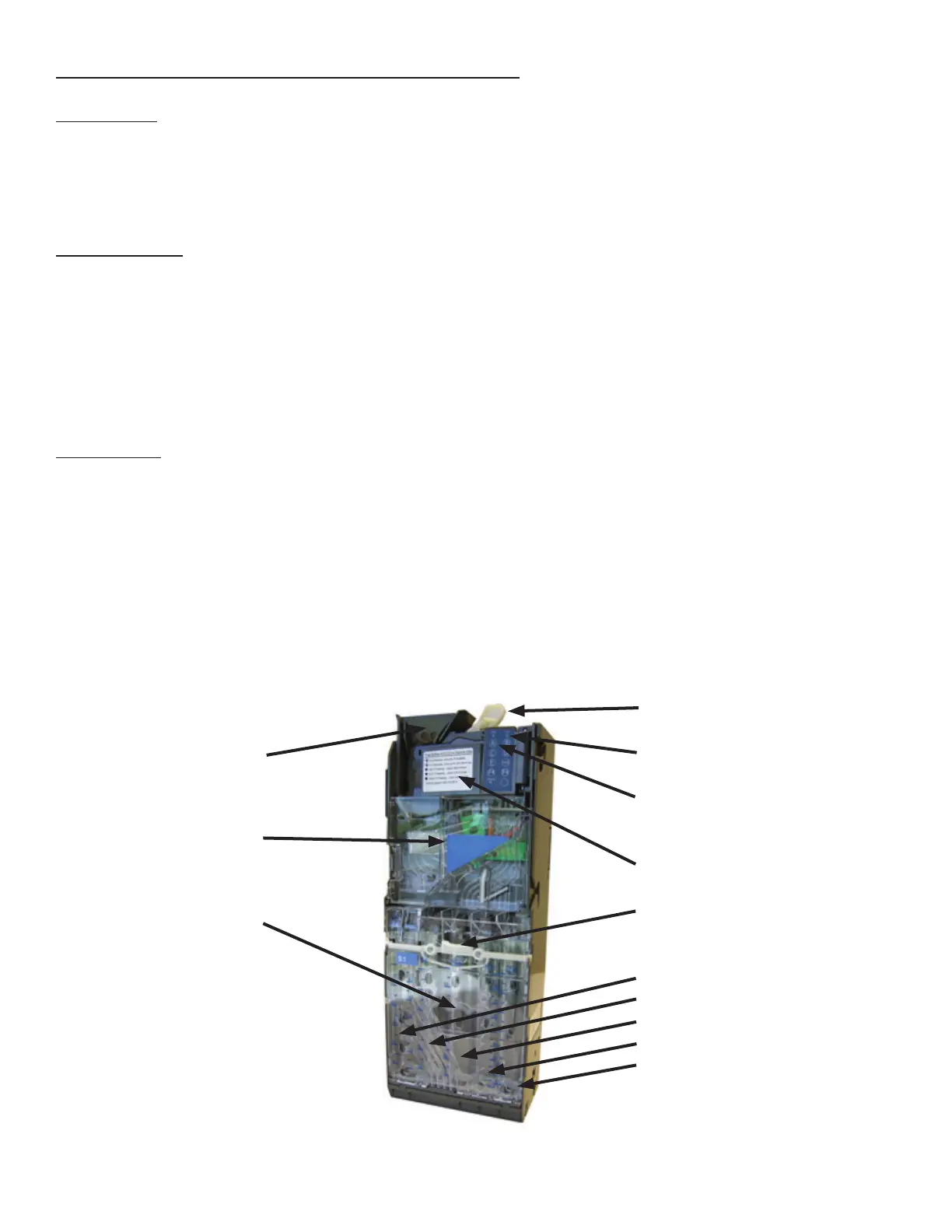
The User Interface Buons are located on the upper poron of the changer (Figure 21). Press a User Interface
Buon on the changer to dispense the coins in that tube. Note that the changer will empty that selecon of
coins. To stop this mode, press the selecon’s User Interface Buon again.
Note: You may also physically remove the Coin Cassee to load and unload coins. Note that doing so will not
maintain audit totals.
Figure 21 - Coin Changer
Coin Funnel
Coin Channel Cover
Coin Cassee
Coin Return Lever Lever
Diagnosc LED
User Interface Buons for
Tubes A, B, C, D, E
Acceptor Gate Assembly
Cassee Latch
Coin Tubes
A
B
C
D
E



 To Next Page