32
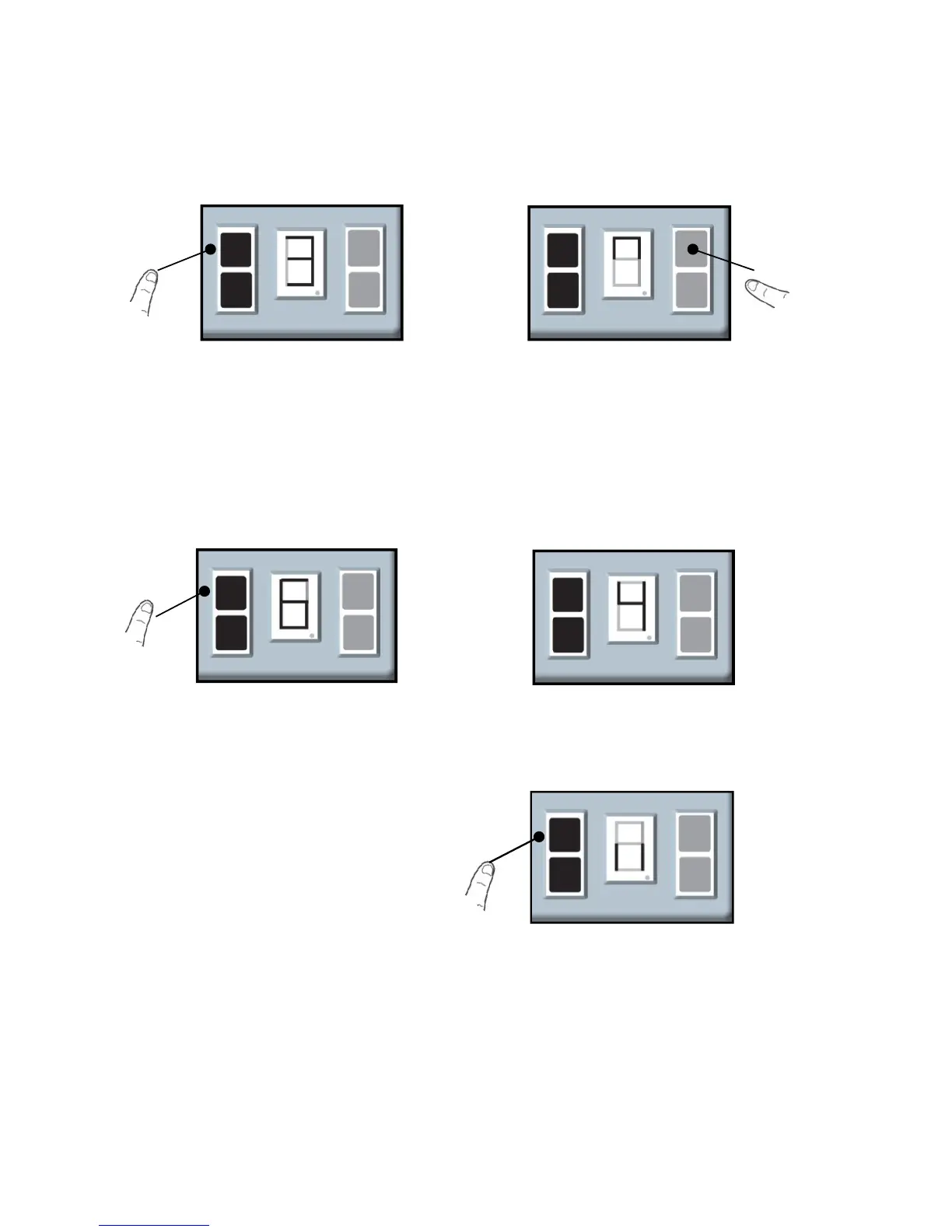
3.2 Adjust The “OPEN” force sensitivity
c. Press and release the SETTING
Button and the screen show the levels of
the force sensitivity (from 1 to 9 )
d. Use the UP Button to increase the
levels(9 indicates ‘Maximum force’ ),
press the DOWN Button decrease the
levels(1 indicates ‘Minimum force’) .
b. Press and release the UP Button
and the screen show the “∩”
e. After the desired level is selected,
press and release the SETTING Button
and the screen is flashing “||”.
Adjustments is complete.
a. Press and hold the SETTING
Button until the screen show the
number from “1” to “3”.


 To Next Page