Before you really get started… • 85
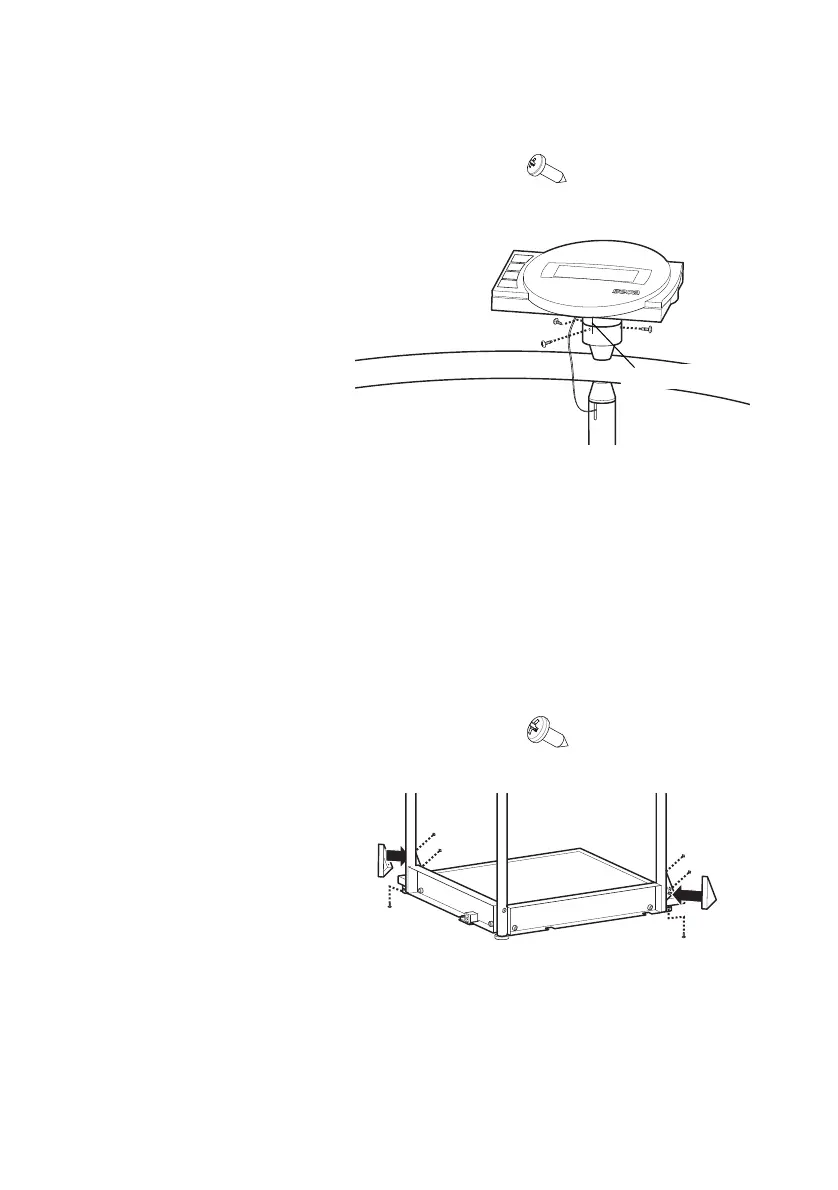
Fitting the display
housing
You need the following connecting elements for this
assembly step:
1. Remove the transport securing device of the
display housing.
2. Position the display housing on the display bracket
in such a way that the position markings line up
with one another.
3. Fix the display housing to the display bracket with
the pan-head tapping screws.
Fitting the triangular
cover panels
You need the following connecting elements for this
assembly step:
1. Place one panel on the triangular brace for the rear
handrail support.
2. Fix the panel to the brace with three pan-head tap-
ping screws.
3. Repeat steps 1. and 2. for the brace for the right-
hand handrail support.
3 x pan-head tapping screws 2.9 x 9.5
6 x pan-head tapping screws 3.5 x 9.5



 To Next Page