8
Filter Status
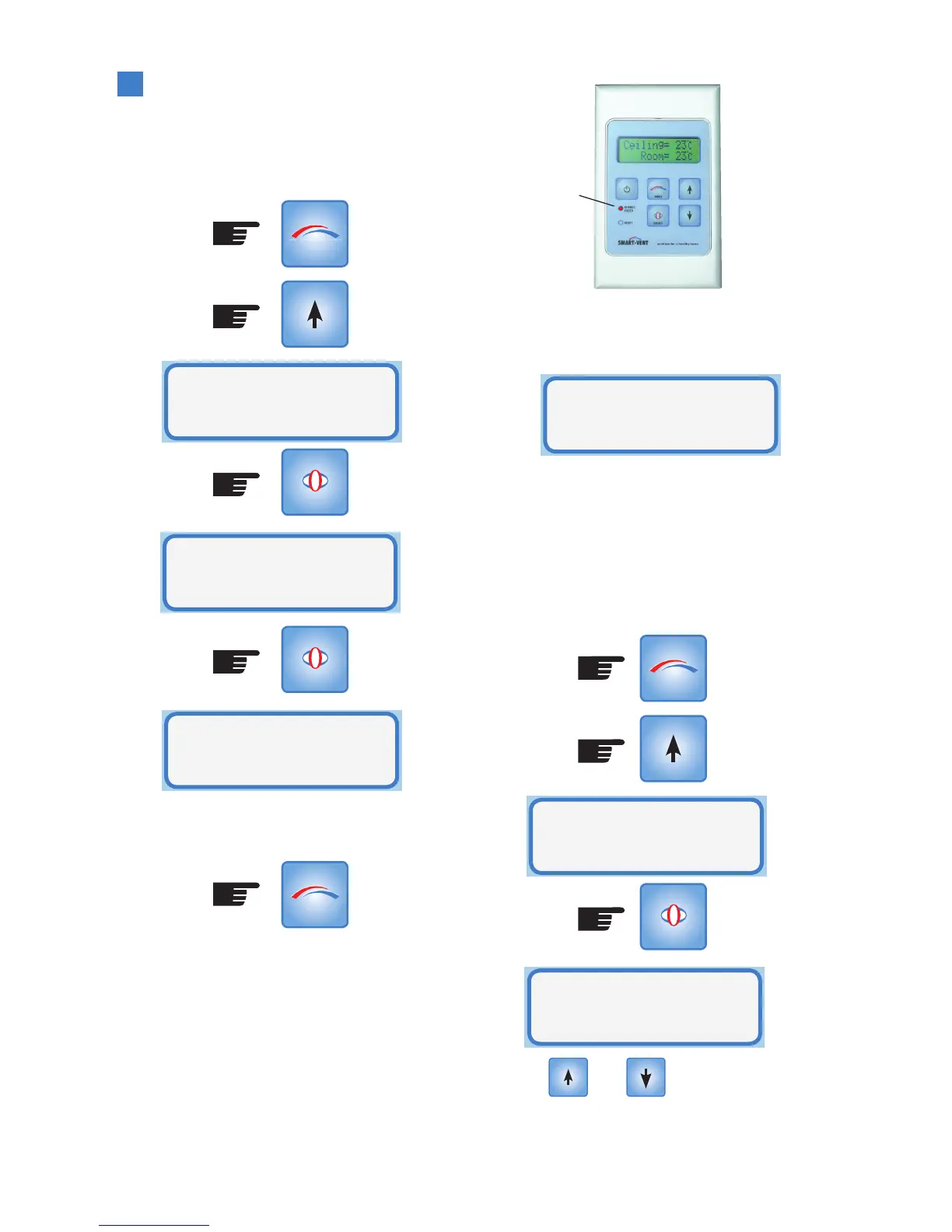
The Smart-Vent controller indirectly
monitors the filter and calculates the %
used. To show the % used enter the Setup
Mode as follows:
(Press x4)
To return to Operational Mode either wait for
the 15 second timeout or press MODE
When the filter is 100% used then it should
be replaced. Please phone the customer
service number (09) 259 1662 to be
directed to your nearest outlet to purchase a
replacement filter.
The Smart-Vent controller flashes the
‘change filter’ light on the control panel
when the filter is full.
SELECT
SELECT
MODE
MODE
Filter
Status
Filter
4% Used
Filter
Status
The first line on the display changes from
the ceiling temperature to show a ‘filter full’
message.
Once a new filter has been installed it is a
simple matter of resetting the filter usage to
0% through the Setup Mode.
When the filter has reached 100% an
additional operation becomes available in
the Setup Mode to reset the filter.
(Press x5)
Use the and buttons to toggle
between yes and no.
Change
Filter Light
‘flashing’
Filter Full
Room= 24
.
C
SELECT
MODE
Reset Filter
Timer
Reset Filter
Timer? No



 To Next Page