6
5. Setup Functions
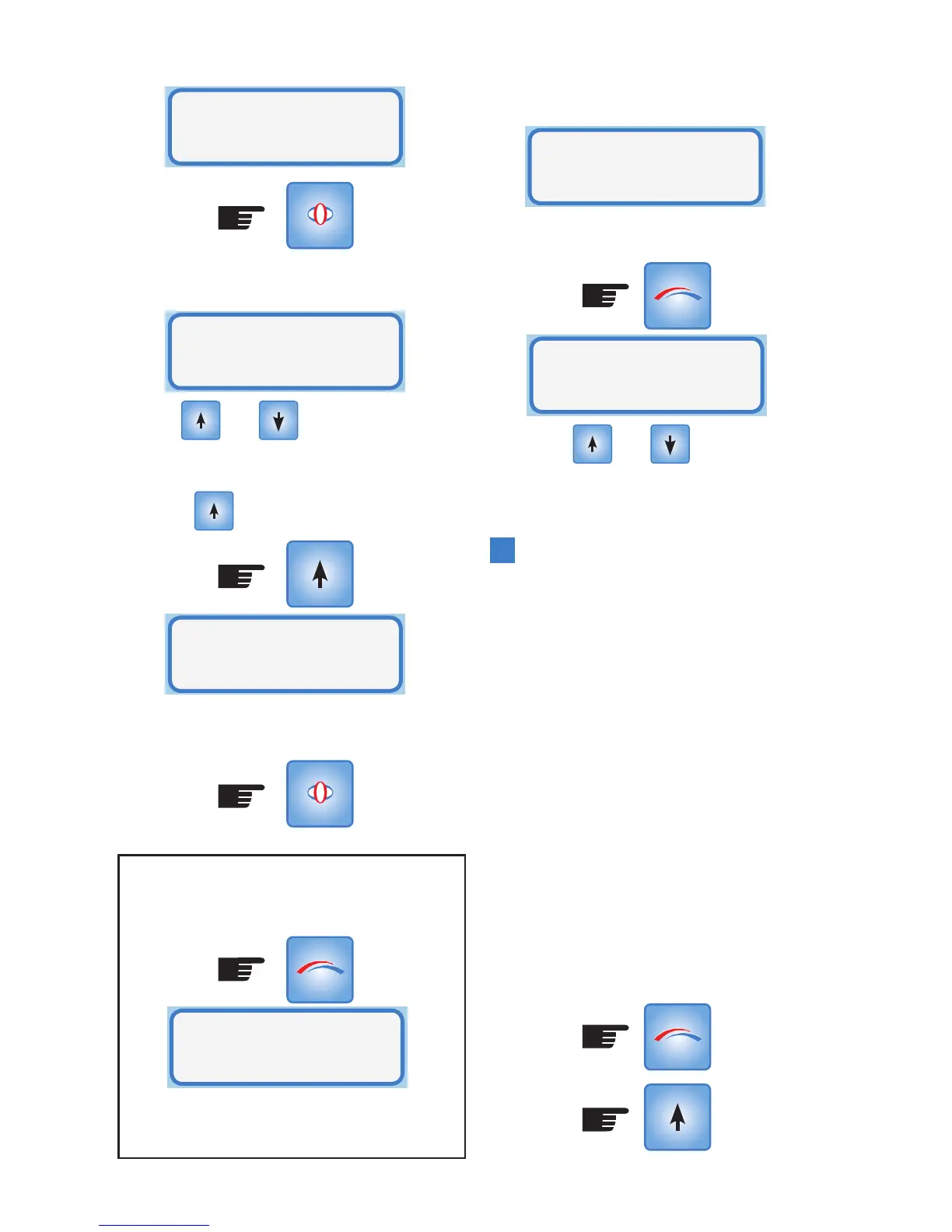
The display will indicate the current Fan
speed for example: Speed 2:
Use the and buttons to alter
the fan speed, for example to change from
displayed Medium speed (2) to high (3),
press the button once.
To activate this change in fan speed press
SELECT, and the new fan speed is saved in
memory.
Note: If you do not press SELECT but return to
Operational Mode by pressing MODE, your
changes will not be saved.
Also if you wait for the timeout of 15 seconds
then the changes will not be saved.
Once SELECT is pressed the display returns
to Setup Mode
Either press MODE or wait for 15 second
timeout to return to Operational Mode.
Or use the and buttons to step
forwards or backwards to another setup
selection.
System Maximum Temperature
The controller uses the maximum
temperature to control the point at which
either outside air is vented into the house
(if the summer feature is installed) or the
system drops to fan speed 1. When the roof
space temperature exceeds the maximum
temperature the controller switches the fan
speed to low and/or opens the outside air
damper. This temperature is adjustable up
to 35
0
C and any setting that is at least 5
0
C
greater than the minimum temperature.
Note: The controller will not allow the
maximum temperature to be set lower than
the minimum.
To change or check the value of the
maximum temperature enter the Setup
Mode as follows:
(Press x2)
System
Fan Speed
SELECT
MODE
SELECT
Fan Speed
=Medium(2)
Fan Speed
=High(3)
Changes Not
Saved!!
System
Fan Speed
MODE
Ceiling= 24
.
C
Room= 20
.
C
MODE



 To Next Page