12
Heater
Mode
SELECT
SELECT
SELECT
Heater Mode:
Normal
Heater Mode:
Override
Heater ON:
for 1 hour
The heater will now stay on for 1 hour from
the moment SELECT is pressed.
Timer Mode
The purpose of Timer Mode is so the
householder can set certain times when the
Smart-Vent heater can be active. Normally
the heater will come on and go off under the
control of the ceiling temperature and the
minimum temperature 24 hours a day, the
Timer Mode allows the householder to limit
this to one or two time periods during the
day when the ceiling temperature is below
the minimum temperature.
For example:
The ceiling temperature may fall below
the minimum setting of 5
0
C between the
Timer 1 ON
5:30am
7am
Timer 1 OFF
6:30am
hours of 3am and 7am. In Normal Mode
the heater (if enabled) will come ON during
this time. However if the householder only
wants the heater on between 5:30am and
6:30am, then the householder
can set the Timer Mode to
achieve this.
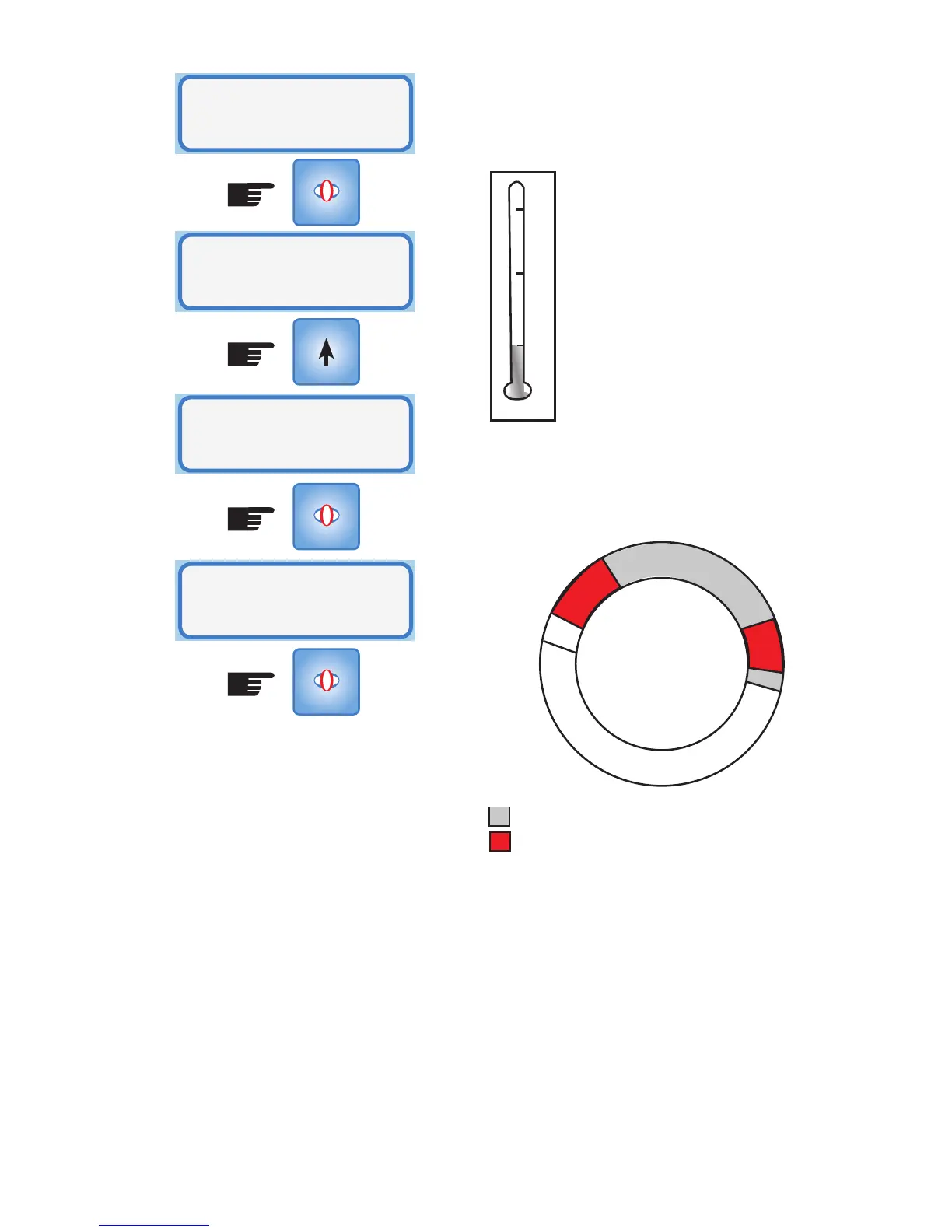
Above 5
0
C the heater is OFF
Minimum Temperature setting
Heater On:
5:30am - 6:30am in Timer Mode
The mode has two timers and either one or
both can be active. This is designed for a
morning and evening period.
Ceiling temperature is below 5
0
C (9pm-7am)
Timer Mode - Time settings that the
heater will operate if the ceiling
temperature is below the minimum
This example assumes that the ceiling
temperature is below the minimum setting
from 9pm to 7am. The heater will only
come on if the ceiling temperature is less
than the minimum temperature and the
time at which this occurs lies within the
Timer periods set. Timer 2 is set from 7pm
however since the temperature in the ceiling
5
0
C
24Hr Clock
9pm
Timer 2 OFF 11pm
Timer 2 ON
7pm



 To Next Page