13
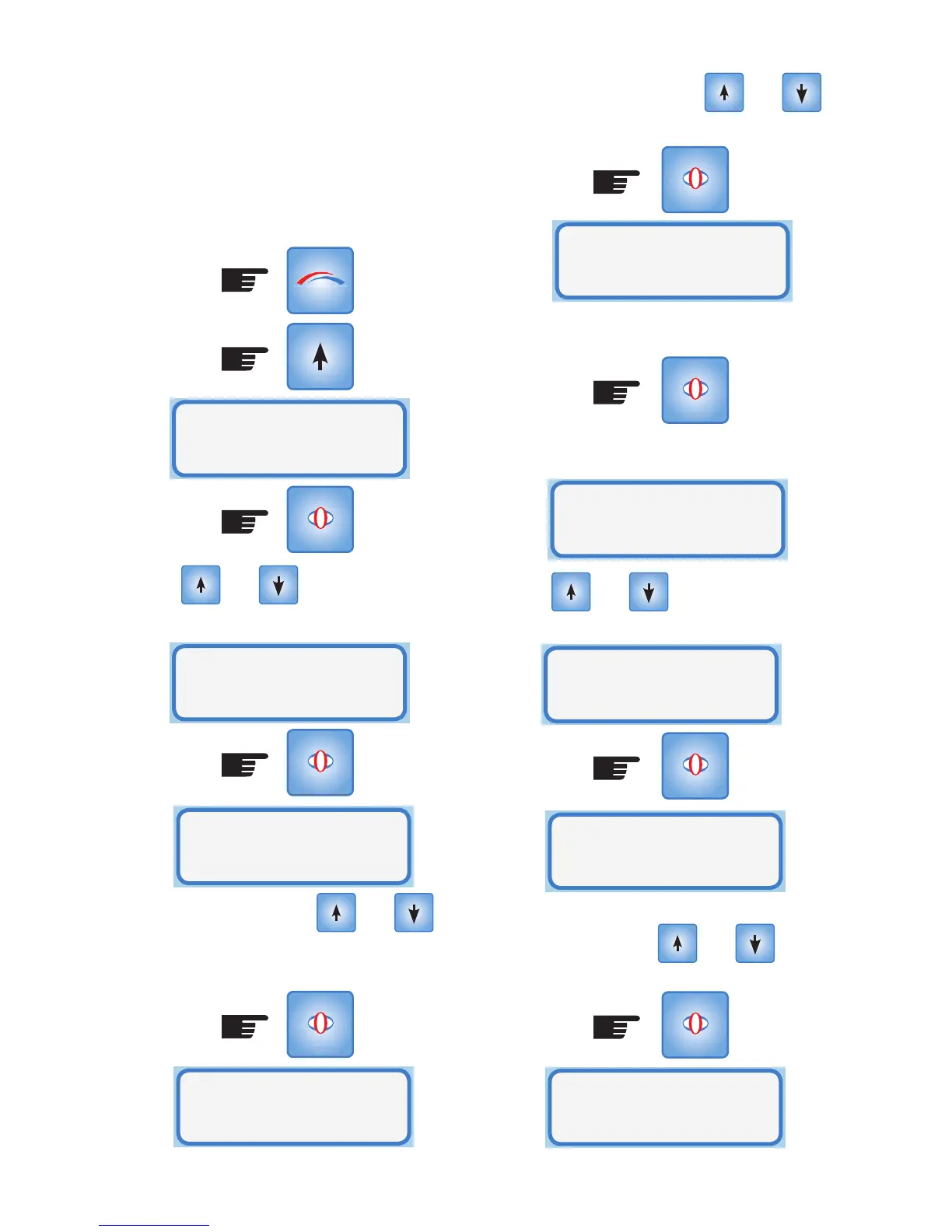
The minutes flash. Use the and
buttons to set the minutes. Press Select:
Set the hours and minutes as for the ON
time and press SELECT
The second time duration is then offered as
a choice.
SELECT
SELECT
Use the and buttons to scroll
through YES or NO and press SELECT:
Set the hours and minutes as for the first
time period using the and
buttons. Press Select:
SELECT
SELECT
Set OFF Time
06:30
Set Period 2
=Yes
Set ON Time
19:00
Set OFF Time
23:00
Set Period 2
=No
space is above the minimum temperature
setting the heater will not come on until
the temperature drops below the minimum
level. (In this instance 9pm)
To enter Timer Mode, ensure the heater is
enabled and go to the Setup Mode
Use the and buttons to step to
Timer Mode:
The hours flash. Use the and
buttons to set the hour you want the heater
to come on. Press SELECT:
SELECT
MODE
SELECT
Heater
Mode
SELECT
Heater Mode:
Timer Mode
Set ON Time
05:30
Set ON Time
05:30



 To Next Page