3
3. Operating Mode
Smart-Vent operates to the parameters set
either by pushing the RESET button or those
entered using the Setup Mode.
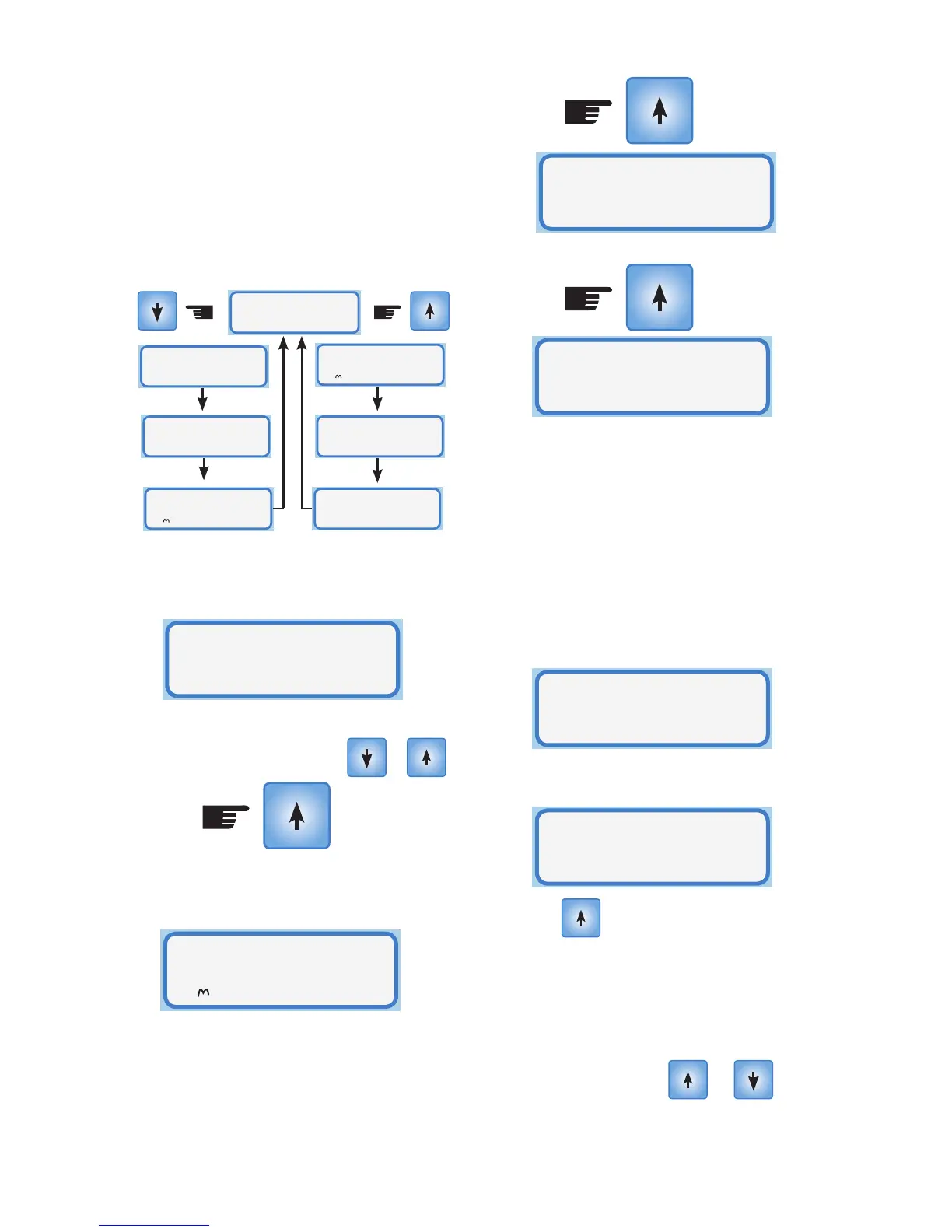
The 4 screens available for display in
operating mode are shown below:
The default screen shows the temperature
of the ceiling space and of the room that the
controller is situated in.
To show the other pages press either the up
or down arrows as shown
For the up button:
The next screen shows where the Smart-
Vent air is being drawn from, the status of
the heater and the fan speed.
In this example, the Smart-Vent air is
drawing from the ceiling cavity, the heater
is disabled and the fan is operating at
maximum speed.
Real time clock showing time, date and day.
Display indicating the Smart-Vent is
operating in Normal Mode, which means
that the ceiling temperature and the
maximum and minimum temperature
settings determine the fan speed and
whether the air is vented from the ceiling or
the outside.
If the Heater is in Override Mode the display
will show:
And if the heater is set to Timer Mode the
display will show:
Push the button to return to the
default display screen.
Note: The display illuminates on the first
press of a button, but no action is taken
until the second press of any button.
After 15 seconds if the or
buttons are not pressed the controller
reverts to the default display
Ceiling= 23
.
C
Room= 27
.
C
Normal
Operation
10:02am
25/01/07 Thu
Ceiling= 23
.
C
Room= 27
.
C
Ceiling Vent
Heat Fan3x
Ceiling Vent
Heat Fan3x
Normal
Operation
10:02am
25/01/07 Thu
Normal
Operation
10:02am
25/01/07 Thu
Ceiling Vent
Heat Fan3x
Heater ON
Override
Heater ON
Timer Mode



 To Next Page