follows: IM_SEC3_02.01_en.docx
66/70
Software downloading
It is possible get the needed program following the link:
http://mcu.emea.fujitsu.com/mcu_tool/software.htm
FLASH PROGRAMMER 16FX software for Controller board (SECURLIFT internal use only).
http://www.spansion.com/Pages/mcu_download.aspx?redirect=/EnglishDownloads/EDG/binary/zip/product/mic
om/tools/downloads/flash/PCW16FX-V01L15.zip
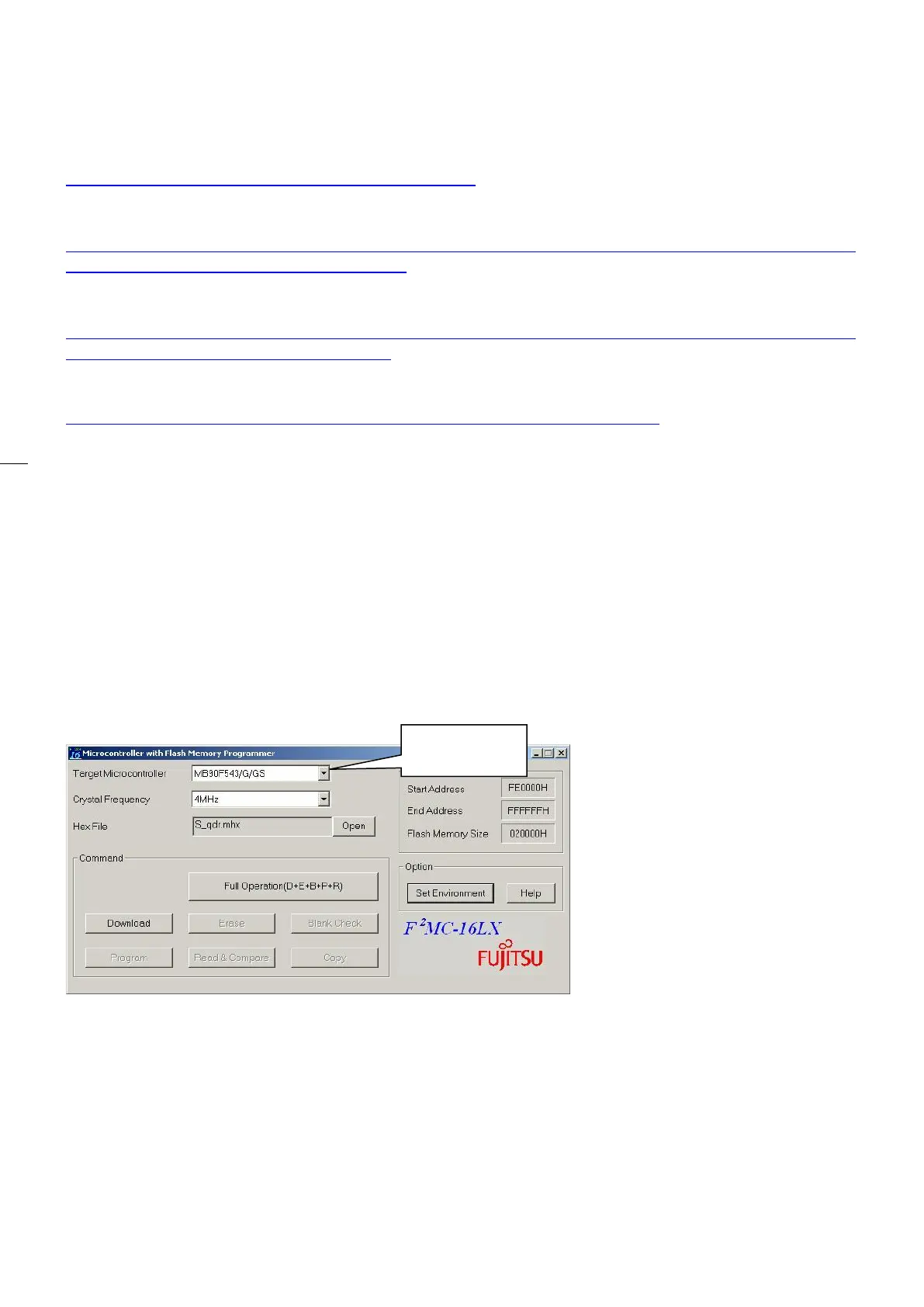
FLASH PROGRAMMER 16LX software for all other boards.
http://www.spansion.com/Pages/mcu_download.aspx?redirect=/EnglishDownloads/EDG/binary/zip/product/mic
om/tools/downloads/flash/pcw16lx-v01l27.zip
Drivers for the programming cable SEC-2PRG can be downloaded at:
http://www.ftdichip.com/Drivers/CDM/CDM%20v2.12.12%20WHQL%20Certified.exe
SECUR 3 boards are on site programmable for easy updating. In order to download software please
proceed as follows.
1. Install FLASH FX and LX in the computer
2. Start the correct FLASH.exe program
3. Connect SEC-2PRG cable between computer port (COM) and PRG connector on the board to be
programmed
4. While pressing RESET button, set the board dip switches as follows:
• WD = OFF
• RS = OFF (if present)
• PRG = ON
• Release RESET button
5. Select the Target Microcontroller


 To Next Page