100
K600000000SE 030804 011018
CONTEXT KEY FUNCTION
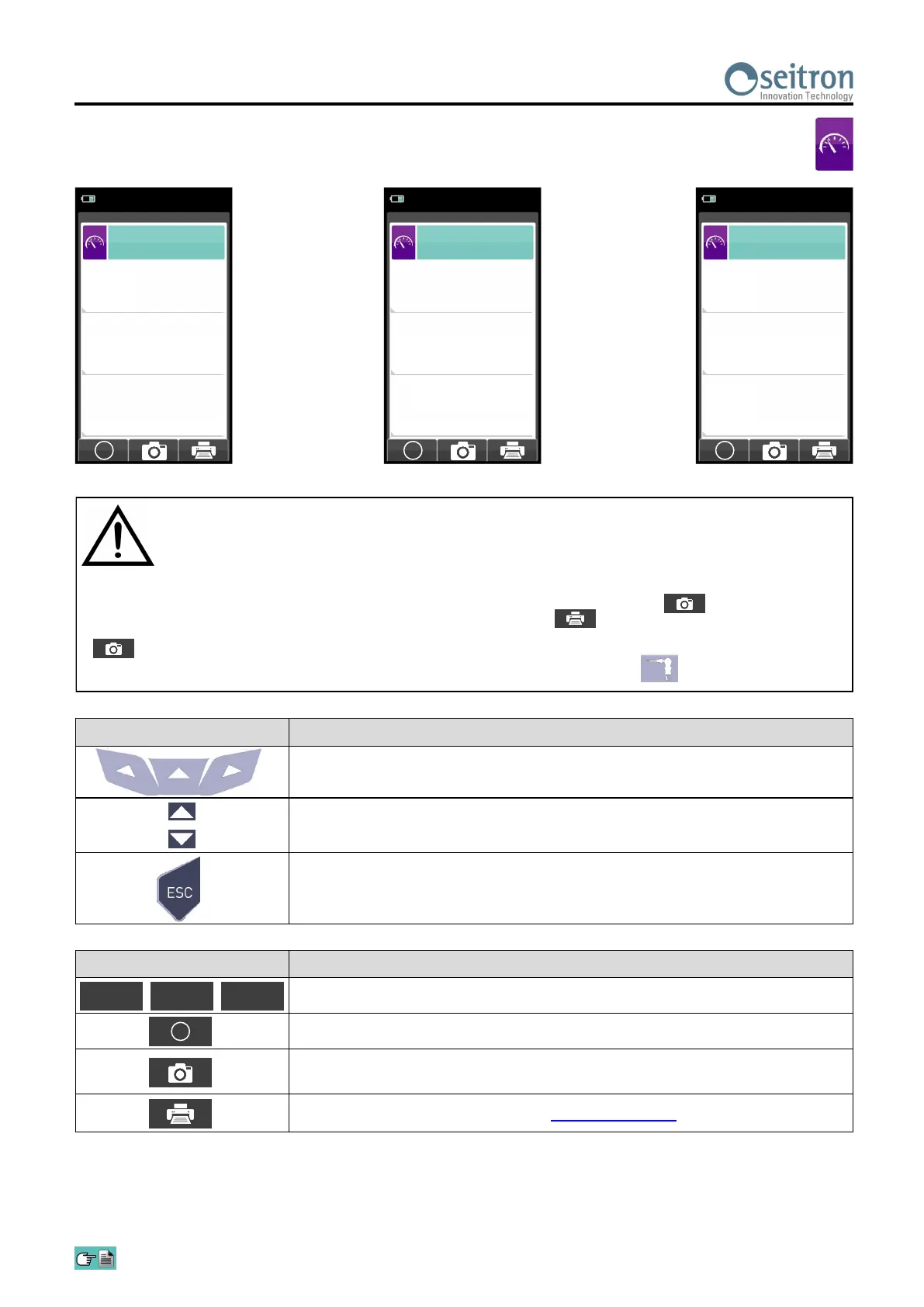
The activation of one of these keys starts the Draft measurement.
Carries out pressure zeroing.
Saves, in the memory selected in the "Memory Select" menu, the value of
the draft measured.
Starts printing the paper print-out. SEE SECTION 12.
13.2 Measurements→Draft
O
F1 F2 F3
To measure the draft proceed as follows:
- Connect the probe pressure input hose to the instrument P- input.
- Enter the external air temperature.
- Before starting the pressure zeroing sequence pay attention to remove the gas probe from the stack.
- Having carried out the pressure zeroing sequence, insert the probe in the chimney and measure the draft.
- The draft values to be stored in the memory must be acquired before storing the analysis data.
- To attach the draft value to the readings of the current analysis, activate the "save" function ' '.
- To print the paper print-out with the value of the draft, activate the function ' '.
- It is possible to cancel an acquired draft from the memory; to overwrite a new one, activate the "save" function again
' '.
- After saving the draft measurement, to carry out the combustion analysis, press the key ' '.
KEY FUNCTION
Activate the context keys shown on the display.
Sets the value of the external temperature.
Returns to the previous screen.
04/03/16
10:00
Measurements
Draft
O
P diff
hPa
3
T outdoor
°C
10
P diff ref
hPa
3.5
04/03/16
10:00
Measurements
Draft
O
P+ low
hPa
3
T outdoor
°C
10
P diff ref
hPa
3.5
04/03/16
10:00
Measurements
Draft
O
P+ ext
hPa
3
T outdoor
°C
10
P diff ref
hPa
3.5


 To Next Page