101
K600000000SE 030804 011018
CONTEXT KEY FUNCTION
Enters the modification mode for the selected parameter.
Confirms the value entered.
Saves, in the memory selected in the "Select Memory" menu, the values
entered.
Starts printing the paper print-out.
SEE SECTION 12.
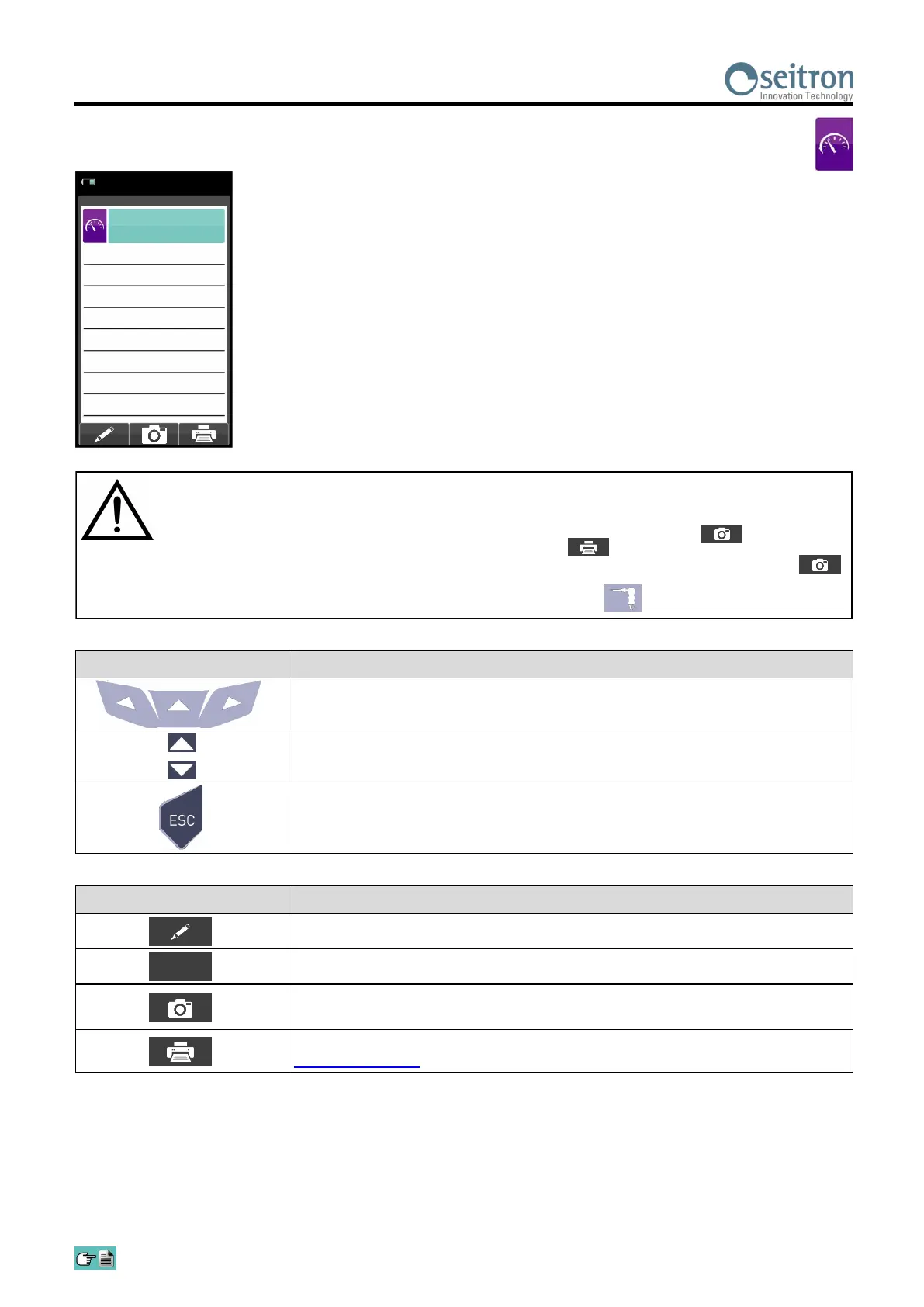
13.3 Measurements→Smoke
OK
- Measure the smoke using the specific optional kit.
- Enter the values found.
- The values of the smoke that you want to save must be acquired before saving the analyses.
- To join the values of the smoke to the measurements of the current analysis use the ' ' function.
- To print the paper print-out with the measurement of the smoke, activate the ' ' function.
- It is possible to delete the values of the smoke acquired in the memory by overwriting them by activating the ' '
function again.
- After saving the smoke values, to carry out the combustion analysis, press the key ' '.
15/01/14
10:00
Measurements
Smoke
Average
-
Measure 3
-
Measure 2
-
Measure 1
-
KEY FUNCTION
Activate the context keys shown on the display.
Sets the "smoke number" found by the device when measuring the smoke.
Returns to the previous screen.


 To Next Page