14
K600000000SE 030804 011018
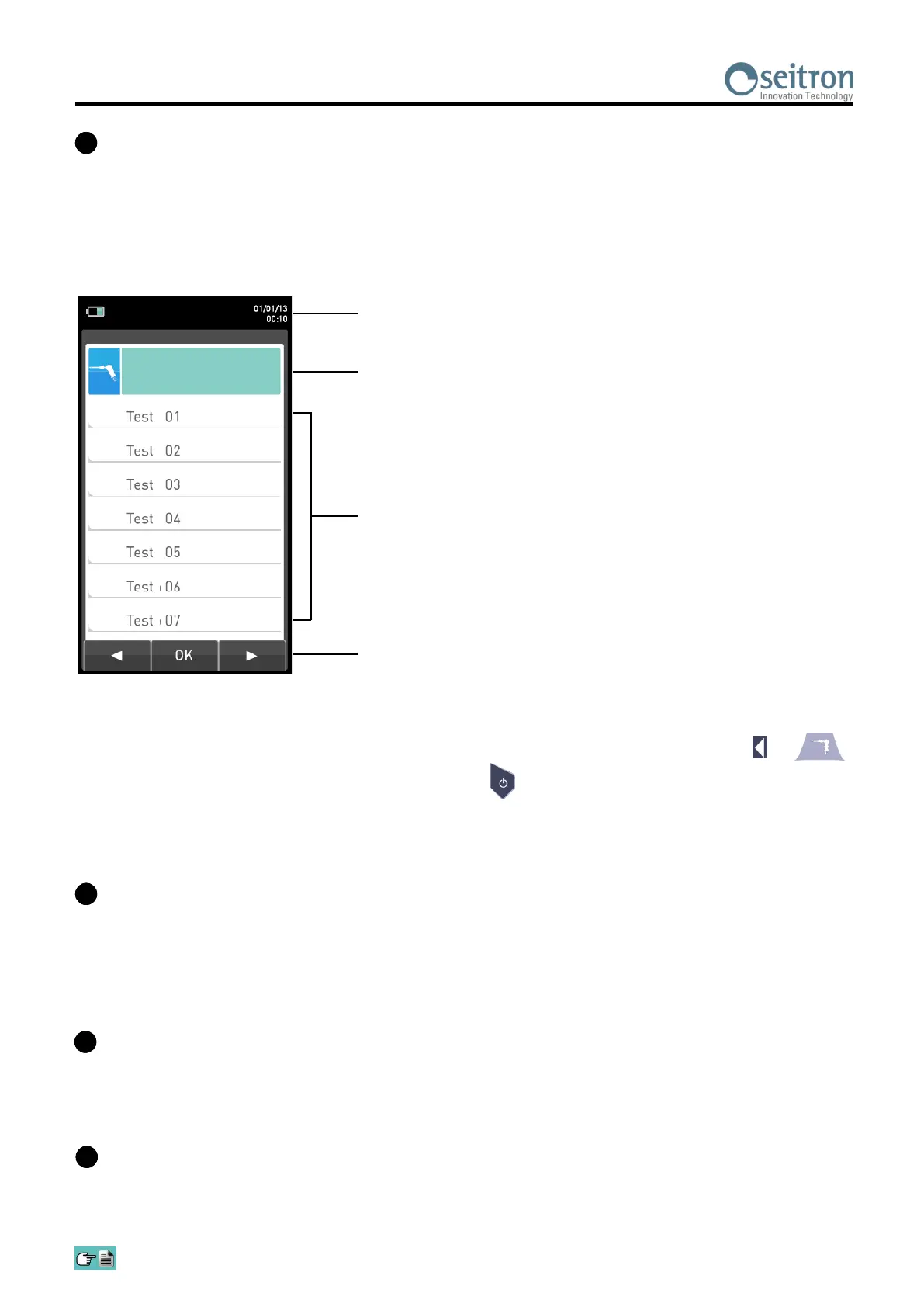
B Display
Date, time and battery status.
Selected menu.
Parameters relative to the selected menu.
Context keys. In the various menus the functions vary depending on
the type of operation being carried out.
Combustion analysis
Backlight
The backlight can be turned off with the simultaneous pressure on keys + .
The backlight is turned on when any key is pressed, except ' ' key.
Printer
The thermal printer can print on either non-fading polyester paper or regular thermal paper. Thermal
polyester cannot be altered and it is resistant to light, to temperature, to humidity and to water.
The print menu is accessed by pressing the relative key and, besides enabling read-out printing, the menu
also allows you to modify print settings and to advance the paper manually so as to facilitate paper roll
replacement.
USB connector (type B)
Used to connect the instrument to a personal computer running Microsoft Windows 7 or later upon
installation of the specific software ‘SmartFlue’, supplied with the instrument.
D
Connector for the connection of auxiliary probes.
Serial connector, Mini Din 8-pin, for connection of an external probe such as:
- Probe for measurement of the ionization current
- Micromanometer
E
TFT 272 x 480 pixel backlit color display with 21 characters available and 8 lines. Allows the user to view the
measured parameters in the most comfortable format; a Zoom function displays the measured values in
magnified form.
CAUTION: If the instrument is exposed to extremely high or extremely low temperatures, the quality of
the display may be temporarily impaired. Display appearance may be improved by acting on the contrast
key.
C


 To Next Page