52
K600000000SE 030804 011018
10.6 Configuration→Information
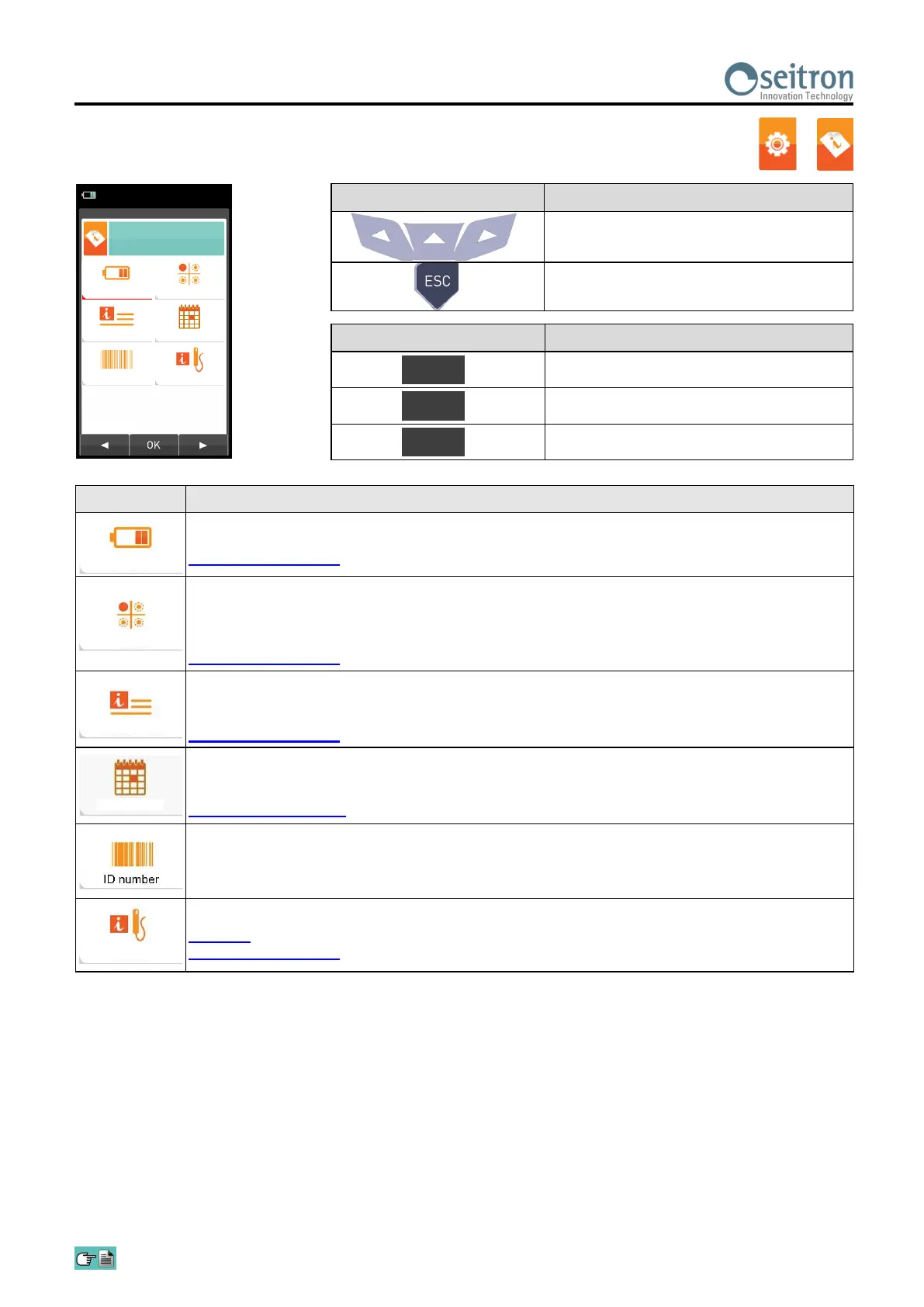
PARAMETER DESCRIPTION
Displays the current battery power status in percentage from 0 to 100%, both in text and
graphically.
SEE SECTION 10.6.1.
It allows to check which sensors are installed on the instrument, and in which position they are
installed. The instrument automatically detects whether a sensor has been either added or
removed. The screen page allows whether to accept the new configuration or ignore the change
performed.
SEE SECTION 10.6.2.
This submenu contains details regarding the nearest Service Center to be contacted in the event
of instrument fault or ordinary maintenance. The instrument model, serial number and firmware
version are also displayed, thus allowing for a quick product identification.
SEE SECTION 10.6.3.
Accessing this menu you can see the calibration’s expiration date of the instrument, inserted by
factory or assistance center.
The menu is protected with a password: password is " 1111 ".
SEE CHAPTER 10.6.4.
Not available.
Displays useful information on the probe connected to the serial cable connector visible in E in
section 5 (Description of the Components of the Combustion Analyzer).
SEE SECTION 10.6.5.
→
KEY FUNCTION
Activate the context keys shown on the
display.
Returns to the previous screen.
CONTEXT KEY FUNCTION
Selects the available parameters.
Enters in the selected parameter setting.
Selects the available parameters.
OK
◄
►
Battery
Sensors
Infoservice
Reminder
Probes
04/03/16
10:00
Information
Battery
InfoService
ID number
Sensors
Reminder
Probes


 To Next Page