92
K600000000SE 030804 011018
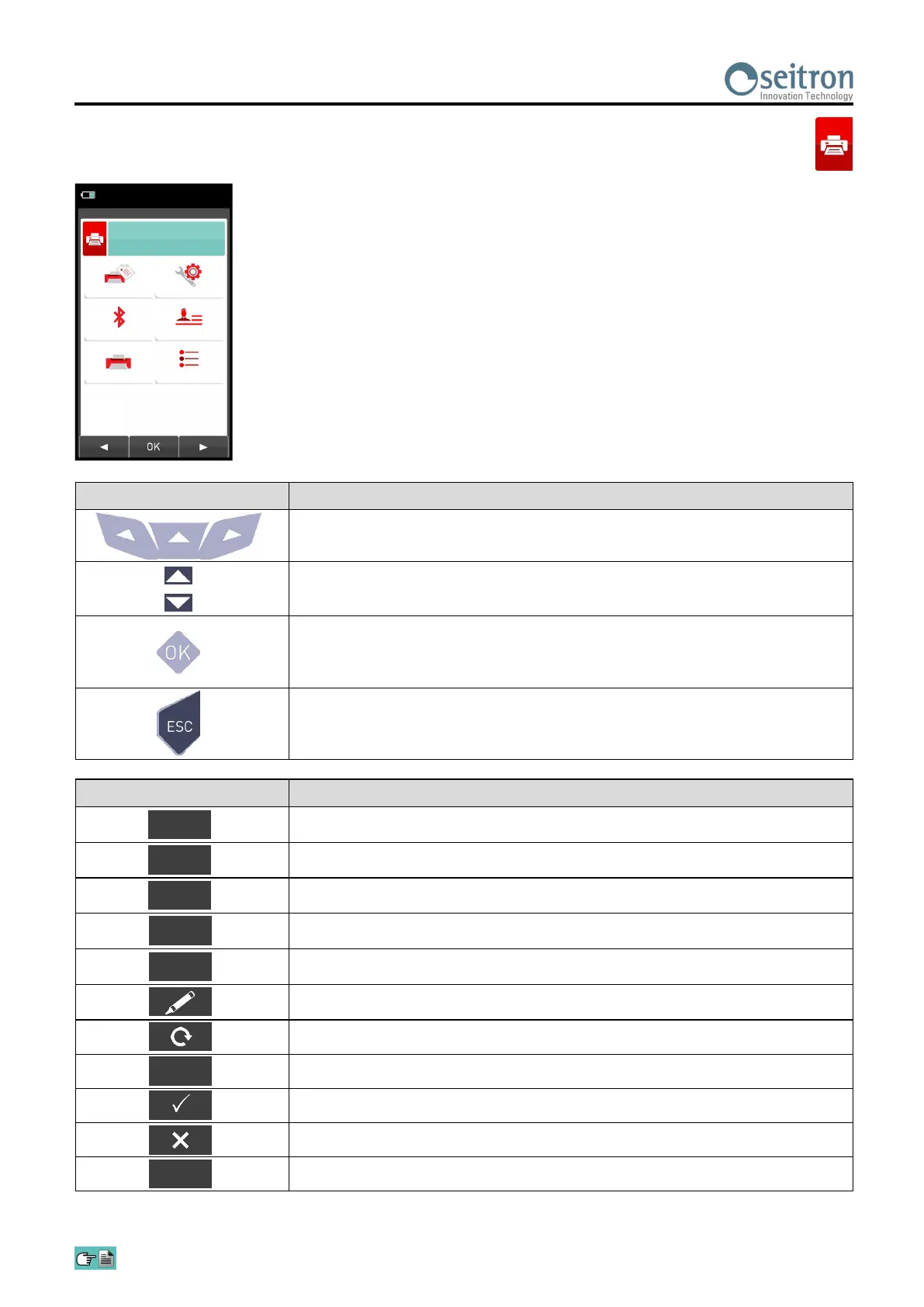
12.5.1 Print→Pairing
KEY FUNCTION
Activate the context keys shown on the display.
Selects line; the selected line is displayed in red.
In modification sets the value or the desired mode.
Activates the context key located in the left side of the display.
Returns to the previous screen.
When in modify mode cancels the modification just made.
15/01/14
10:00
Report
Pairing
Printer
Configuration
Header
Measures list
Print
CONTEXT KEY FUNCTION
Selects the available parameters.
Enters in the selected parameter setting.
Selects the available parameters.
Starts the search for Bluetooth devices.
Quits and returns to the previous screen.
Enters the modification mode for the selected parameter.
Repeats the pairing procedure.
Confirms the settings.
Confirms the selected letter or digit.
Cancels the letter or digit before the cursor.
Cycles through uppercase, lowercase, symbols and special characters.
OK
Aa#
OK
◄
►
In the following pages the pairing procedure between the instrument and a Bluetooth printer is
described.
F1
F2


 To Next Page