GB
GB
29
Setting of the end positions with setting switch
4.5.2. Manual setup-mode, deletion and manual setting of the end positions
¨ in operation bottom position, top stop/release
When the movement is interrupted once, the system is in manual setup-mode.
Important: A limit stop for the upper end limit is necessary!
In manual setup-mode, the lower end position must be set and stored first.
Operation Drive
E
6 s
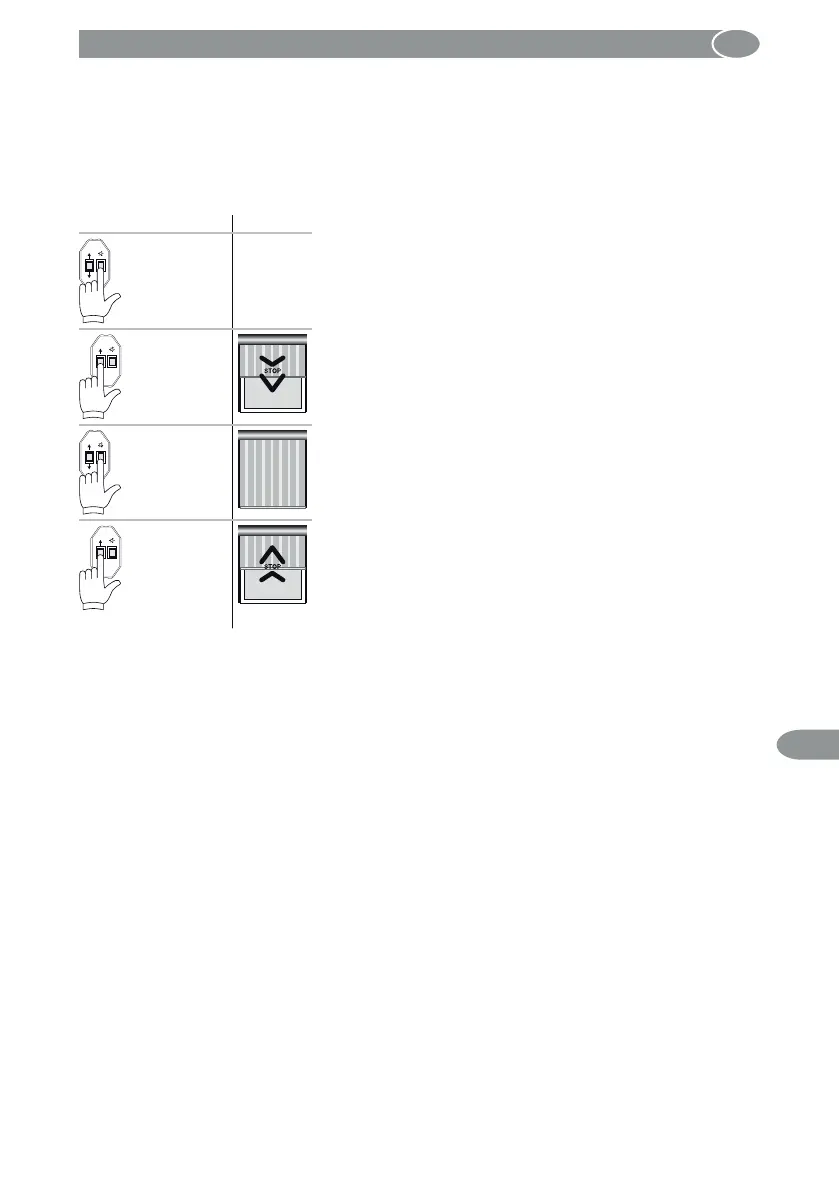
Press the E button of the setting switch for 6 seconds.
The motor will switch to manual setting mode. Both limit
positions already set will be deleted.
E
Move the motor to the lower end position with the UP or
DOWN button.
E
3 s
Press the E button for 3 seconds.
The correct rotation direction assignment will be carried out
at the end of the end position setting.
E
Run against the limit stop at the top; the motor stops auto-
matically. The correct direction of rotation assignment has
been made.
Perform a test run: The drive moves up against the limit stop
and relieves shortly.



 To Next Page