Using the “Conference Manager” software
140 | ADN Digital Conference System
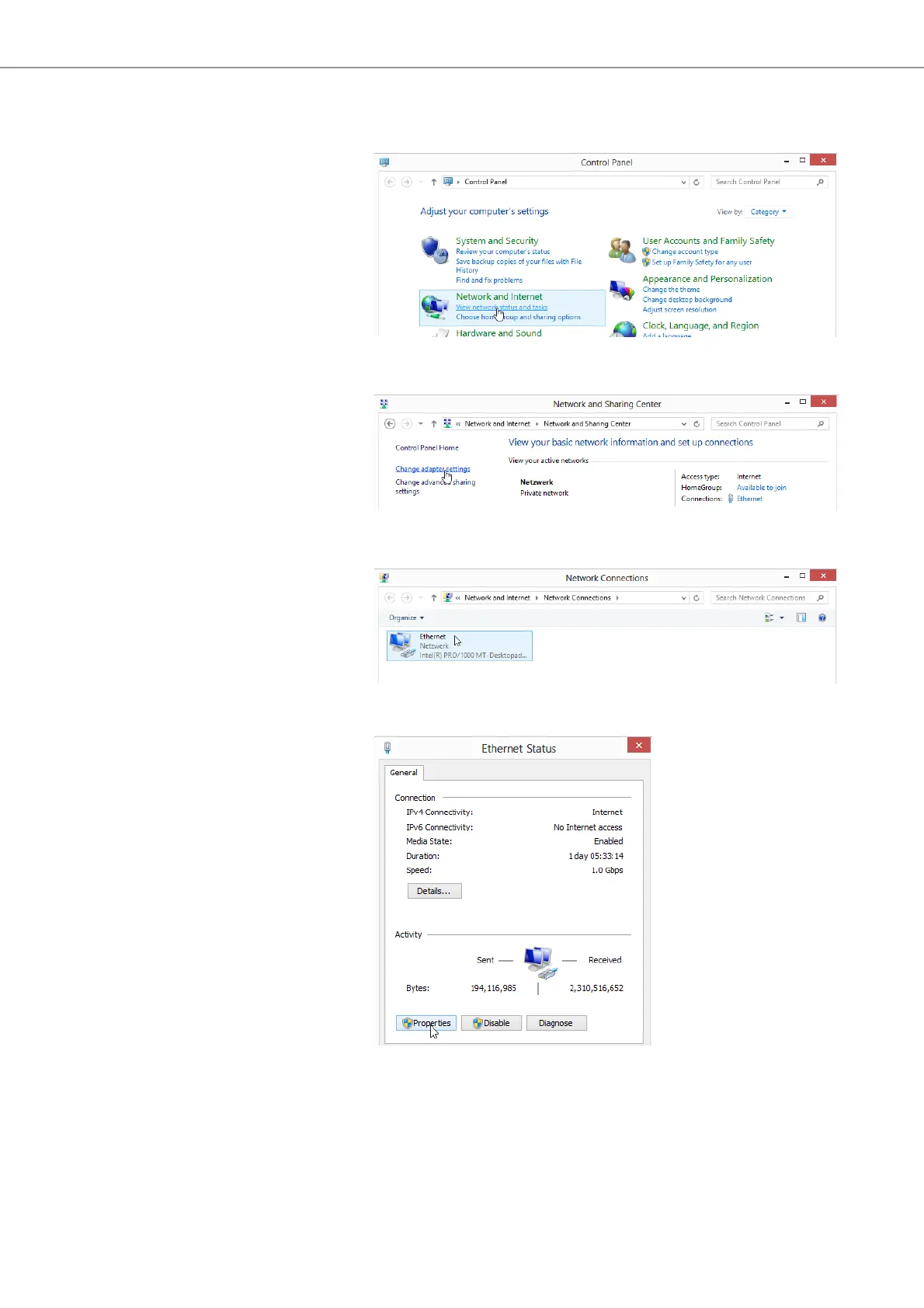
왘 Under “Windows System“, click “Control Panel”.
The “Control Panel” window appears.
왘 Under “Network and Internet”, click “View network status and tasks”.
The “Network and Sharing Center” window appears.
왘 Click “Change adapter settings“.
The “Network Con
nections” window appears.
왘 Double-click “Ethernet“.
The “Ethernet Status”
window appears.



 To Next Page