Putting the conference system into operation
48 | ADN Digital Conference System
Preparing the ADN-W L 10 charger for operation
The ADN-W L 10 charger allows you to simultaneously charge up to 10 ADN-W BA
Lithium-Ion battery packs. You can set up the charger on a flat surface or mount it
into a 19" rack (7 U, approx. 310 mm).
Setting up the charger or mounting it into a rack
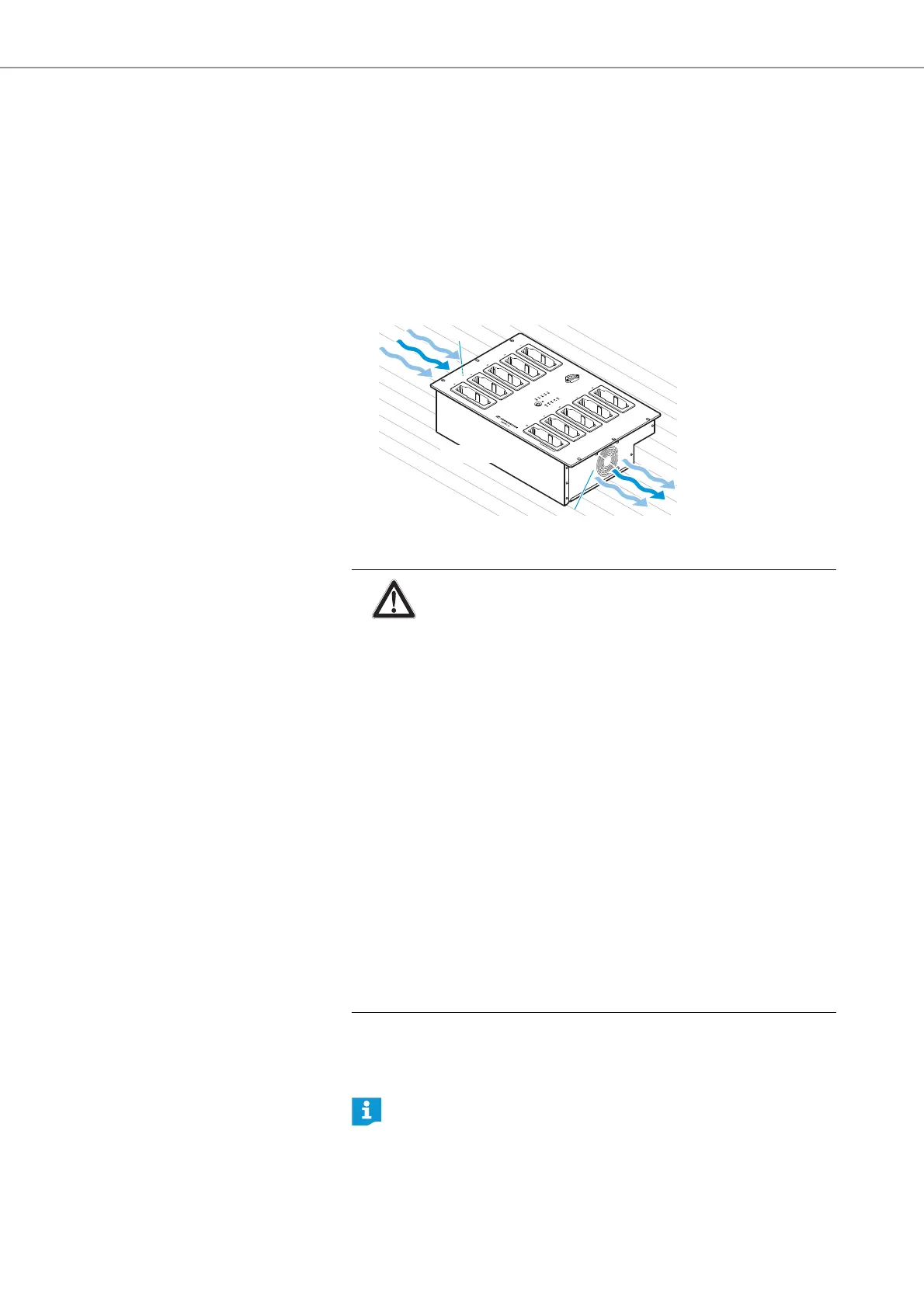
왘 Only operate the charger within the specified o
perating temperature range and
air humidity range (see page 246) and make sure that no air vents are
blocked.
왘 Place the charger on a flat, horizontal
surface as shown.
If you want to mount the ADN-W L 10 charger into a 19" rack:
왘 Slide the ADN-W L 10 charger into a 19" rack.
왘 Fasten the charger to the rack by screwing 6 screws (cross recessed head
screws M6
x12, to be ordered separately) through the 6 mounting holes .
7
7
ADN-W L 10
CAUTION
Danger of material damage and personal injury when rack mount-
ing the charger!
When instal
ling the product in a closed or multi-rack assembly,
please consider that, during operation,
• the ambient temperature within the rack may drastically
increase,
• high mechanical loading may be exerted on e.g. the housings or
cables,
• intrinsically harmless leakage currents of the individual mains
units may accumulate, thereby exceeding the allowable limit
value.
This can cause material damage and electric shocks.
왘 Make sure that the mechanical loading of the rack is even.
왘 Make sure that the ambient temperature within the rack does not
exceed the permissible temperature limit specified in the specifi-
cations (see page 246). Ensure sufficient ventilation; if necessary,
provide additional ventilation.
왘 When connecting to the mains power supply, observe the infor-
mation indicated on the type plate. Avoid circuit overloading. If
necessary, provide overcurrent protection.
왘 Ground the rack via an additional ground connection.
An engineering drawing detailing the dimensions of the ADN-W L 10 char-
ger can be found in the appendix (see page 250).



 To Next Page