Putting the conference system into operation
52 | ADN Digital Conference System
During operation, the battery status indicator additionally indicates when the
battery pack is almost flat.
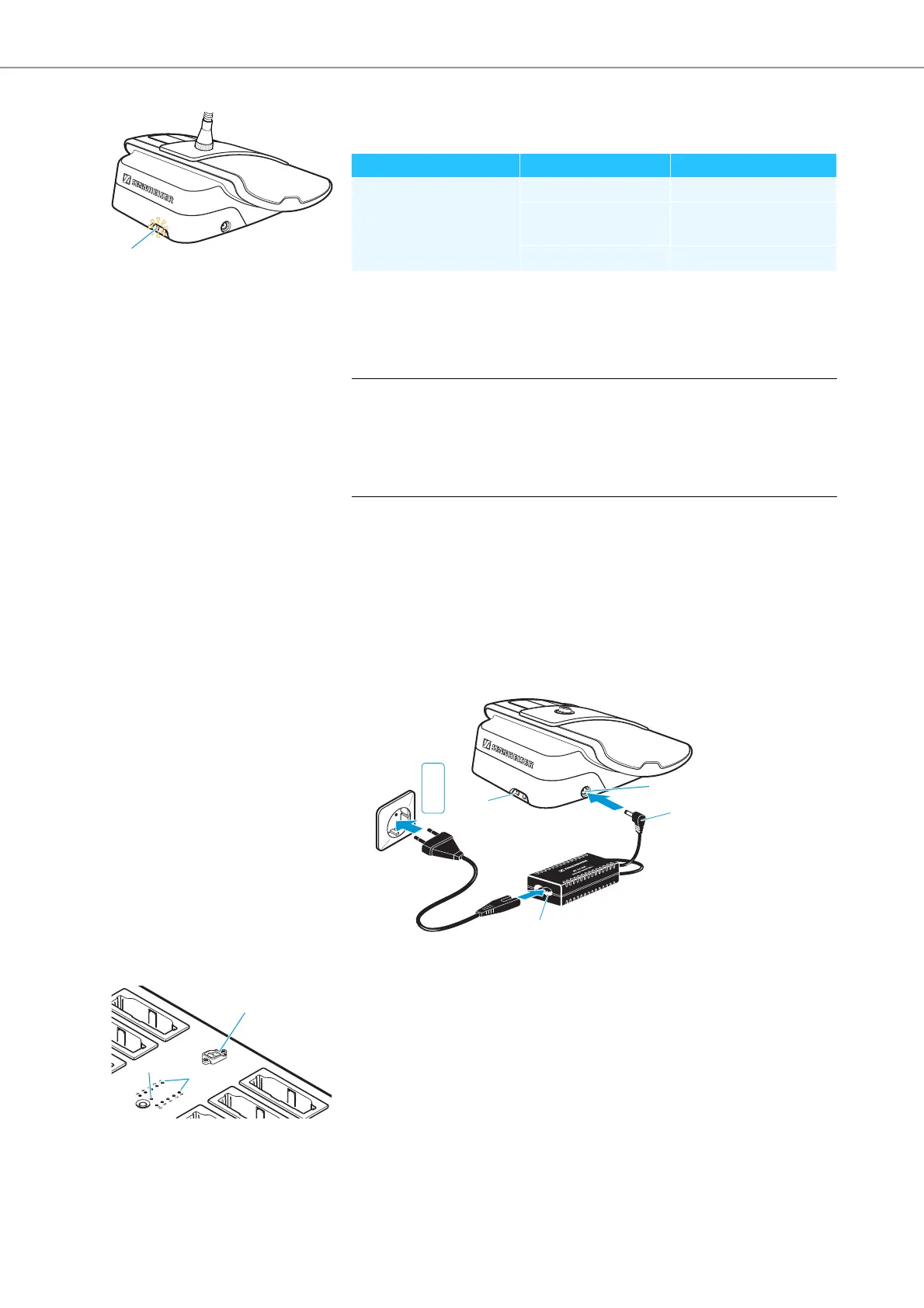
Charging the battery pack using the NT 12-50C power supply
Using the NT 12-50C power supply, you can charge the ADN-W BA battery pack
separately or while it is inserted in the wireless conference unit. The wireless con-
ference unit can be used during charging.
To connect the NT 12-50C power supply:
왘 Connect the hollow jack plug
of the NT 12-50C power supply to the hollow
jack socket of the ADN-W BA battery pack.
왘 Connect the Euro 8 connector of the mains cable to the socket
of the
NT 12-50C power supply.
왘 Connect the mains plug of the mains ca
ble to a wall socket.
The battery pack is being charged and the battery status indicator lights
up orange (see “Behavior of the ADN-W BA battery pack during charging” on
page 55).
Simultaneously charging up to 10 battery packs in the
ADN-W L 10 charger
왘 Set the on/off switch of the charger to position “I”.
The charger switches on. The operation indicator lights up green.
Status LEDs Color Meaning
Battery status indicator – Battery capacity 5-100%
orange, flashing slowly Battery capacity < 5%,
battery pack is almost flat
orange, flashing rapidly Battery pack is defective
CAUTION
Product damage due to an unsuitable power supply!
If yo
u use an unsuitable power supply, this can cause damage to the ADN-W BA
battery pack.
왘 Only use the NT 12-50C power supply to charge the ADN-W BA battery pack.



 To Next Page