ADN Digital Conference System |57
Putting the conference system into operation
Setting up a small wired conference system with only the central unit
For a small wired conference system, you do not requi
re ADN PS power supplies.
Connecting conference units
connected in
a cable string to the
ADN CU1 central unit
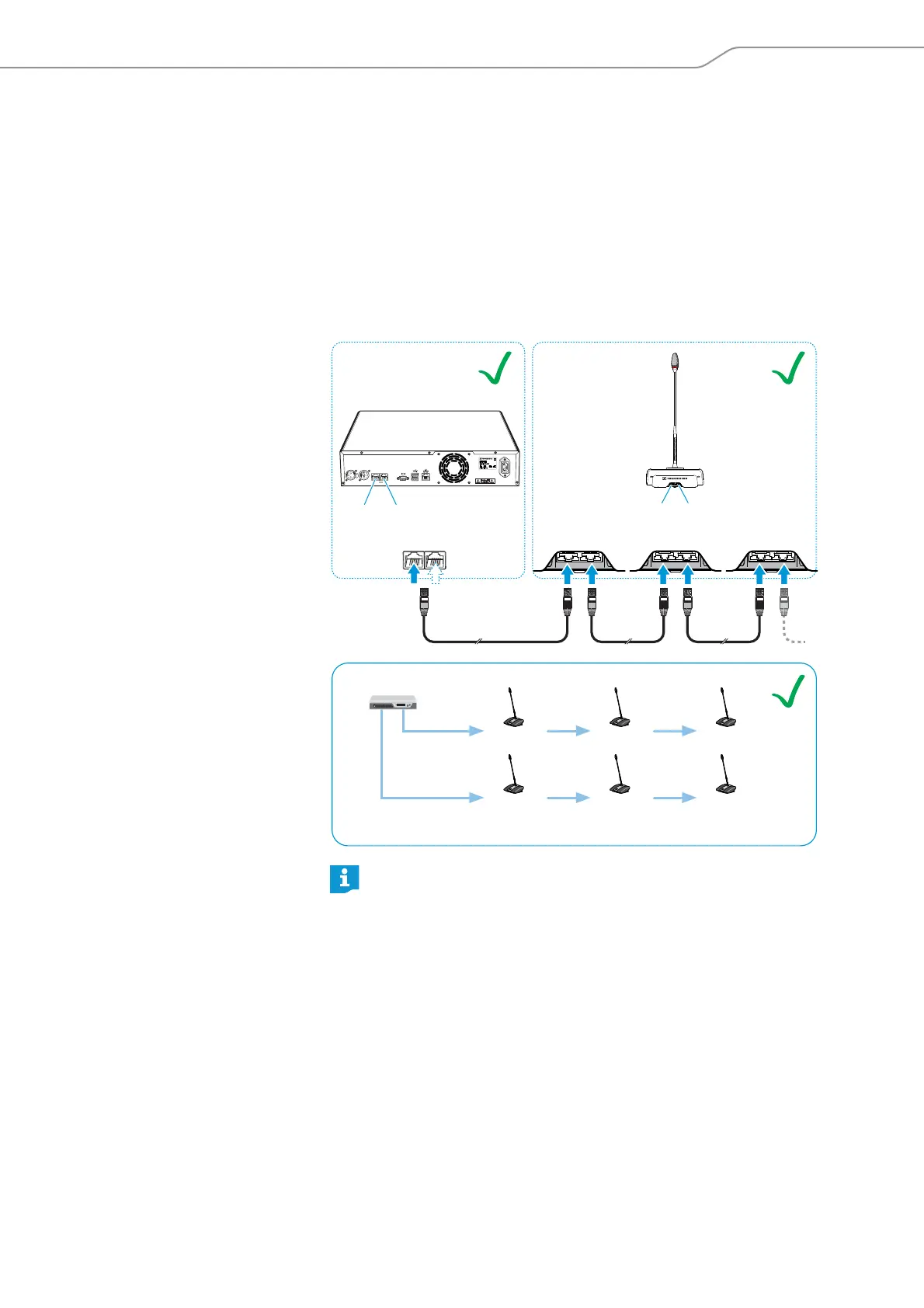
The following describes how to connect one cable string to the ADN CU1 central
unit. If necessary, repeat these steps for a second cable string.
왘 Use a system cable to connect the PORT II socket or PORT I socket of the
ADN C
U1 central unit to the IN socket of the first conference unit.
왘 Use a system cable to connect the OUT socket the first conference unit to the
IN socket of the second conference unit.
왘 Repeat these steps for additi
onal conference units.
왘 If necessary, repeat all steps for a second cable string.
Please note tha
t there is a limited number of approx. 15-20 conference
units per cable string due to the voltage drop on the cable string (see
page 29).
IN OUT IN OUT IN OUT
PORT II PORT I
ADN CU1
ADN D1/ADN C1
PORT I
PORT II
IN
OUT
IN
OUT
IN
OUT
IN
OUT
IN
OUT
IN
OUT
ADN CU1
IN –– AUDIO –– OUT
PORT II PORT I
100-240V~
50/60Hz 240W
2x 52.8V 1.75A
8 9
20 1 2
...
20 1 2
...
<A



 To Next Page