ADN Digital Conference System |67
Putting the conference system into operation
To optionally combine the antenna module with wired conference units (hybrid
operation), connect the antenna module just like a wired conference unit:
왘 Use a system cable to connect the o
utput socket of the ADN-W AM
antenna module to the IN socket of an ADN D1/ADN C1 wired conference
unit.
Or:
왘 Use a system cable to connect the OUT socket of an ADN D1/ADN C1 wired
c
onference unit to the input socket of the ADN-W AM antenna module.
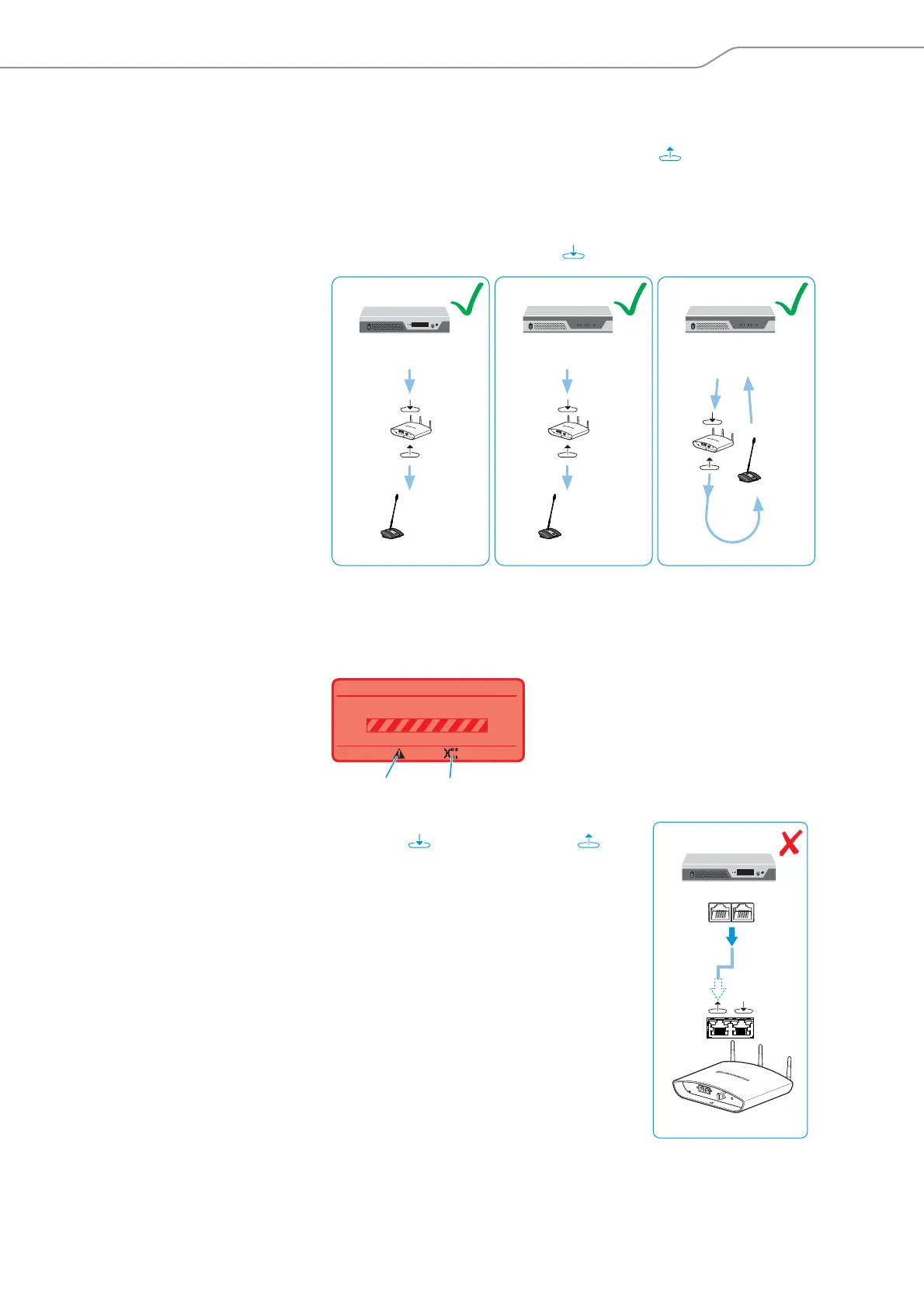
Cabling errors
If the cabling is wrong, the system may perhap
s function, but operational reliability
is compromised and monitoring cannot be carried out reliably. Therefore, when set-
ting up a wireless conference system, avoid the following severe cabling errors:
Input socket and output socket on
the ADN-W AM antenna module
have been accidentally swapped
ADN CU1
PORT I/PORT II
1 2
ADN PS
PORT I/PORT II PORT I/PORT II
1 2 1 2
ADN PS
OUT
IN
20
...
OUT
IN
20
...
OUT
IN
20
...
Processing ...
Audio Distribution Network
N
L
When connecting to the ADN CU1 central unit, the
input socket and the output socket of the
ADN-W AM antenna module have been accidentally
swapped.
The warning triangle , the cable fault icon and
the “Processing ...” bar appear on the display panel of
the ADN
C
U1 central unit (see page 105).
The antenna module is not operational.
To eliminate the error:
왘 Connect the antenna module correctly (see
pa
ge 66).
ADN-W AM
ADN CU1
PORT II PORT I



 To Next Page