21
Putting the HE 1 into operation | Using the tube headphone amplier connected to a Mac/PC
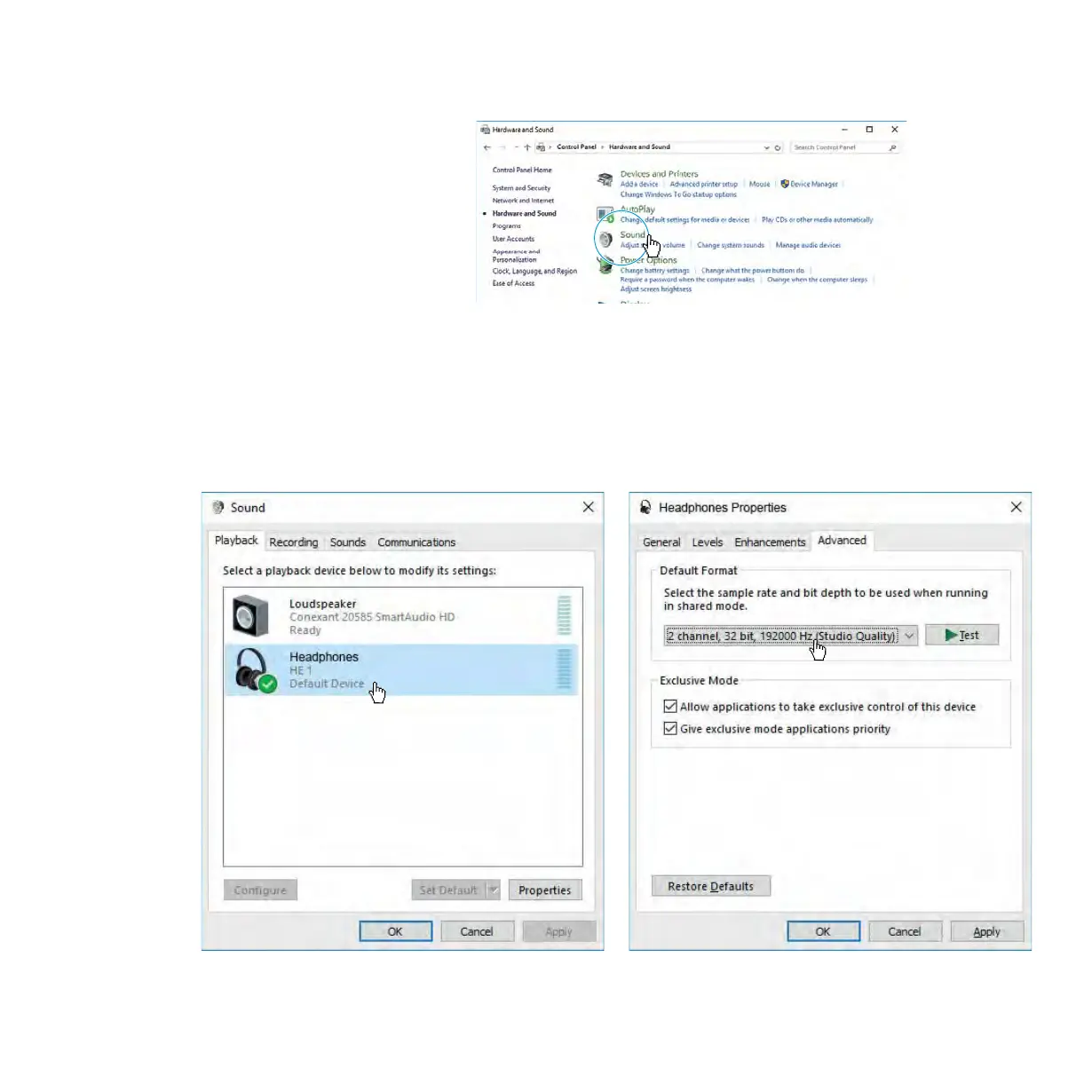
▷ Open the Control Panel and select “Sound”.
The “Sound” window opens.
▷ Select “HE 1” as the default audio output device.
▷ Click on “Properties” and, in the “Advanced” tab, select the maximum
sample rate from the “Default Format” drop-down list. Select “32 bit,
192000 Hz (studio quality)” for the best possible sound quality.
▷ Click on “OK” to apply the settings.



 To Next Page