23
Putting the HE 1 into operation | Using the tube headphone amplier connected to a Mac/PC
Tab Control Panel view Display/Setting option
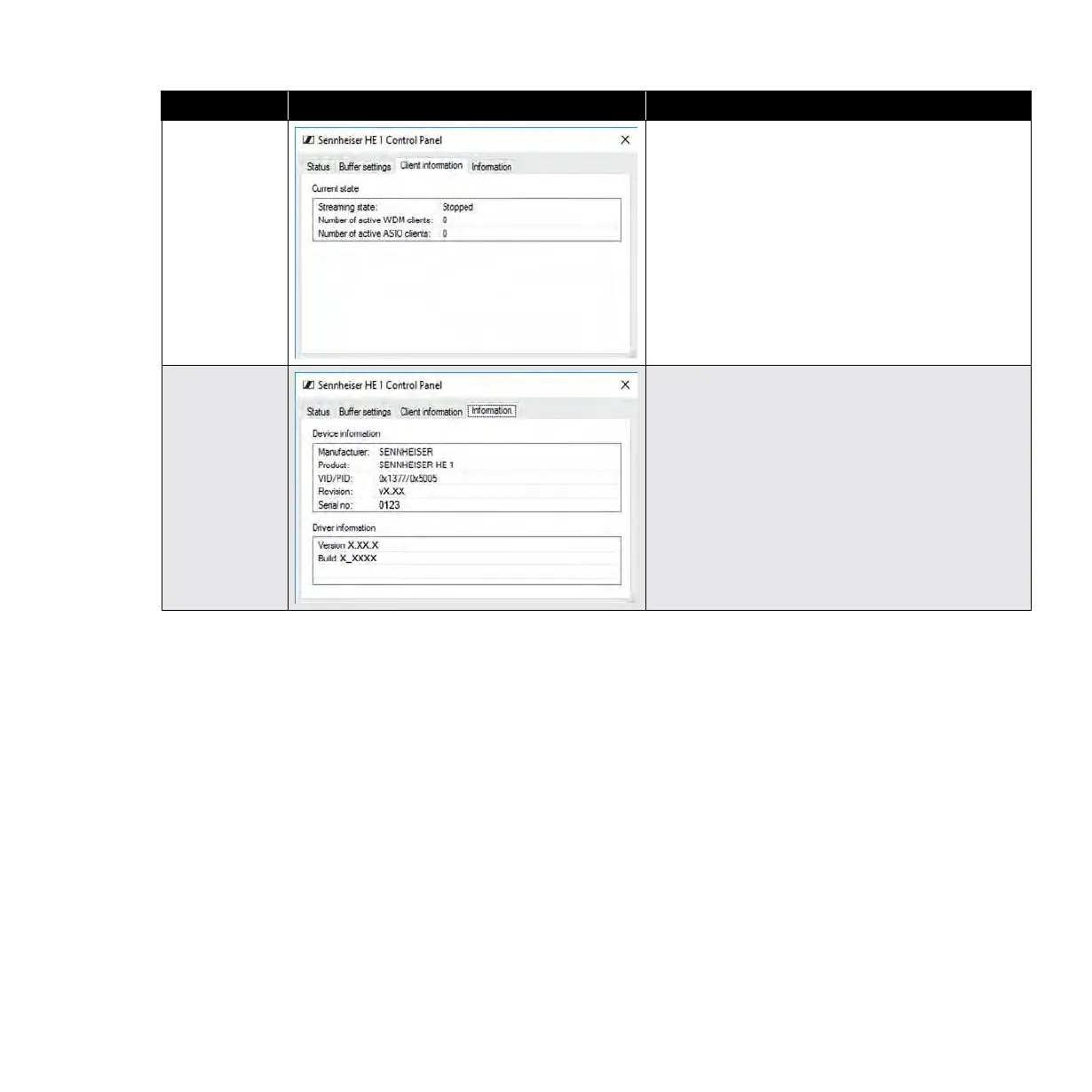
Client
information
Current state
Information on the PC client on which the Control
Panel is installed and on the streaming state
(“Active” or “Stopped”).
The type of driver used is displayed via the
number of active WDM or ASIO clients.
Information
Device information/Driver information
Information on the currently connected device and
on the driver.



 To Next Page